
Participant
December 15, 2020
Question

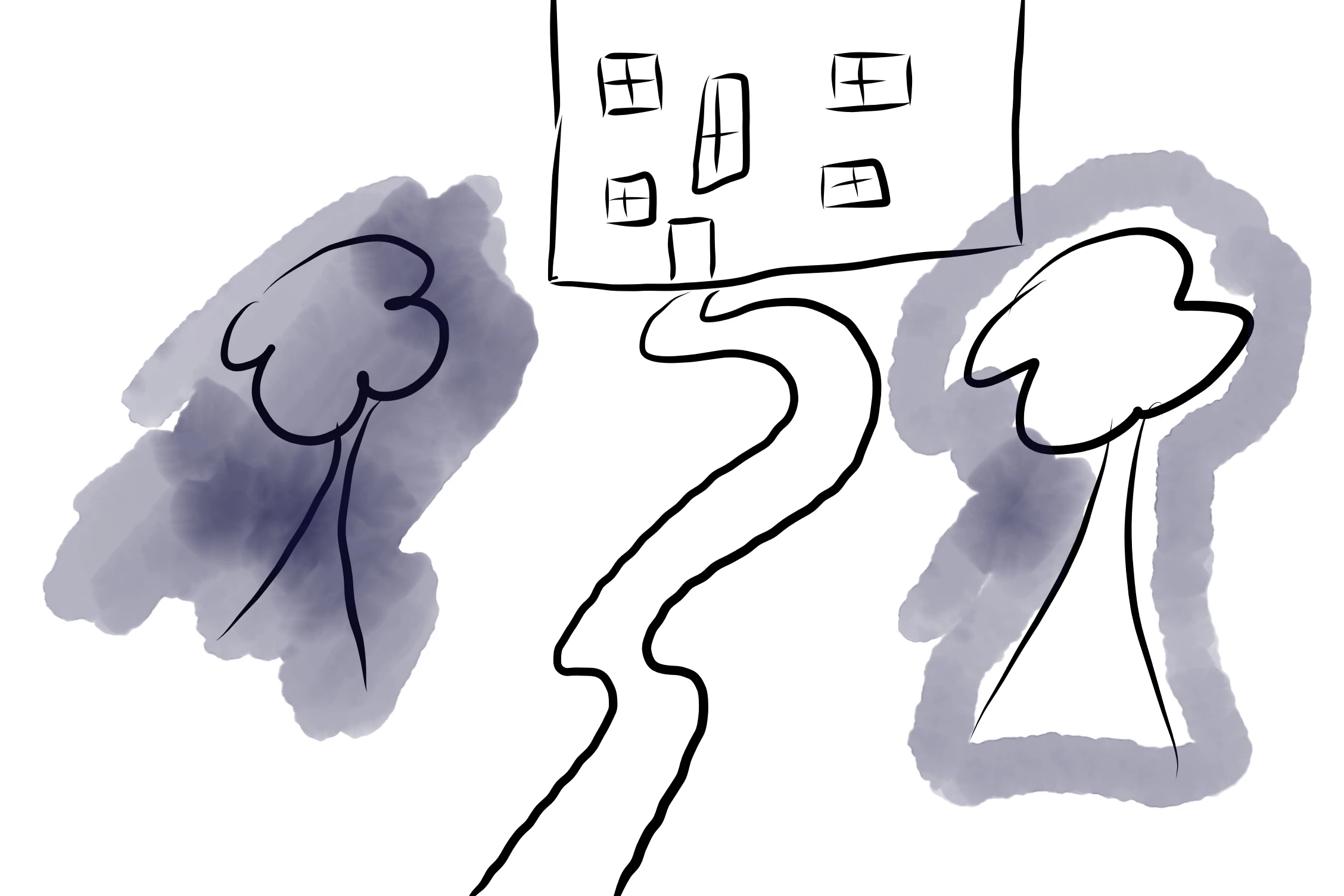
how to get the pixel/live/vector brushes to only go in particular areas?

  • December 15, 2020
  • 1 reply
  • 288 views

for example in this picture below I only want the purple to go around the trees instead of going all over the shape (like the left tree), and instead bit like the tree on the right.

can anyone let me know how you do this? I hope this makes sense! thank you in advance!
This topic has been closed for replies.

1 reply

Sjaani
Community Expert
Community Expert
December 15, 2020

One way you could achieve your results would be to select the area you want to avoid. Then use the More option within the selection tools to Invert selection. You will then be able to paint everywhere except within the area which is not selected.

Holly5C2AAuthor
Participant
December 27, 2020

@Sjaani  ok thank you 


I saw on a youtube video someone locked their transparency, however, when I tried this it didn't work - does this only work on the iPad app or I am doing something wrong, for instance, do I need more than one layer?