
Known Participant
November 10, 2024
Answered

How to move the brush adjustment window?

  • November 10, 2024
  • 1 reply
  • 260 views

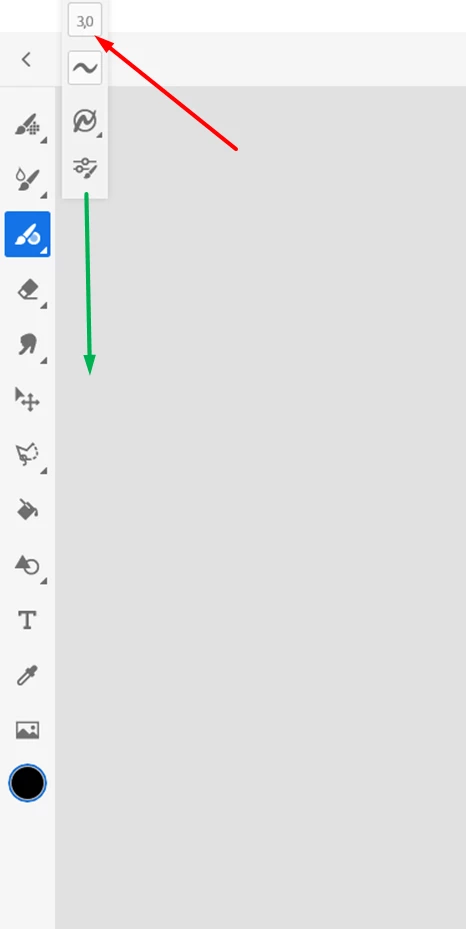
Hello, I do not know how I moved the small window that allows you to adjust the size of the brush in Adobe FRESCO.
I can’t adjust the size anymore: I would like to lower this window where it was before. I tried but I can’t: could you please help me? thank you in advance to all.

This topic has been closed for replies.
Correct answer Anshul_Saini

Hi PapiPhilou,


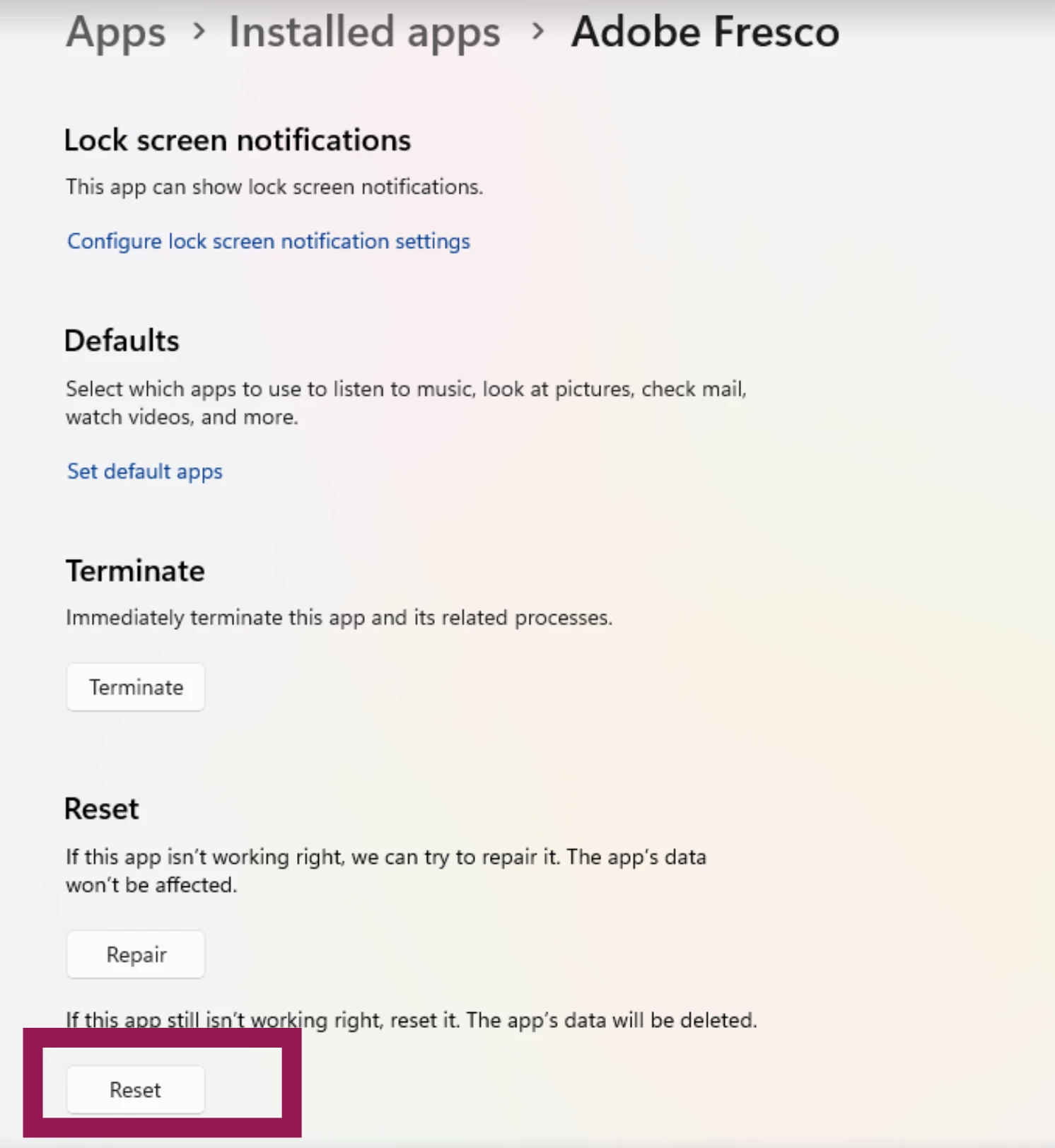
To help restore the brush adjustment window to its original position, try resetting Adobe Fresco. Here’s how:

1. Go to System Settings on your device.

2. Navigate to Apps > Installed Apps.

3. Find Fresco, click on the three dots next to it, and select Advanced Options.


4. Choose Reset.


This should bring the brush adjustment window back to its default position and restore any other settings in Fresco. Let us know if this resolves the issue!


Best,

Anshul Saini

1 reply

Anshul_Saini
Community Manager
Anshul_SainiCommunity ManagerCorrect answer
Community Manager
November 11, 2024

Hi PapiPhilou,


To help restore the brush adjustment window to its original position, try resetting Adobe Fresco. Here’s how:

1. Go to System Settings on your device.

2. Navigate to Apps > Installed Apps.

3. Find Fresco, click on the three dots next to it, and select Advanced Options.


4. Choose Reset.


This should bring the brush adjustment window back to its default position and restore any other settings in Fresco. Let us know if this resolves the issue!


Best,

Anshul Saini

Known Participant
November 11, 2024

Hello Anshul Saini, it worked! Thank you very very much, because it was very boring to work with, and I did not know how to fix the problem! Have a nice day.

Papiphilou