MarkGould
Participating Frequently
Sep 25, 2019 11:01 PM UTC
Answered

Imported and Library pixel brushes not working in Fresco

Hi,


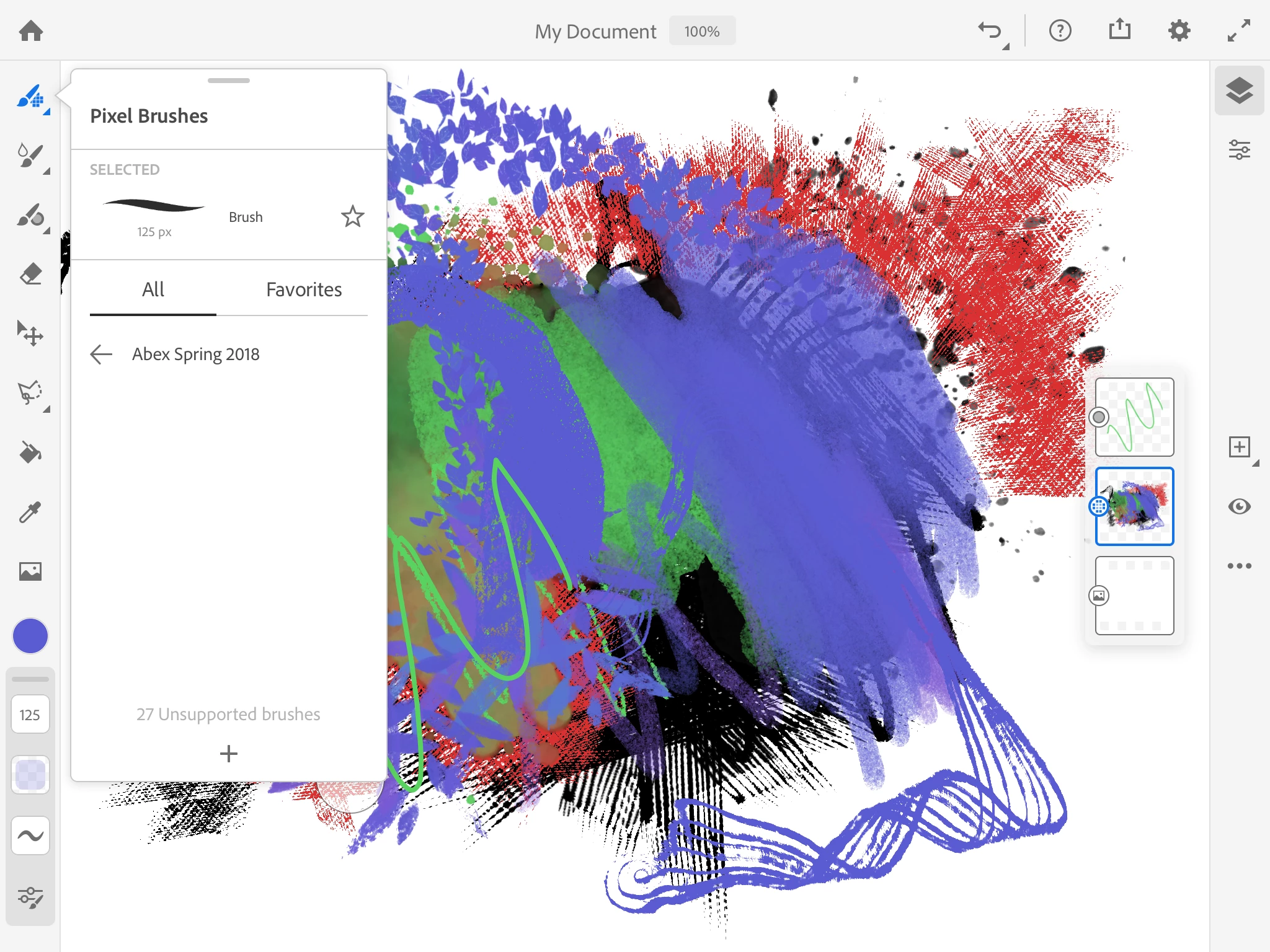
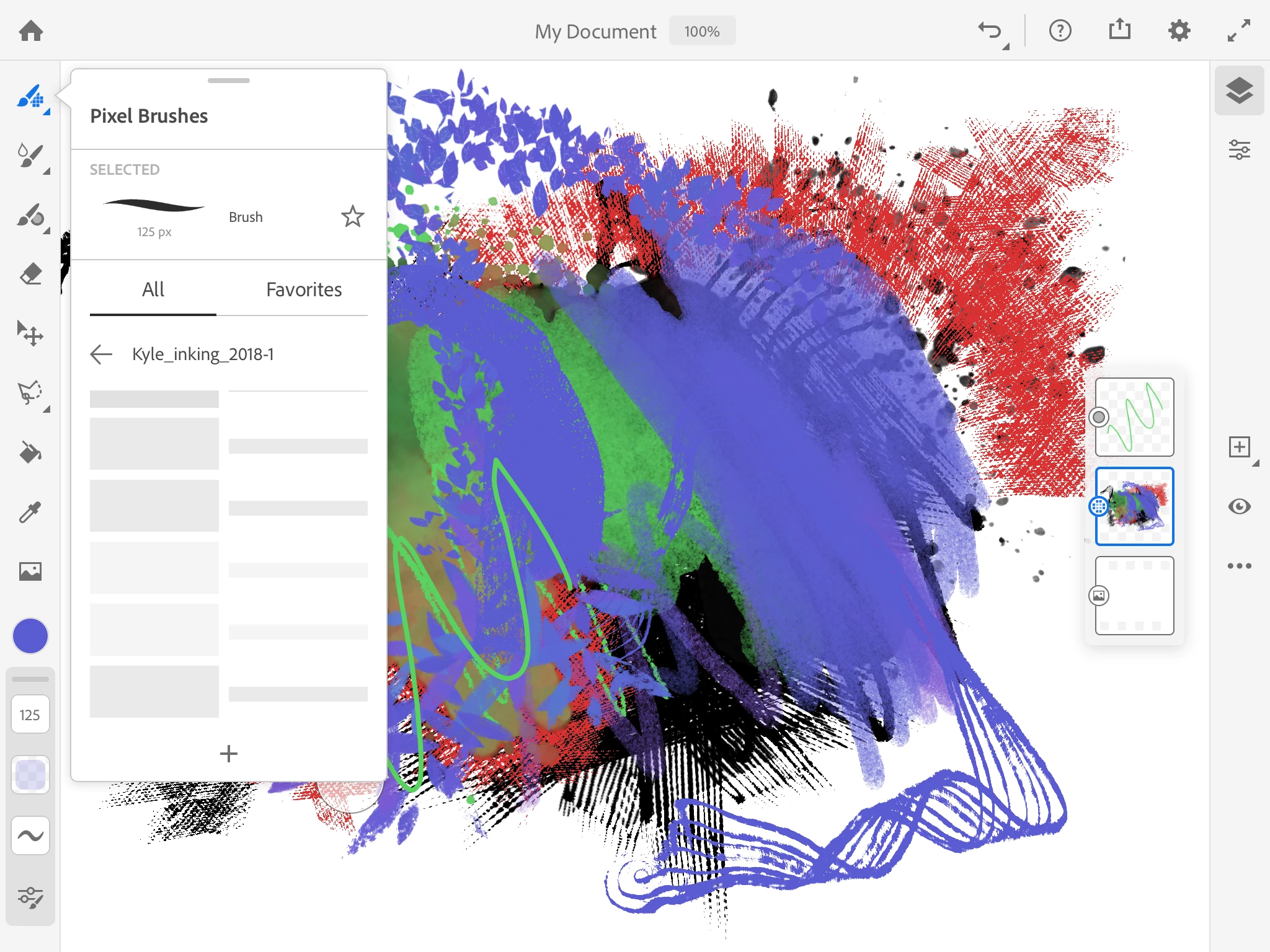
Here are a couple of screenshots - I've tried to import previously downloaded Kyle brushes from iCloud, and the app shows other brushes available through Libraries. I'm not sure if some of this is an unreleased feature, or a bug. It seems one or two of the downloaded brushes do work, but others don't show up in the list (vs. others that the app says are unsupported...) 


Any thoughts?


Congrats on Version 1!


Mark
 

This topic is closed to new replies. Start a new post to keep the conversation going.
Rick35160048l41aCorrect answer
Adobe Employee
Mar 1, 2024 4:04 PM UTC

You're looking at the "Recent" brush list.  Try tapping the left arrow next to "Recents" and you will see all of the available brushes.

13 replies

Participant
Mar 25, 2023 1:47 PM UTC

The same with me, I have only 3 watercolours and 1 pencil 😅😅😅 What happened?

Translate
Rick35160048l41aCorrect answer
Adobe Employee
Mar 1, 2024 4:04 PM UTC

You're looking at the "Recent" brush list.  Try tapping the left arrow next to "Recents" and you will see all of the available brushes.

Translate
Participant
Apr 15, 2024 9:00 PM UTC

I've tried everything, and I couldn't find it. Even the others that I made downloaded from Adobe. 😅 I gave up using Fresco and even gave up on the iPad. I prefer to continue on my Xppen display and Photoshop. Thank you 

Translate
Participating Frequently
Oct 15, 2019 11:13 PM UTC

I am also having issues with this.  I have deleted all of my imported PS brushes out of my library.  Now even the standard Fresco brushes are greyed out and I cannot use any brushes.  My internet connection is not the problem.

Translate
Participant
Dec 5, 2019 6:47 PM UTC

I had the problem on an ipad pro. I restarted it and the brushes came back.

Translate
Plankton Press
Participating Frequently
Oct 4, 2019 8:43 PM UTC

I have the same problem. The first time I used Fresco it was fine, but since then my Kyle brushes libraries don’t download completely. I don’t know if it has to do with my internet connection, but the point it, they are there in my Adobe Sketch and take zero time to upload. So how can it be that in the supposedly more powerful Fresco I have to wait for minutes each time I need a brush only not to be able to get them all most of the time? I am growing quite desperate as it is not possible for me to work like this....

Translate
Participant
Oct 10, 2019 11:39 AM UTC
I have the same problem. Can’t see how to delete the library and try again.
Translate
Sue Garibaldi
Inspiring
Oct 10, 2019 6:21 PM UTC
HI Bristol. Brushes can't (YET) be managed from inside of Fresco. Install the Creative Cloud Mobile App on your device; you'll be able to manage them from the Libraries tab in that. Hope that helps.
Translate
Sue Garibaldi
Inspiring
Sep 26, 2019 8:09 PM UTC

Hi Mark. 


Thank you. 


This looks like an incomplete brush import. I don't know how large this brush library is, I know some of them are huge, but importing most/all of Kyle's libraries into Fresco (or Sketch) requires a pretty darn fast Internet connection (if I'm at home, I make sure that there are no other devices connected to my network).


I'd like you to sign in to https://assets.adobe.com/libraries and see what you see there (you can, also, from there delete the library so you can try again).


Let me know what you find. 


Sue.


Translate
MarkGould
MarkGouldAuthor
Participating Frequently
Sep 27, 2019 6:18 PM UTC

Hi Sue,


This was very helpful. Yes, some of the Kyle brush downloads are quite large - others not so much. I did take your suggestion to delete them after import from the libraries, and this helped a lot. Now, my smaller sets of brushes do load in Fresco, most of the time, although for some reason at other times, not.


My understanding of this is that somehow after importing the brush packs into Fresco and they are stored in libraries, that the app must reference all of the imported brushes in the libraries whether or not you have accessed them, and there may be some kind of memory issue involved.


It would be great to think that for future versions the team might consider some way of increasing storage for brushes, and/or managing them so we can pick and choose from the great number of resources that are out there. Thanks.


Mark

Translate
Matthew550
Participating Frequently
Sep 26, 2019 1:32 PM UTC

Same

Translate