Answered
Invert colors
Is it possible in Fresco to invert colors so that, for example, white becomes black and black becomes white?

Is it possible in Fresco to invert colors so that, for example, white becomes black and black becomes white?
Not directly, however a workaround would be to select similar colours, which you can do by using the magic wand (see screenshot)

you can dynamically adjust colour margins so you can fine tune the selection
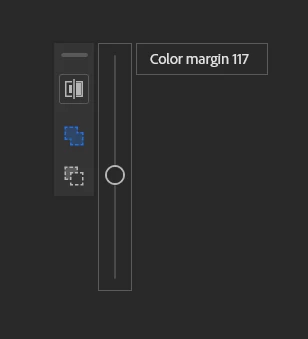
which will detect all similar colours and then fill (ideally) a new layer) with the new colours.
Another - better - solution would be to change the blending mode of a layer (again ideally colour and shading on a different layer than inking) and select one of the 3 "invert" blending modes (difference, exclusion, substract)
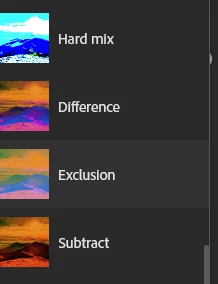
which will invert the colours (so in the case of black and white, they'll become white and black)
the exact effect will depend on the leayer underneath, and or the kind of colours on the colour layer, so you need to test...
Already have an account? Login
Enter your E-mail address. We'll send you an e-mail with instructions to reset your password.


 AdChoices