Known Participant
November 2, 2021
Answered

Layers icons configuration

  • November 2, 2021
  • 1 reply
  • 358 views

Currently the layers icons are on the right side. Can they be configured to be on say left hand side. I am left handed and it is easier for me if these are on the left hand side.
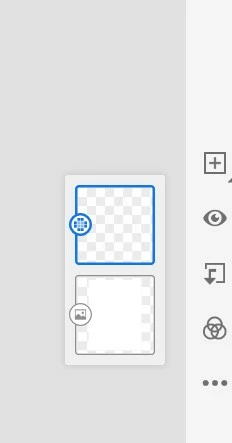

This topic has been closed for replies.
Correct answer Anshul_Saini

Hi there,


Thanks for reaching out. You can configure the Taskbar & layer panel on the left side.

Click on Settings (Gear icon) > General > Interface > Toolbar > Select Right from Drop down Menu.


Please feel free to reach out if you run into any other questions or issues in the future. We'd be happy to help.


Regards,

Anshul Saini

1 reply

Anshul_Saini
Community Manager
Anshul_SainiCommunity ManagerCorrect answer
Community Manager
November 2, 2021

Hi there,


Thanks for reaching out. You can configure the Taskbar & layer panel on the left side.

Click on Settings (Gear icon) > General > Interface > Toolbar > Select Right from Drop down Menu.


Please feel free to reach out if you run into any other questions or issues in the future. We'd be happy to help.


Regards,

Anshul Saini

Agha5DF0Author
Known Participant
November 3, 2021

Thank you very much for the quick reply. Great help. Thanks
