
Line jump/lag in Fresco v 5.5..0
Hello,
I am experiencing a strange issue that appeared with the latest update, Fresco V 5.5.0. It is hard to describe, but I feel it is lag-related. At the start of any brush stroke, there is a slight lag. Then, it appears that Fresco “catches up” and tries to draw a straight line from the start of my initial brush stroke to my current position. Though this issue happens constantly, the problem is most visible when I draw curved lines, such as a circle or an S-shape. An odd straight line appears soon after I start drawing these shapes. I’ll attach an image showing what I mean.
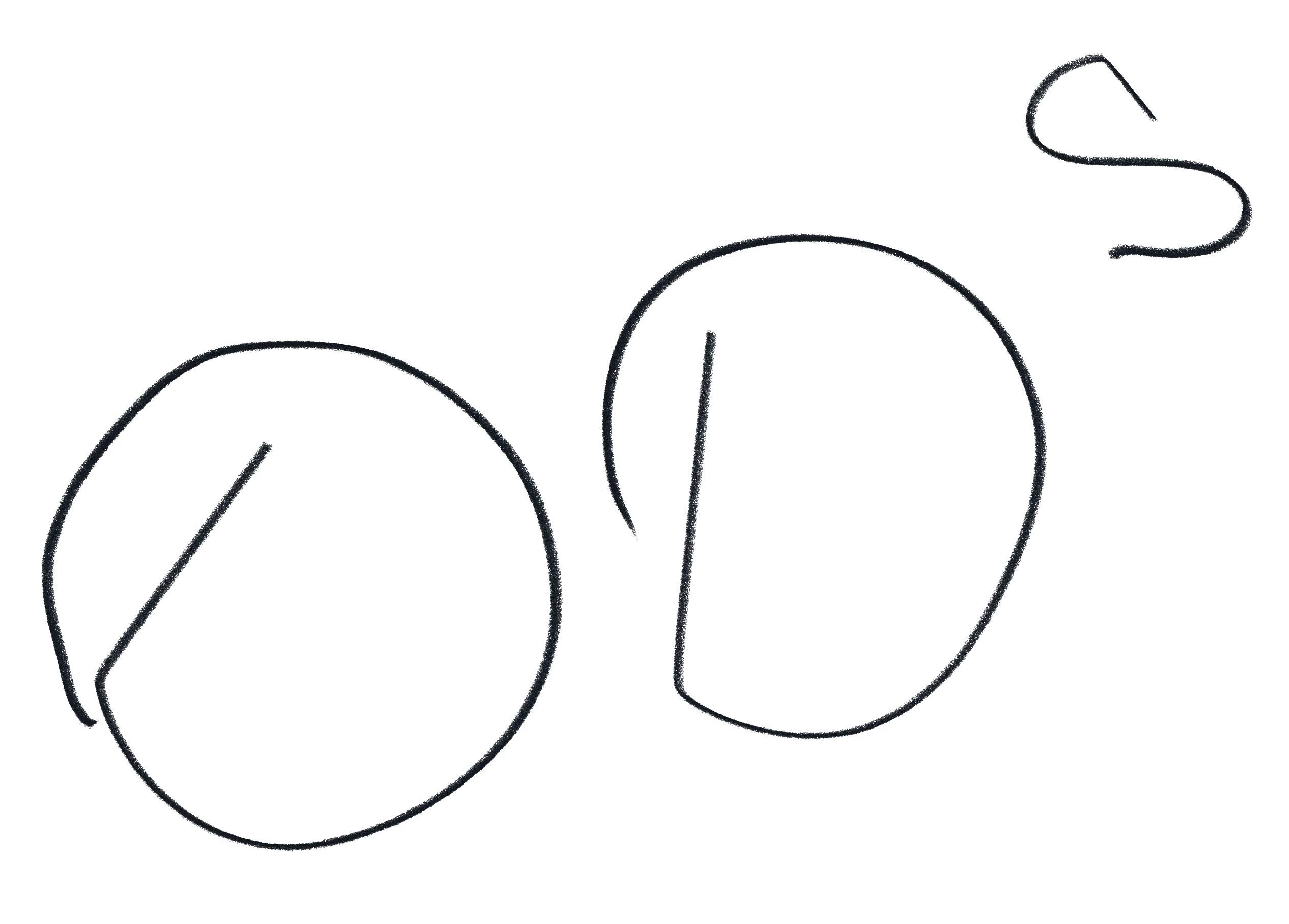
This problem makes it impossible to draw naturally because any linework I create gets interrupted by these lag-related straight lines that appear.
The issue persists with any brush.
It only happens in Fresco v 5.5.0. Other applications work fine.
I use a Surface Pro 8 (32 GB RAM) with a Slim Pen 2.


 AdChoices