Participant
April 12, 2024
Question

'manage vector brushes' button missing in Fresco on iPad

  • April 12, 2024
  • 1 reply
  • 405 views

Hello!

I was wondering if anyone could help me.

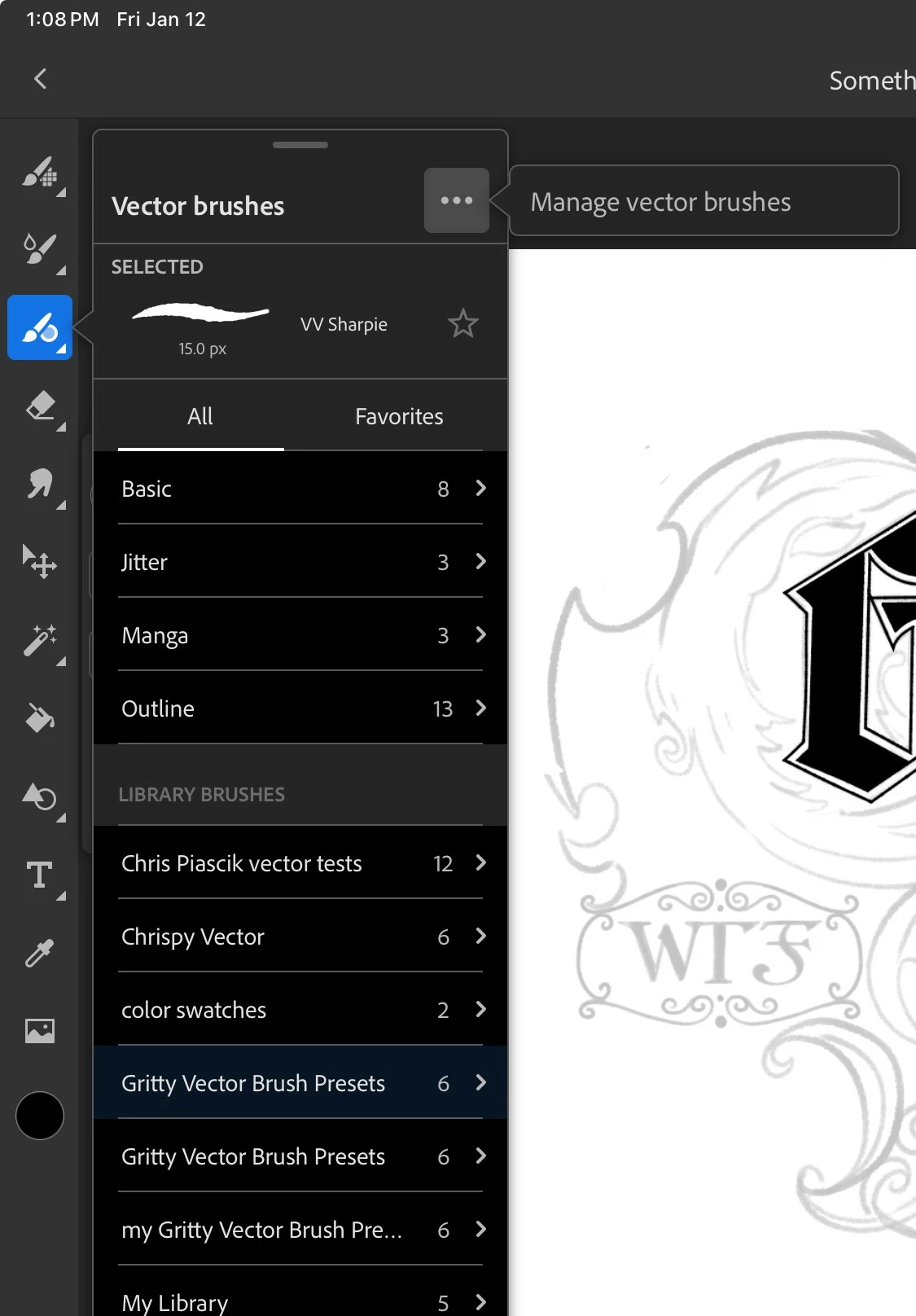
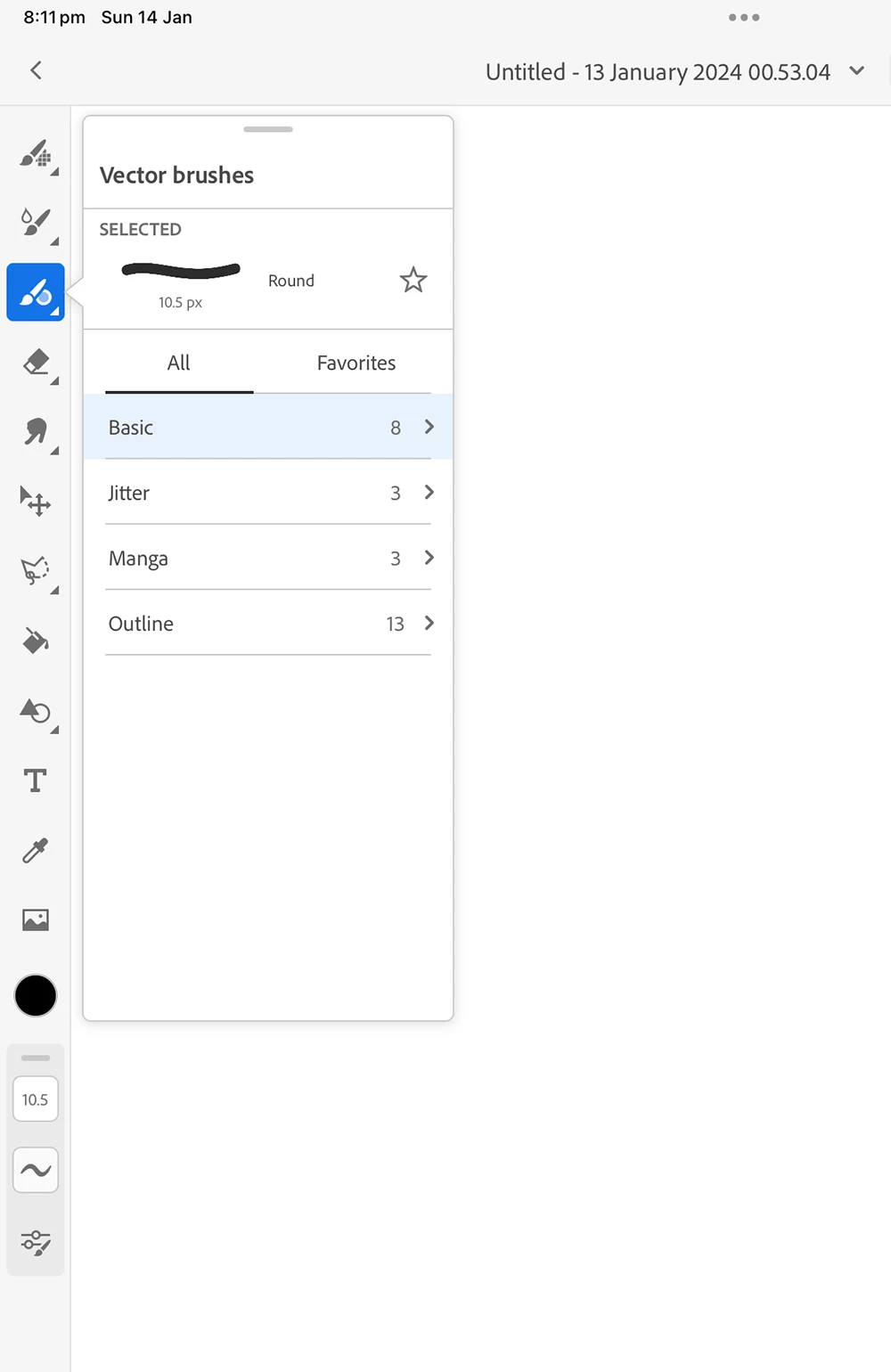
When I open the Vector brushes menu in Fresco I don’t see the 3 dots at the top with the option that says 'manage vector brushes'.

I can see it in the 'pixel brushes' tab however.

I am logged into my Creative Cloud and my app is up to date.

I've attached a screenshot of what I see on my iPad and also a screenshot of what I should be seeing.

Any help?
This topic has been closed for replies.

1 reply

Anshul_Saini
Community Manager
Community Manager
April 12, 2024

Hi @Markie need Help!


Sorry to hear about the trouble. Have you tried reinstalling the app? Also, could you confirm the app version you're using and if it's updated? Additionally, could you let me know your iPad model and iOS version? Before reinstalling, make sure all your artwork is saved on the cloud.


Let me know how it goes!


best,

Anshul Saini