

J.Z. Parakeet master
Participant
September 11, 2026
Answered

Manga

  • September 11, 2026
  • 2 replies
  • 33 views

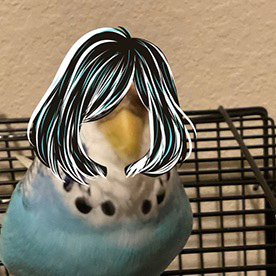
Can we add brushes that can make drawings like this? Because the sketch pencils we have aren’t solid and fades .


Not mine btw 


    Correct answer CORCTON34033231

    Good news — you don't need to wait for new brushes! Fresco already has solid manga-style inking brushes built in. In the Pixel brushes panel, look under Ink (Comics, Brush, Blake, Fountain pens, and the Belgian and Classic comic inking brushes) and Comics (Cross Hatch, Halftone) — those give you the crisp, solid linework the sketch pencils don't.


    And if you want even more, tap + Add brushes at the bottom of the Brushes panel: "Discover new brushes" gives you free packs (e.g. from Kyle T. Webster), and "Import from files" lets you bring in any Photoshop .abr brush file.


    Full guide: https://helpx.adobe.com/fresco/desktop/draw-paint-animate-and-share/pixel-brushes.html

    2 replies

    CORCTON34033231
    Community Expert
    CORCTON34033231Community ExpertCorrect answer
    Community Expert
    September 21, 2026

    Good news — you don't need to wait for new brushes! Fresco already has solid manga-style inking brushes built in. In the Pixel brushes panel, look under Ink (Comics, Brush, Blake, Fountain pens, and the Belgian and Classic comic inking brushes) and Comics (Cross Hatch, Halftone) — those give you the crisp, solid linework the sketch pencils don't.


    And if you want even more, tap + Add brushes at the bottom of the Brushes panel: "Discover new brushes" gives you free packs (e.g. from Kyle T. Webster), and "Import from files" lets you bring in any Photoshop .abr brush file.


    Full guide: https://helpx.adobe.com/fresco/desktop/draw-paint-animate-and-share/pixel-brushes.html

    J.Z. Parakeet master
    Participant
    September 21, 2026

    Thanks


    Master of the parakeets
