
Messy vector output to Illustrator
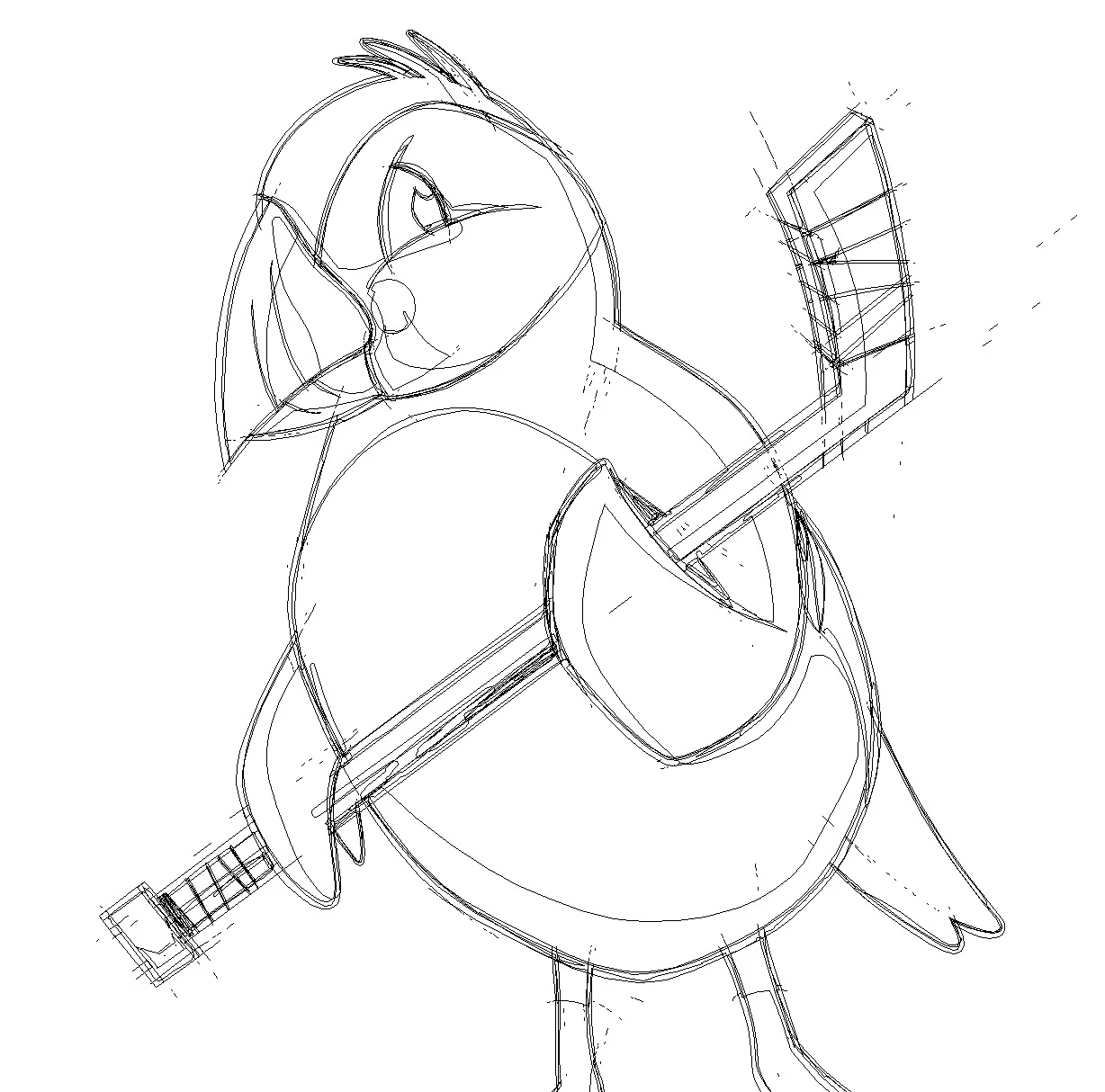
Hi, I am using Fresco 2.6.1 on my new iPad M1 12.9" that just came out. I had this issue with my first-gen 9" iPad Pro, and was hoping it would be better with the upgrade but it is not. I do a lot of apparel, so I work with the vector tools a lot. I just had this mascot I finished for a hockey jersey while on vacation, which was super convenient to be able to utilize downtime for that. However, I get home and load the artwork into Illustrator, and once again I see a ton of stray 1px lines that are fills all over the place. I use the trim feature frequently. This takes about 30-60 minutes to clean up, as it does leave colored artifacts in areas that should not have artifacts. Please tell me I'm not the only person reporting this, since this is my second device giving me the issues now.



 AdChoices