Participant
May 23, 2023
Answered

Modify brush vector thickness in the workflow

  • May 23, 2023
  • 2 replies
  • 290 views

Hi everyone,
Is there anyway to change brush vector thickness during the workflow?
For example, I've started painting with a 15 pt vector brush half of my design, now I've realised that 15 pt it's not enough and I need almost 30 pt thickness. Is there anyway to change what I've already done so I don't have to start over?


Thank you for your help,
G
This topic has been closed for replies.
Correct answer Imaginerie

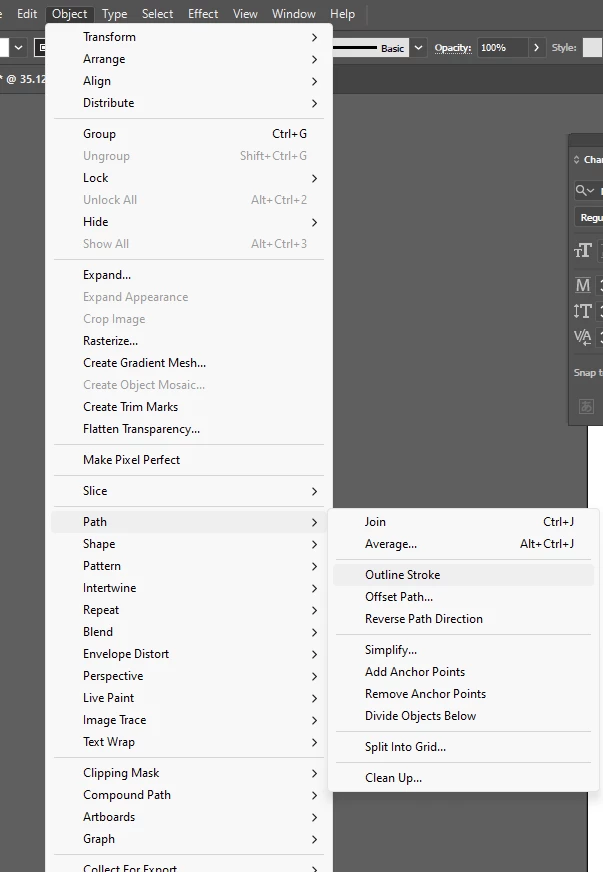
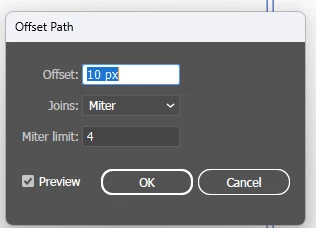
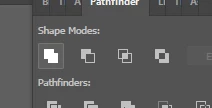
I would open the file in illustrator and add a slight stroke to the shapes (they're shapes not strokes), once done all you have to do is outline the path and merge the two elements using the pathfinder. You could also try to offset the path (it's in the same menu as outline path)


and see how it goes, depenting if you have sharp corners, it may work or not so much.


you'll have to play with the miter limit in both cases and see what works best.


2 replies

Imaginerie
Community Expert
ImaginerieCommunity ExpertCorrect answer
Community Expert
June 5, 2023

I would open the file in illustrator and add a slight stroke to the shapes (they're shapes not strokes), once done all you have to do is outline the path and merge the two elements using the pathfinder. You could also try to offset the path (it's in the same menu as outline path)


and see how it goes, depenting if you have sharp corners, it may work or not so much.


you'll have to play with the miter limit in both cases and see what works best.


Sjaani
Community Expert
Community Expert
June 4, 2023

I don't think so. Fresco creates shapes with the Vector brushes, so even opening in Illustrator if you have it would be a slow process to widen the 'strokes'.