
New to Fresco and struggling
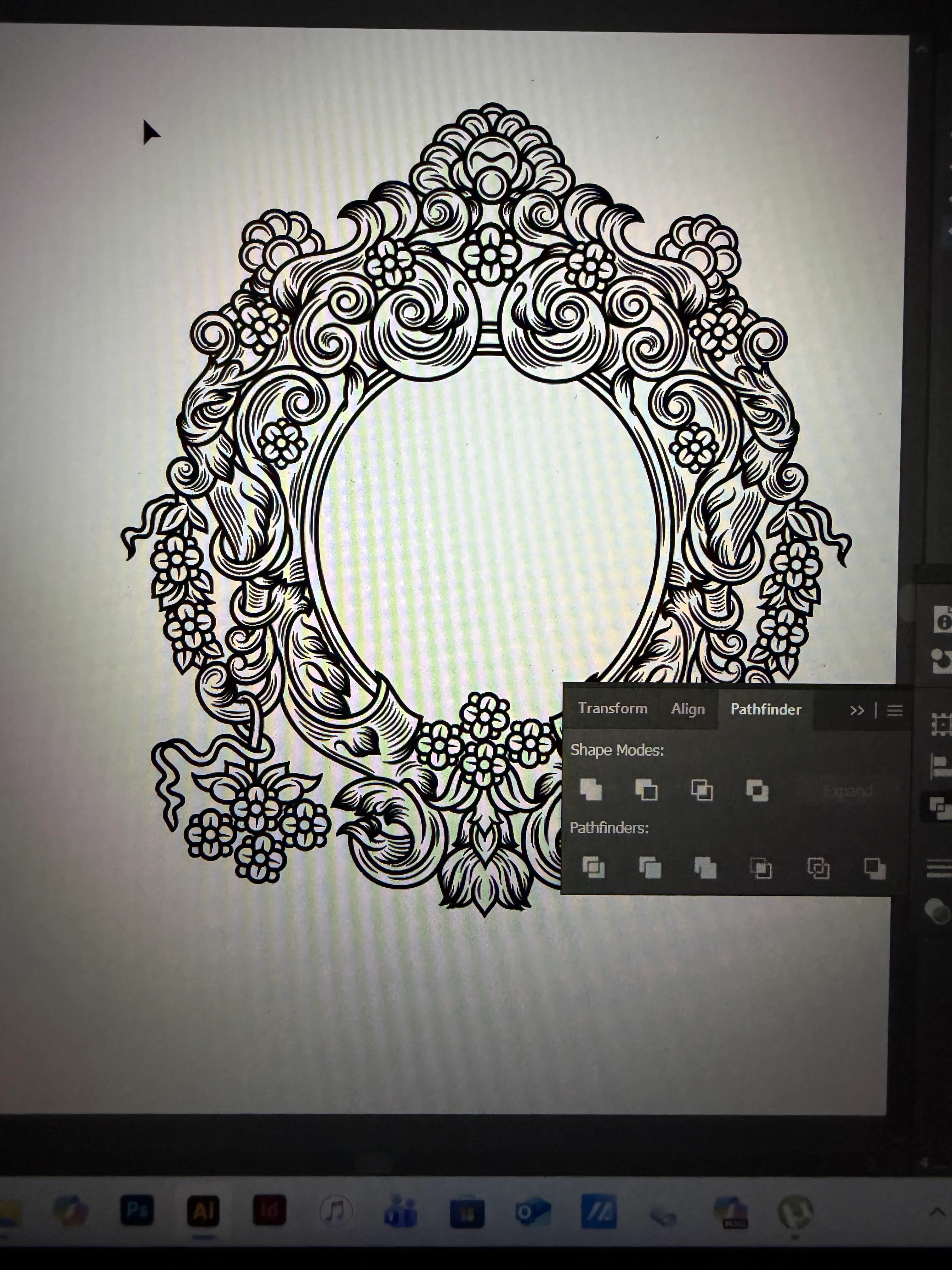
Hi there! I'm just trying to see if anybody had the same issues and what kind of remedy you were able to find to solve this problem. I'm also very new to Ai and that will explain why I made a grave mistake. So when I discovered that Adobe Fresco has vector brushes and I could play with some settings, especially editing taper/smoothness/velocity then I was intrigued. I fell in love with Fr and created over 150 vector illustrations. All was great until I realized Fr does NOT offer paths. Then my whole word collapsed because I need to be able to modify how thick or thin my lines are. It is very crucial for me because I wanted to use my illustrations to create brass plates for foil accents on paper & polymer plates to be used for letterpress. Sadly then I found out Fr offers shapes, not paths, there are no strokes but filled shapes. I had a test and this is what happened when I tried it offset my path (I knew it'd not work but I had to try), I tried image tracing and despite playing with presets/thresholds I was very displeased withe the outcome. When I scale down my lines pretty much bleed into each other and that distorts everything. I just would like to reach out to you and see if you could advise or suggest what worked for you! Feel free to ask me questions in case something does not make sense or if you need clarification. Thank you!
P.S. and yes, next time I will do a lot of research before I spend hours and hours creating over 150 illustrations just to realize the are useless at this point.. Such a painful lesson but I learned it by heart now
 AdChoices