



NEW VECTOR OUTLINE BRUSHES- Fresco 3.8
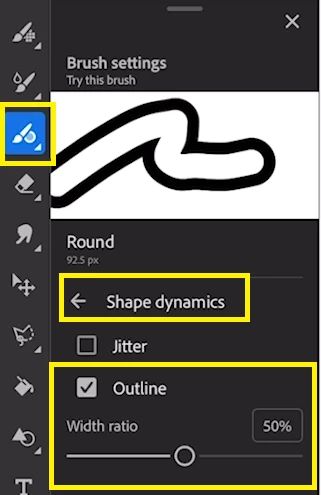
Fresco 3.8 brings to you new vector brush capabilities that allow you to create hollow or ‘outline’ brushes. You can increase/decrease the size of the interior via the Width ratio slider. It helps you to easily scale and add depth to your strokes.
1. The new vector outline brushes are available under shape dynamics. There is a new Command for the outline as shown in the screenshot below:-
2. The below clip depicts a glimpse of how outline brushes option works:-
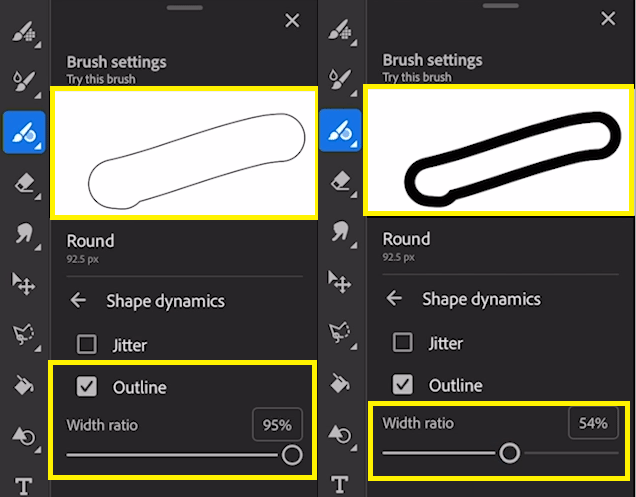
Note:- Width ratio basically means the ratio of the inner part to the rest of the stroke.
You can combine outline brush capabilities with other controls like jitter, taper and tilt to create completely unique appearances. We’ve included a new default Outline brushes t o help get you started.
For more details about the new vector outline brushes, please click here.
To help us have focused discussions, create separate posts for feedback on this feature.
Thanks,
Vivek


 AdChoices