

PC Windows Ink pen issue
Hi all.
So all problems people are having here in terms of "performance" (which is only lag, not performace in the end) is a common problem with Photoshop as well and Windows Ink and Wacom tablets. With Photoshop you can just fix it with simple txt file placed into Photoshop folder that force system to think Ink is on but you than turn it off in Wacom Settings resulting in having no lags and all pressure sensitivity settings working in Photoshop.
But here in Fresco is different case becuase I guess trick with txt file doesnt work (anyone knows where Fresco is installed on PC? I honestly can't find it since it's installed somewhere by Creative Cloud...), so Fresco is unusable on PC. Lags with Windows Ink are too big and without it it loses all pen features. Adobe try to make some fix please.
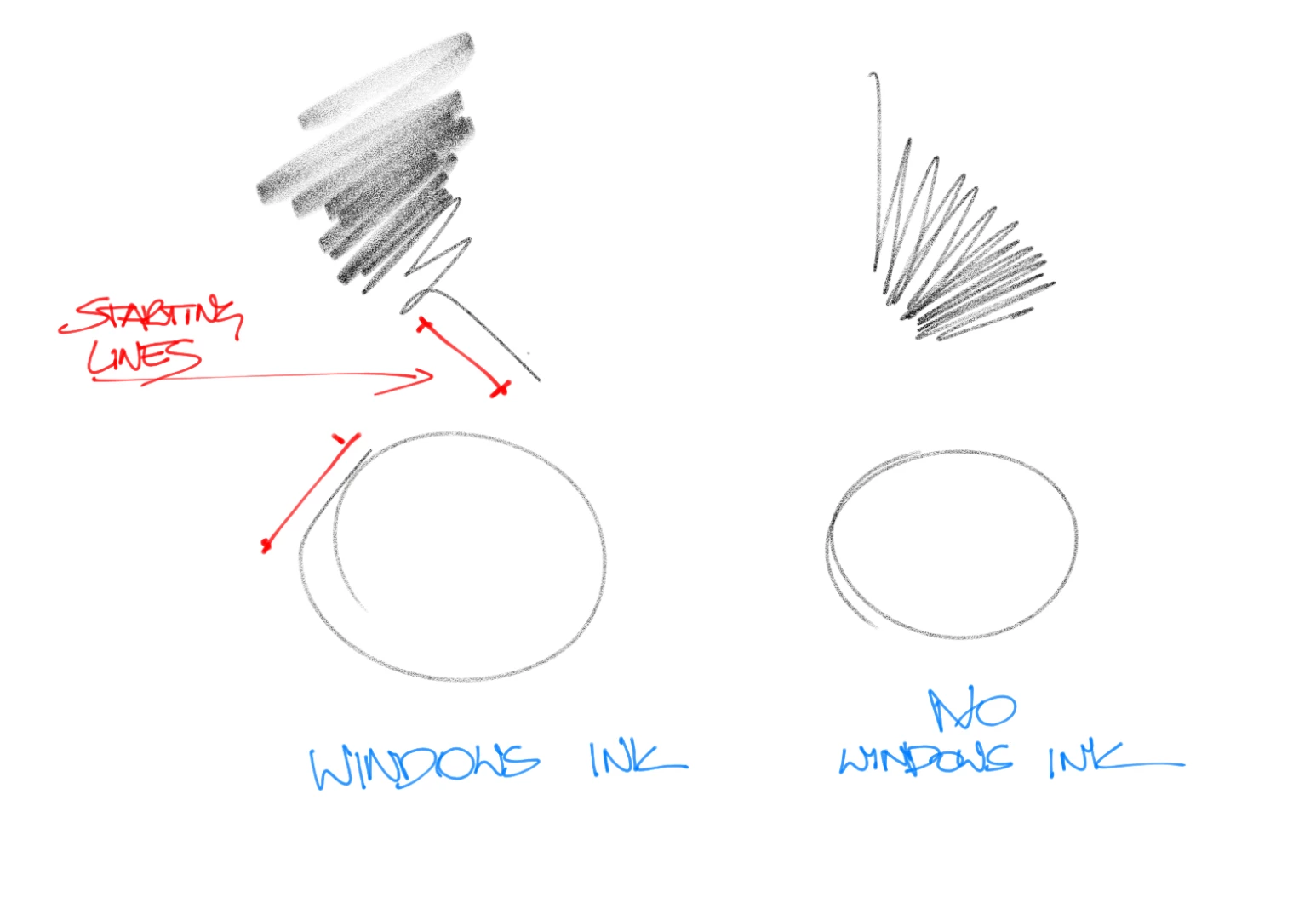
Left side lines with Windows Ink on, lag before start making straight lines, on right without Windows Ink. Buttery smooth but no angle and pressure sensitivity...
 AdChoices