
Known Participant
December 14, 2021
Answered

Probelm sharing Fresco over Zoom after upgrade to 3.2.0

  • December 14, 2021
  • 1 reply
  • 303 views

I am teaching Fresco over zoom and every thing was going well. Today I upgraded the app to 3.2.0.

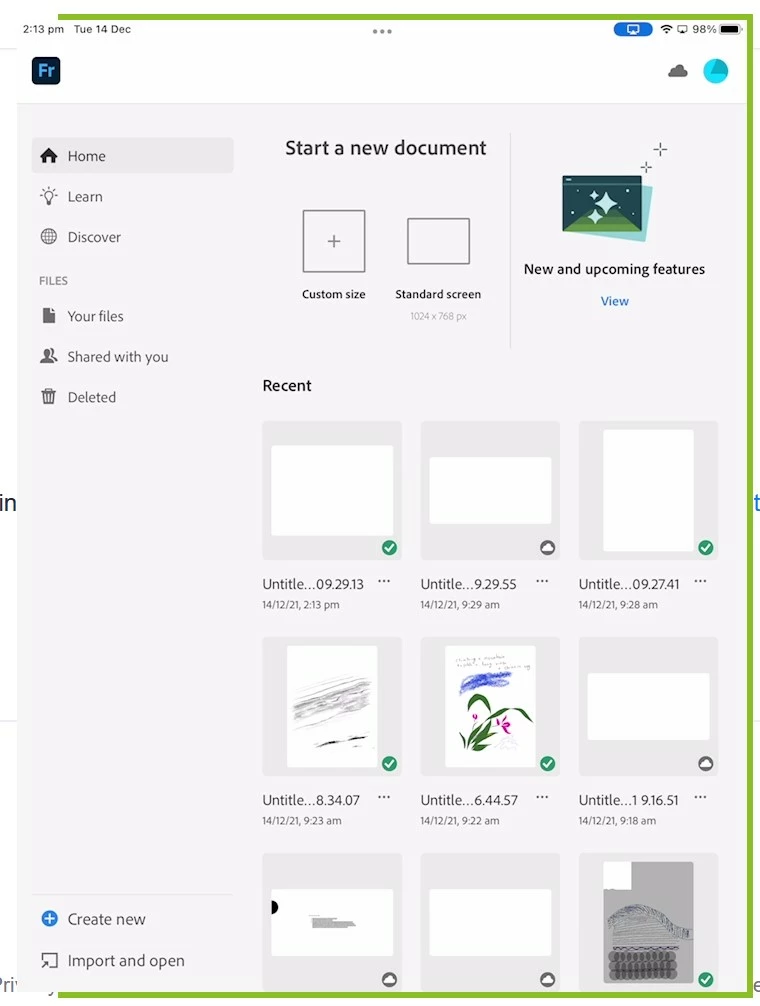
Now when I share Fresco on ipad over Zoom, the students cannot see the menu on the left or right only the canvas. The home page/start screen is fine, it is the painting screen that is the problem. Both attached are what my students see.  Thanks in advance.

This topic has been closed for replies.
Correct answer DaveJCummings

Do you have Canvas Projection turned on?  Its in App Settings under General.  If its on, its only going to show the canvas.  Turn it off to show the tools

1 reply

DaveJCummingsCommunity ExpertCorrect answer
Community Expert
December 14, 2021

Do you have Canvas Projection turned on?  Its in App Settings under General.  If its on, its only going to show the canvas.  Turn it off to show the tools

Agha5DF0Author
Known Participant
December 15, 2021

Thank you very much.