


Participant
Oct 17, 2020 2:26 AM UTC
Question

"Save has failed" (Error Code: 2) - Unable to Export to PSD

When I import a photo file as a background layer, whenever I go back to the Home button, I get this error:
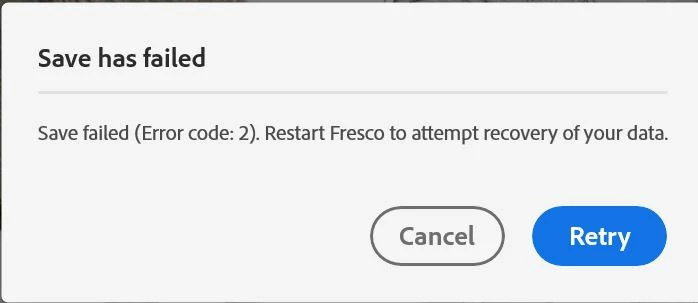


Restarting Fresco does not solve the issue and I lose all of my work. The file is blank. I have tried this with multiple image files, same error.


When I try to export to PSD to save my layers, I get this error:
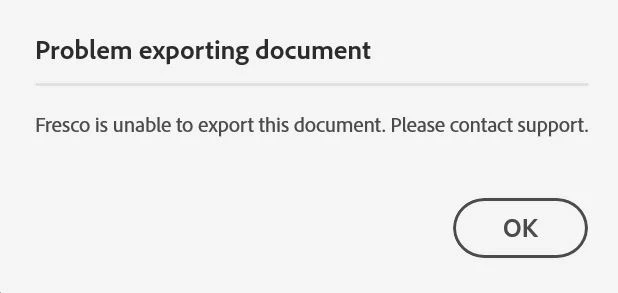
 

Any help would be greatly appreciated.

27 replies

putzhufen
Participant
Feb 24, 2025 7:33 PM UTC

Came here for a solution, only to see that this at least occurrs since 2020(!?!?!?) and there seems to be no rescue for the files. Hours of work lost. And we all know, it's not technical work only - it's intuition, imagination, testing things until they fit etc.. You could say more than hours of work, since it's partly hard to reproduce the exact same results. Adobe should be brought to pay people their hourly artist's rate for this (of course there're legal safety measures for them in the fine print, I know). Fresco had quickly become one of my favorite apps. That reversed itself today. 

Translate
Participant
Nov 6, 2024 8:07 PM UTC

I'm having the same trouble today. it have already happened before but I could solve it by duplicating the archive. But today it's happening non stop. I have already lost lots of files, lots of work. Don't know what to do anymore.

Translate
Participant
Nov 6, 2024 8:04 PM UTC

I'm having the same issue, I have lost an intire day of work... I don't know what to do anymore, I've tried everything. 

Translate
Participant
Aug 26, 2024 5:17 AM UTC

Please check your file permissions, available disk space, or restart the application and try again.

Translate
Participant
Jul 29, 2024 1:11 AM UTC

I have the same issue. I lost my file (about 2 hours of work) to error code 2. I thought perhaps it wass due to my file being too large, so I started afresh with half the dpi value for the same size. After  about 6 hours of work, error code 2 struck again! Can Fresco please save the last readable file rather than making me lose all my work? This just started for me a few days ago, but it's very frustrating.

Translate
Participant
Jul 29, 2024 1:13 AM UTC

Just as an addendum for more clarity: I didn't import any photos into the file that got the error code 2 problem. Also, I'm working exclusivley in vector.

Translate
Participant
Jul 29, 2024 1:21 AM UTC

Happy update: the pause I gave Fresco when I came here to post seems to have given it the timeit needed to sort itself out. When I came back to it, I gave the "Retry" button one more go, and to my surprise it suceeded in saving. I'm still scared of this error resurfacing, so for now I'll duplicate any file I've invested significant time in so that the dupllicate can serve as a form of back-up file.


Adobe, please let me know when this serious system bug gets fixed.

Translate
steviekthr3e
Participant
Dec 7, 2021 5:42 AM UTC

this just happened to me. same error message. 2 hours of illustrating gone.


do you people not know how to make basic illustartion apps? its 2021

Translate
Participant
Nov 13, 2022 11:32 PM UTC

Just happened to me. Lost a bunch of progress on a work, and now I can't open it - gives error "the document does not appear to be a valid PSD file." Ridiculous.


Was enjoying Fresco until this happened. Traditional media does not suffer from these same ridiculous problems! Now the work is useless.

Translate
Participant
Aug 22, 2024 6:33 AM UTC

Same issue here! On another work I just did, I went to save the work, but when opening it again, it deleted everything and left a blank canvas! Absolutely ridiculous. Highly recommend ditching this app until they fix these critical issues. I went with Artstudio Pro, seems much better, and you can save your work in any cloud folder you want!

Translate
traceorozco
Participant
Apr 4, 2021 2:04 PM UTC

I have this same problem. It only occurred now. A day's work has just been wiped and the illustration is already due tomorrow. I have looked at my cloud files and it's not there. Version history also shows errors.


Please, this is scary, to have so much work just gone like that. I've already been in the habit of duplicating my files between big progresses but this latest progress erased all my work just when I'm about to complete the illustration. I have to redo so much in order to make my deadline at 8AM tomorrow and it's already 10PM.

Translate
toddgarvin-kw
Participating Frequently
Nov 13, 2020 1:58 PM UTC

Having this exact same problem. This has been ongoing for about a week. Usually I just hit "retry" and everything worked. Today, my file wouldn't save no matter what I did. I eneded having to quit Fresco and restart. It saved the file upon relaunching the app. This is scary stuff considering I've been working on the file for several days.

Translate
Participant
Dec 3, 2020 12:55 AM UTC

I just encountered this problem, and my drawing has been wiped. I can't save or export the file once I have imported a photo into my Fresco drawing. 

Translate
Sue Garibaldi
Inspiring
Dec 3, 2020 5:33 PM UTC

Hi Paris. 


I just responded to your email but wanted to post here as well. I tried the steps posted above to duplicate these errors but I was unable to. I'm hoping to get your steps so I can try those. 


Thanks. 


Sue.

Translate
Sue Garibaldi
Inspiring
Oct 18, 2020 10:55 PM UTC

Hi MCarroll. 


Please message me through Fresco's Report a bug link so I can see all of the device/app information that automatically populates the email. 


When you write just mention that you posted here and include a couple of pieces of additonal information:

* Your Creative Cloud storage: Open Fresco and tap the gear icon on the Home screen then from the App Settings menu tap Account > Creative Cloud storage.

* Did this just begin happening? Was Fresco working correctly previously?

* If it was working at one point, when you sign in with your Adobe ID to https://assets.adobe.com/cloud-documents does all of the work that's on your device show up there?


I'll keep an eye out for your email.


Sue.


Translate
danielk75615262
Participating Frequently
Oct 26, 2020 11:00 PM UTC

I have this problem also! This was not a problem previously. 

Translate