Inspiring
June 6, 2023
Question

Selecting and Moving

  • June 6, 2023
  • 2 replies
  • 3829 views

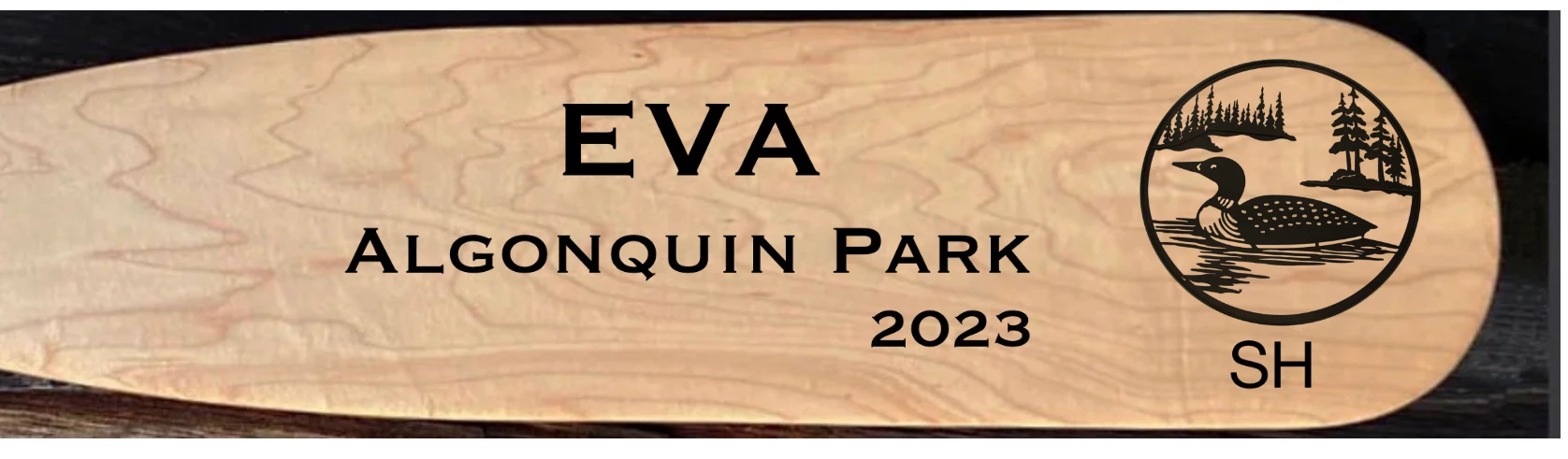
So I am a beginner with Adobe Fresco. If I am presented with a graphic such as this - can I somehow isolate the black circle with the loon in it and move it around on the paddle?

 

This topic has been closed for replies.

2 replies

Participant
June 7, 2023
&
thejanebradbury
Community Expert
Community Expert
June 7, 2023

If the loon is on its own layer click that layer and simply grab the Transform tool. A blue bounding box will surround it and you can then move it.


ttibsenAuthor
Inspiring
June 7, 2023

Thanks for that tip Jane. It just so happened that the loon was indeed on its own layer so your suggestion worked perfectly. What if that graphic was a photo? Can Adobe Fresco still manage to move the loon around on the paddle? 

thejanebradbury
Community Expert
Community Expert
June 8, 2023

As long as whatever you want to move is on its own layer using the transform tool will move anything around the canvas independently. If the loon and board are on the same layer (or ina group) they will move together. 👍