chins.jpg
Participant
November 26, 2019
Answered

Surface Pen Inaccuracy

  • November 26, 2019
  • 2 replies
  • 5293 views

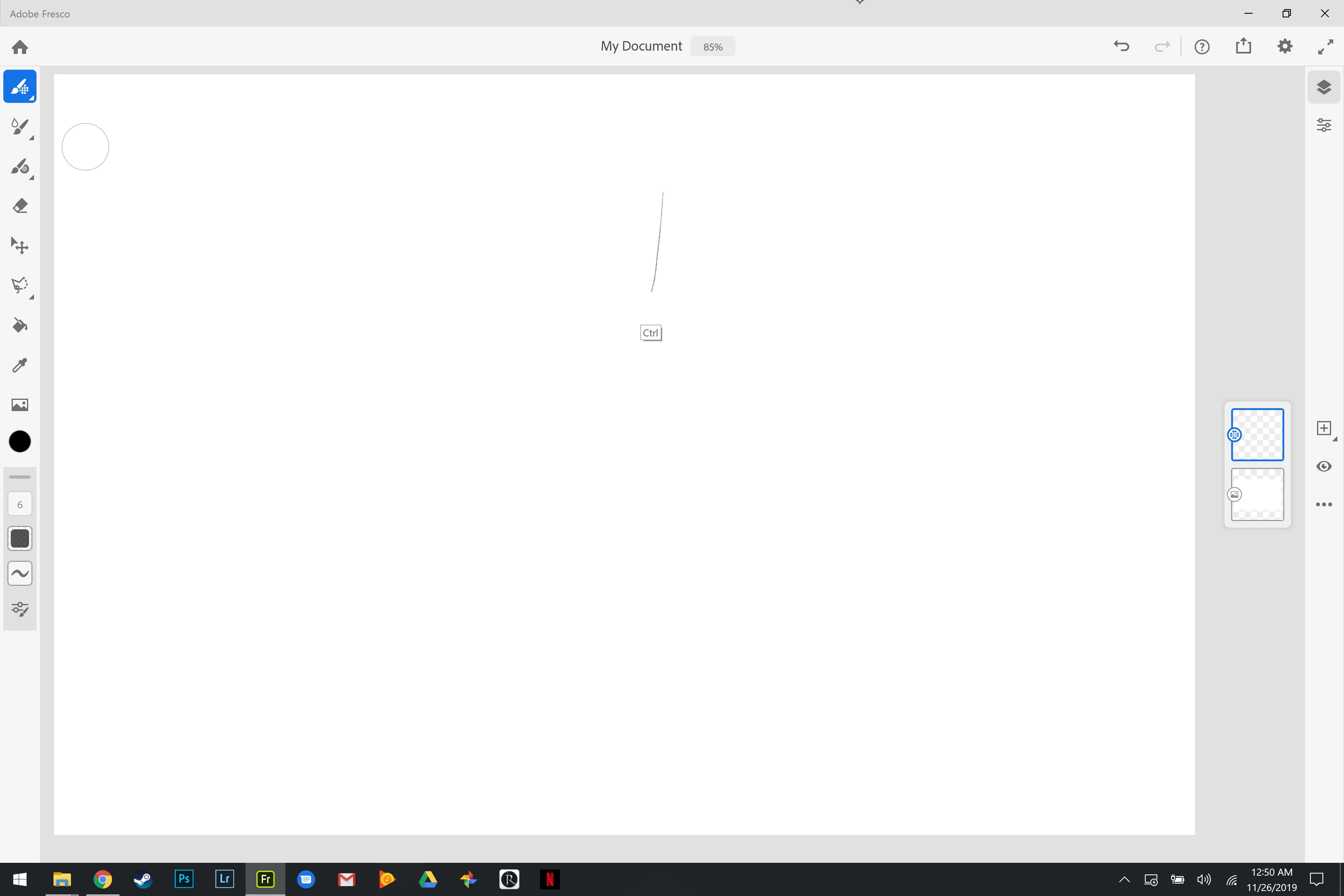
I normally use Sketchbook pro or Photoshop for illustrating and having just heard about Fresco, l thought I would give it a try instead. I'm noticing a high level of inaccuracy in the pen input and have double checked the other two programs and restarted my device to make sure it isn't the pen or screen. Where windows shows the pen to be touching and where the program is drawing are about a quarter inch apart from one another. I'm currently using a Surface Book 2 with the newest non-slim surface pen & am excited to get this working but just want to see if anyone else has noticed an issue as well. Uploaded is a screenshot with me attempting to show the difference; the 'ctrl' text is where my pen cursor is. 
 

This topic has been closed for replies.
Correct answer SaraBequette

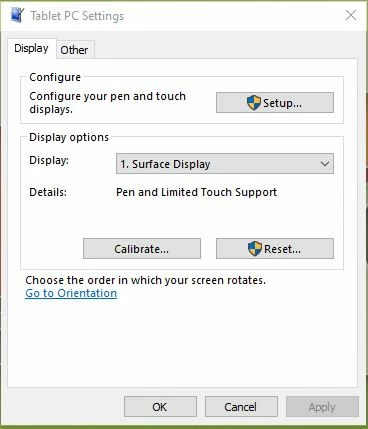
Wow, that's definitely not normal. I use a Surface Pro (5th gen.) and have not had this problem. You might need to calibrate your tablet pen. Click your Start button and search for "calibrate pen". 

Next, tap Setup, and follow the on-screen instructions. After you've completed the Setup, I would choose to Calibrate and follow the on-screen instructions to complete the calibration. (It will ask you to click on crosshairs on your screen several times.) 


However, if you're not having a similar issue in any other programs, perhaps you've found a bug and may want to contact Adobe support.


The only other thing I can think to try is reducing the Smoothing settings on your brush. I've read of this causing a delay in the brush(es). Perhaps that is what you are experiencing?

2 replies

Rohit Guglani
Adobe Employee
Adobe Employee
November 28, 2019

Hello chinsr60126980,


Thanks for reach out to us and sharing your feedback. Kindly share your Brush settings you are using while drawing? 

Are you experiencing similar lags if you are drawing using your finger? We haven't seen such a lag with Surface Book 2 and would like to understand in detail what's happening in your system. 


Kindly mail us dxdiag of your system at frescohelp(at)adobe.com.


Thanks,

Rohit


chins.jpg
chins.jpgAuthor
Participant
November 29, 2019

The above user seemed to be able to find out it has to do with smoothing. I would love not to have the requirement of turning that down/off just to get the pen to work accurately. Would you like me to still email? I am not sure how to share my brush settings, but have tried using it with sketching, marker, and painting options with just default settings. Smoothing helped them all but would appreciate knowing if it is a bug or something that is intended. 

SaraBequette
SaraBequetteCorrect answer
Inspiring
November 26, 2019

Wow, that's definitely not normal. I use a Surface Pro (5th gen.) and have not had this problem. You might need to calibrate your tablet pen. Click your Start button and search for "calibrate pen". 

Next, tap Setup, and follow the on-screen instructions. After you've completed the Setup, I would choose to Calibrate and follow the on-screen instructions to complete the calibration. (It will ask you to click on crosshairs on your screen several times.) 


However, if you're not having a similar issue in any other programs, perhaps you've found a bug and may want to contact Adobe support.


The only other thing I can think to try is reducing the Smoothing settings on your brush. I've read of this causing a delay in the brush(es). Perhaps that is what you are experiencing?

chins.jpg
chins.jpgAuthor
Participant
November 29, 2019

Thanks for the response! I did test the calibration option with no luck but smoothing seemed to have solved it! Do you know if it's a bug or something that is indended? Thank you so much!