
Kenneth Kawamoto
Community Expert
Community Expert
September 25, 2019
Answered

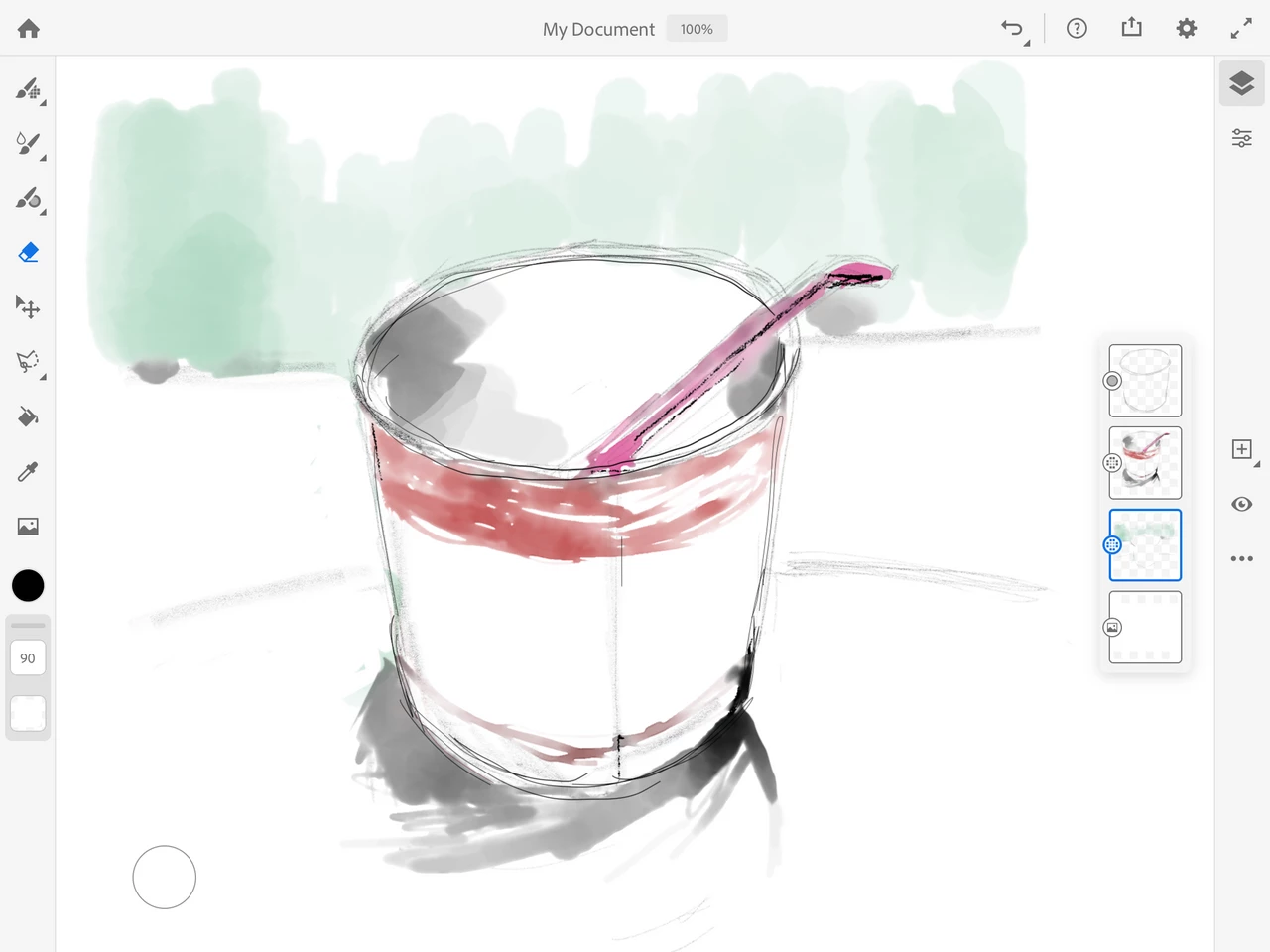
The roundel on the bottom left
  • September 25, 2019
  • 5 replies
  • 3817 views

I just spend 10 minutes while at my lunch and I loved Fresco 😄

One question - what does the circle on the bottom left hand side corner in my screen does? Couldn't figure it out...

This topic has been closed for replies.
Correct answer Kenneth Kawamoto

Touch Shortcut is the actual name! Thank you guys

5 replies

Community Expert
September 25, 2019

you hold it down,  it allows you to erase using the same brush you're drawing with.  If you double tap it, it holds it down for you, allowing you to erase using the same tool you were drawing with, without worrying about it accidentally drawing again.  Its really quite awesome

Sue Garibaldi
Inspiring
September 25, 2019

Kenneth, 


In addition to the great information you got from everyone else....


When you're in an open drawing tap the ? icon in the top nav. Then from the menu that opens choose Touch Shortcut. That will launch a gesture sheet of the activations with different tools. 


Sue. 

Kenneth Kawamoto
Community Expert
Kenneth KawamotoCommunity ExpertAuthorCorrect answer
Community Expert
September 25, 2019

Touch Shortcut is the actual name! Thank you guys

Theresa J
Community Expert
Community Expert
September 25, 2019

It's like a shortcut key and it changes depending on the tool you are using. If you are painting with a pixel brush, press and hold on the circle and your brush turns to an eraser. If you are using a watercolor brush, press and hold and your brush gives you pure water without color.

amandal72239207
Participant
September 25, 2019

It’s a quick erase button. If you hold it down, it will allow you to erase quickly. Release and you’re drawing again!