Sheena Kaul
Legend
October 1, 2019
Question

Unleash the magic of Fresco by sharing your files across devices

  • October 1, 2019
  • 1 reply
  • 2311 views

Unable to capture your work as a video? Looking to post your work directly on Behance? Or sending it to another iOS device? Well, all of that is now possible in Adobe Fresco. 


Quick Export 

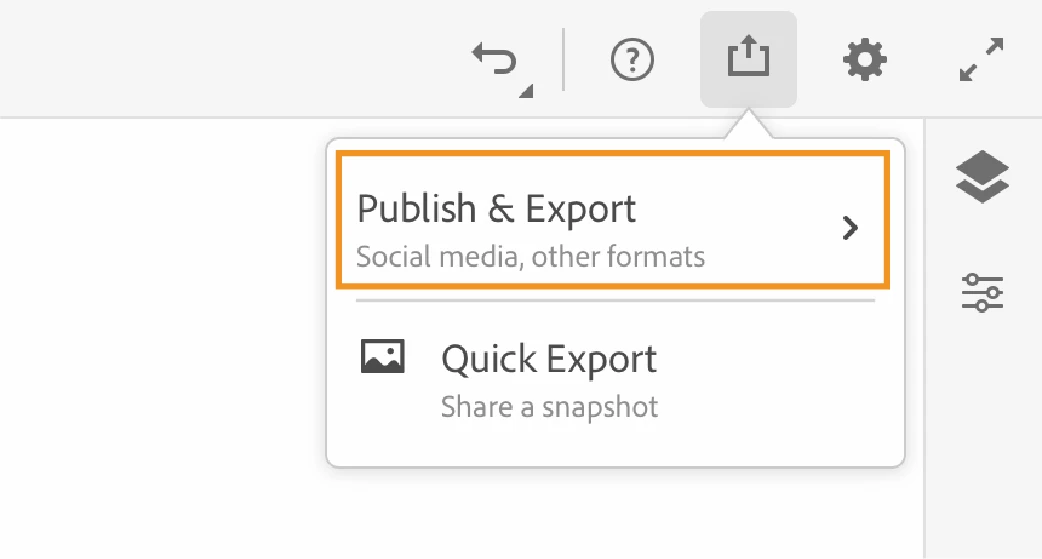
Choose from the various options available to export or share your artwork. 
 

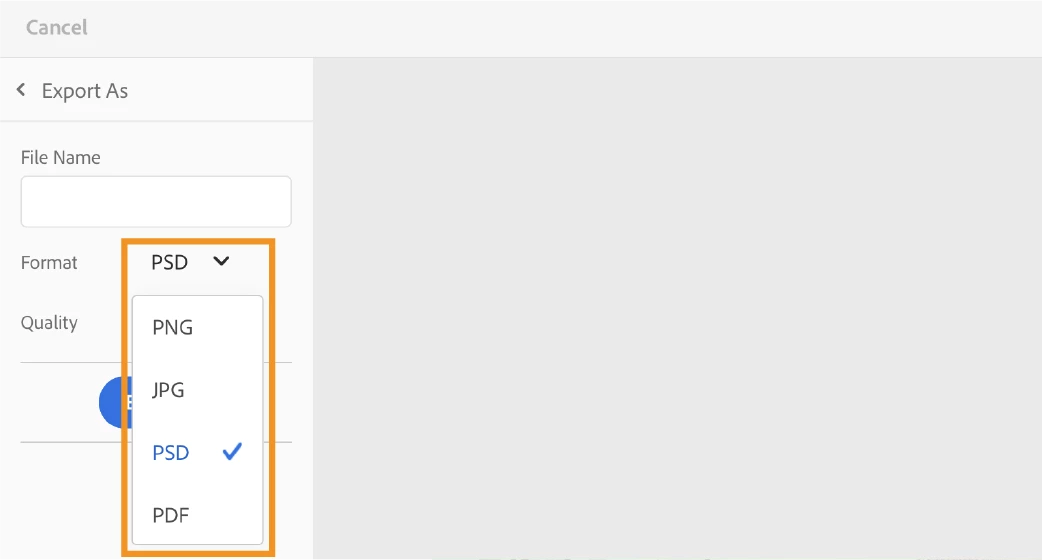
Export and share as other file formats 

By using the Publish and Export option, you can choose among the different output formats such as PNG, JPG (high, medium, or low quality), PSD or PDF. 
 

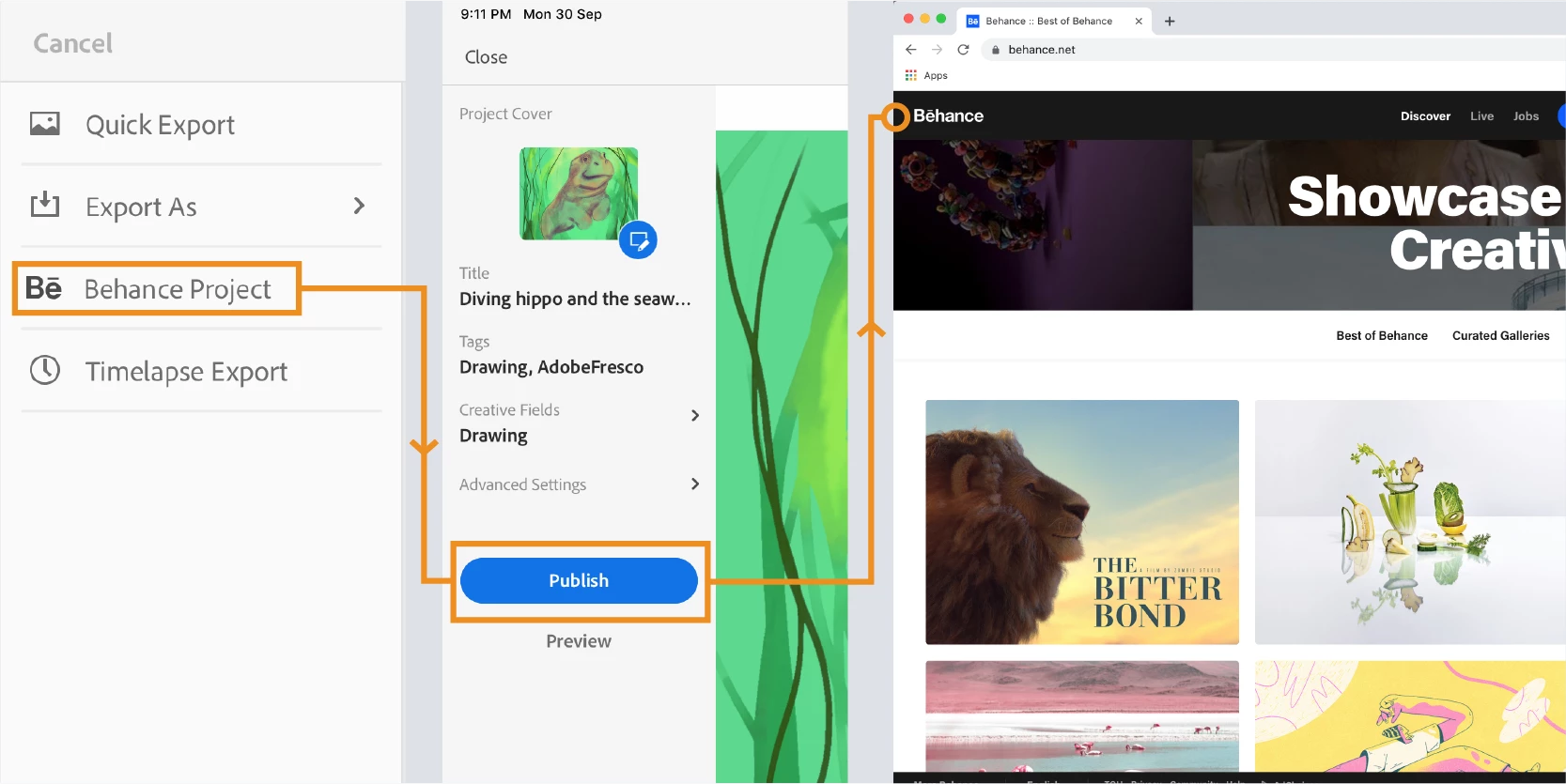
Publish on Behance 

An artist’s destination in this creative journey is the audience who can see, appreciate and get inspired by his artwork. You can now take your artwork directly to Behance from Fresco. 
 

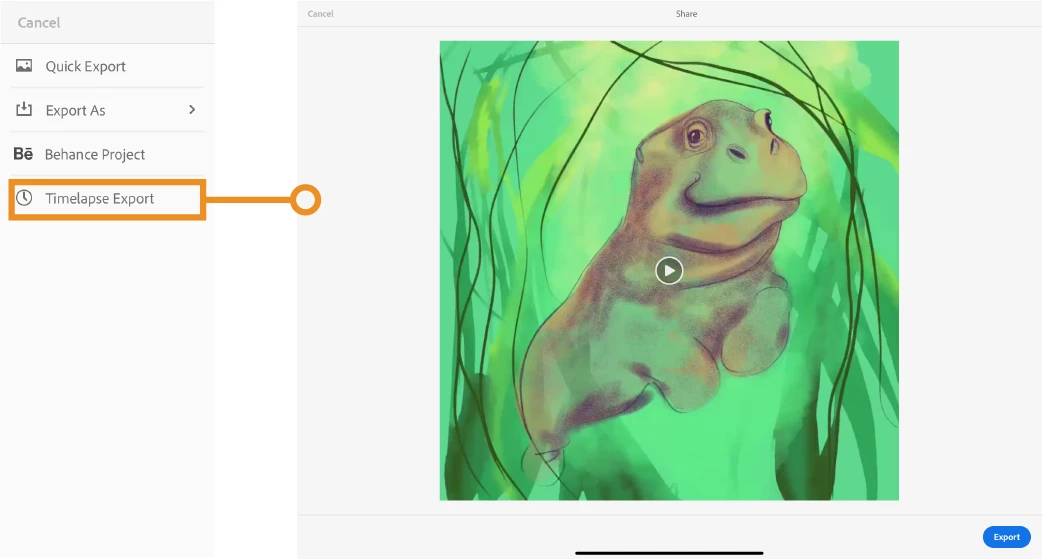
Save a timelapse video 

Show the creative brush strokes to the world that shaped the outcome of the drawing. Record the entire process and save it as MP4. 


Please refer to the help document: https://helpx.adobe.com/fresco/using/publish-export-share.html for detailed steps to each of the export options. 


Still have questions? Please post here and we’ll be happy to help you. 


    This topic has been closed for replies.

    1 reply

    jasond31561031
    Participant
    January 21, 2020

    I LOVE the timelapse feature. For sharing draw and speedpaint videos, it is superior to every other tool I have found on any platform for any application. 

    Or at least, it WAS. When I began using Fresco, the timelapse videos I exported were smooth and long, capturing the entire time I had been working on the file in pleasant-to-look-at detail.

    But for the last few months, every Timelapse I have done has been only a few seconds long and feels like it all just splats onto the canvas in super-speed time. There is no sense of building up the artwork as there was in previous videos I made. Also, the Timelapse often starts with much of the painintg/drawing already complete. 

    Is there a reason Timelapse has effectively stopped working for me (on my Surface Pro 4)? Are there things I can try to fix it? There seem to be no options or controls to adjust anything about Timelapse sharing/exports.

    Thanks for any help or insight you can provide!


    Sheena Kaul
    Legend
    January 24, 2020

    Hi there,


    I apologize for the troubles here but we've already identified the issues reported with the export of the timelapse and are engineers are working on the fix for the same. 


    Stay tuned for more updates!


    Regards,

    Sheena

    jasond31561031
    Participant
    January 27, 2020

    Excellent!
    Thanks so much for the update.