

Hollysuzanne33
Inspiring
December 11, 2020
Question

Vectors are blurred when I open Fresco PDF in Illustrator

  • December 11, 2020
  • 1 reply
  • 629 views

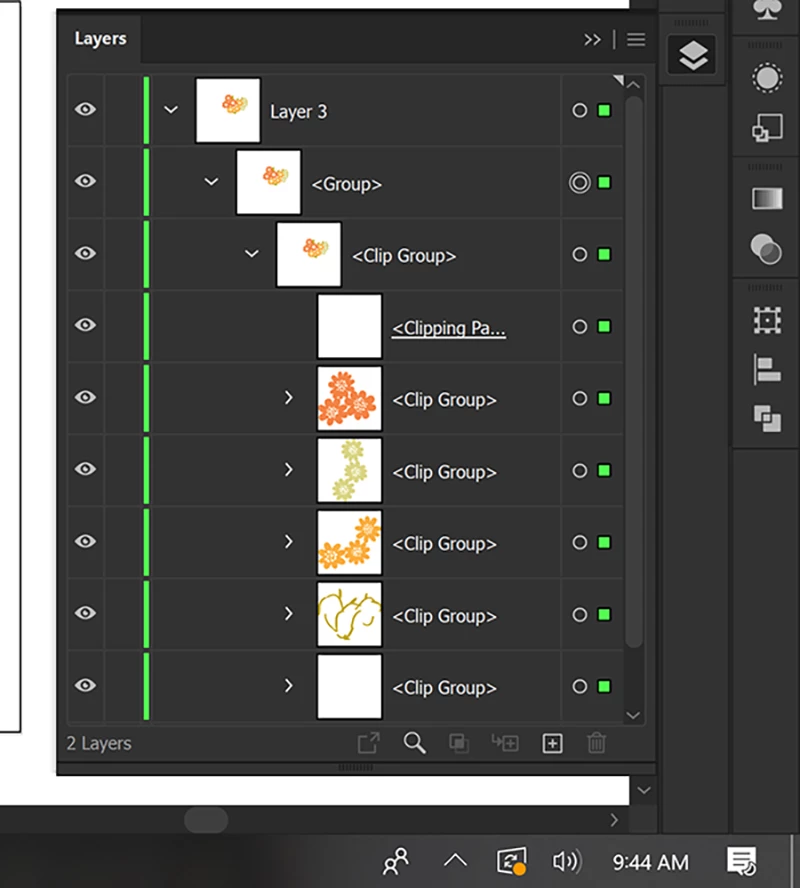
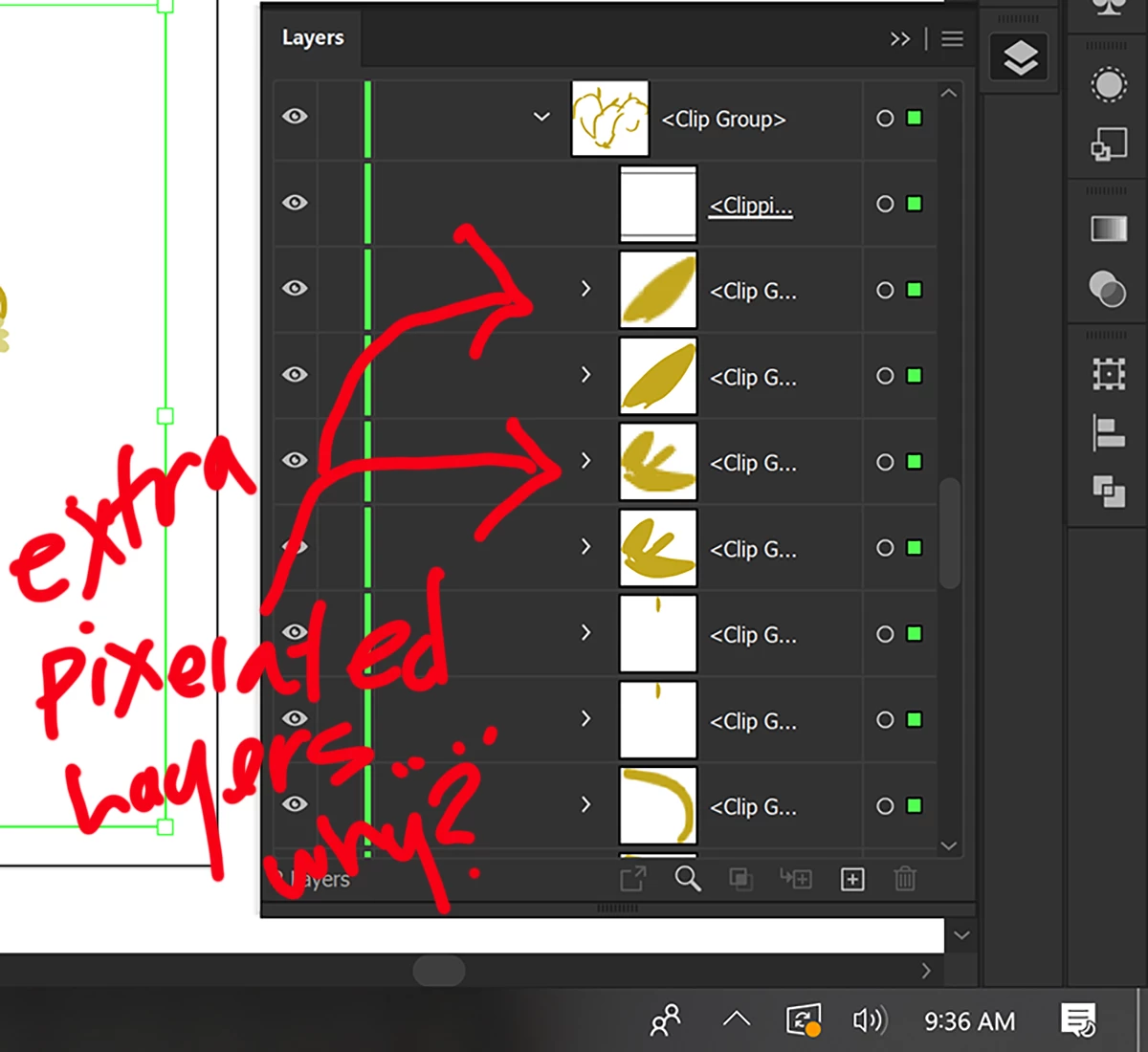
Hi, I exported a pdf from fresco with vector brushes only. What I get in Illustrator is a nightmare. First, I don't understand why the layer I placed it on has to have 3 sublayers before my object groups start appearing. Then to my horror, the vectors all appear as pixelated and when I looked inside the groups all my layers (every layer in fact) has a duplicated pixelated layer. I don't know what I am to do with this, I can't figure out how to work with this file.
This topic has been closed for replies.

1 reply

Participant
December 11, 2020

Hello, I have exactly the same problem. This application must have been better than Draw but I cannot modify my drawings made in vector on Fresco when they are exported in illustrator

Sue Garibaldi
Inspiring
December 13, 2020

Hi Mélanie.


There was a bug in the  previous version of Fresco that added a pixel layer but it was fixed in the most recent update. What version of Fresco are you using? You  can check that in App Settings > About.


Let me know. 


Sue.


Hollysuzanne33
Inspiring
December 14, 2020

hi, it says, 2.1.0.  I updated the app on Thursday I think, which is when the problems started. Also, when I am in a document the app is full-screen size now and I cannot access my taskbar on the bottom. I have to click the arrow to leave the document and kind of hover over the bottom area where the taskbar is and it lets me see it from the home screen. However, there is no way to turn off the program from the program. I use the task manager or I can turn it off from my taskbar. There is no x or exit from the program it's self. Thanks, holly  ( I am using a Microsoft Surface Pro 7)