
Answered
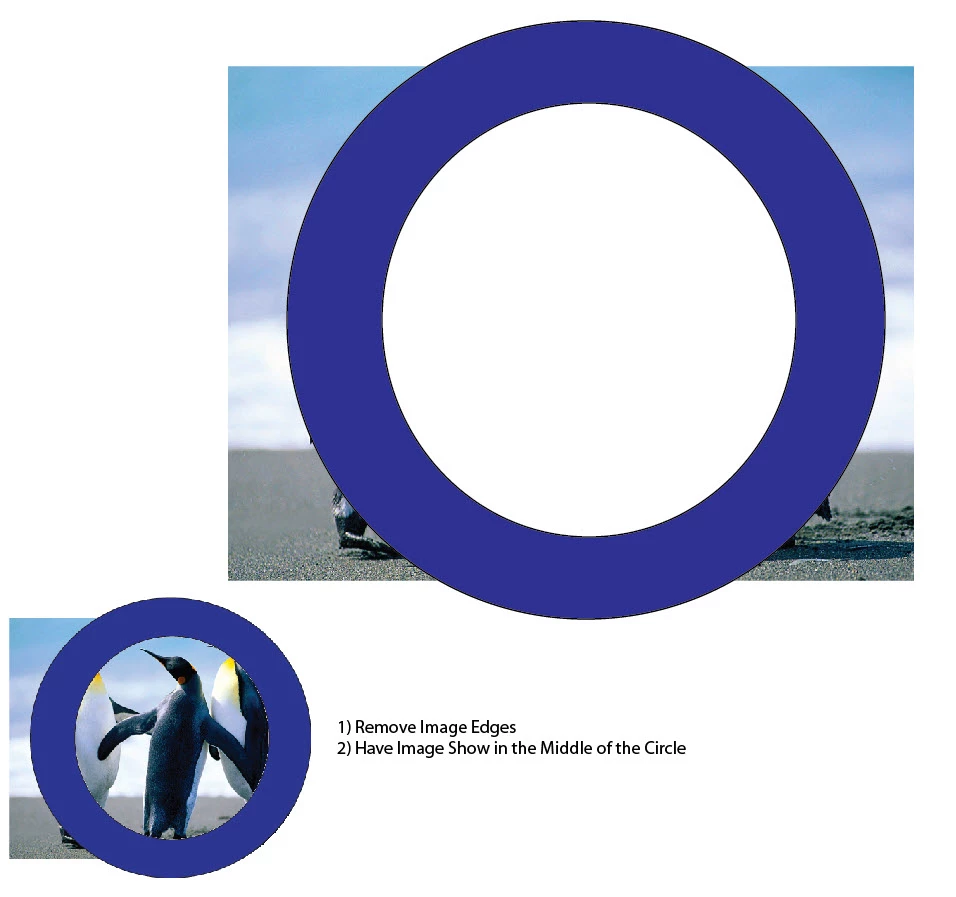
1)Graphic Image within inner Circle 2) Remove Image from Outside Circle
I am new to illustrator-ugggg.
1) I am trying to figure out how to have my image appear within the inner circle?
2) Also how do I remove the excess image from outside the outer circle?
It funny because I can do this all day long within Photoshop, but Illustrator is a much different animal for sure.
If someone can explain how I can achieve this I would be grateful. It is hard learning something new for sure.
Thanks in advance.
Link to my sample.ai file
https://www.dropbox.com/s/sngqebdz5bvf5f0/sample.ai?dl=0
Screen Grab of above sample.ai file
 AdChoices