Participant
January 16, 2023
Answered

3d and material error during processing

  • January 16, 2023
  • 1 reply
  • 1724 views

Please solve my problem!

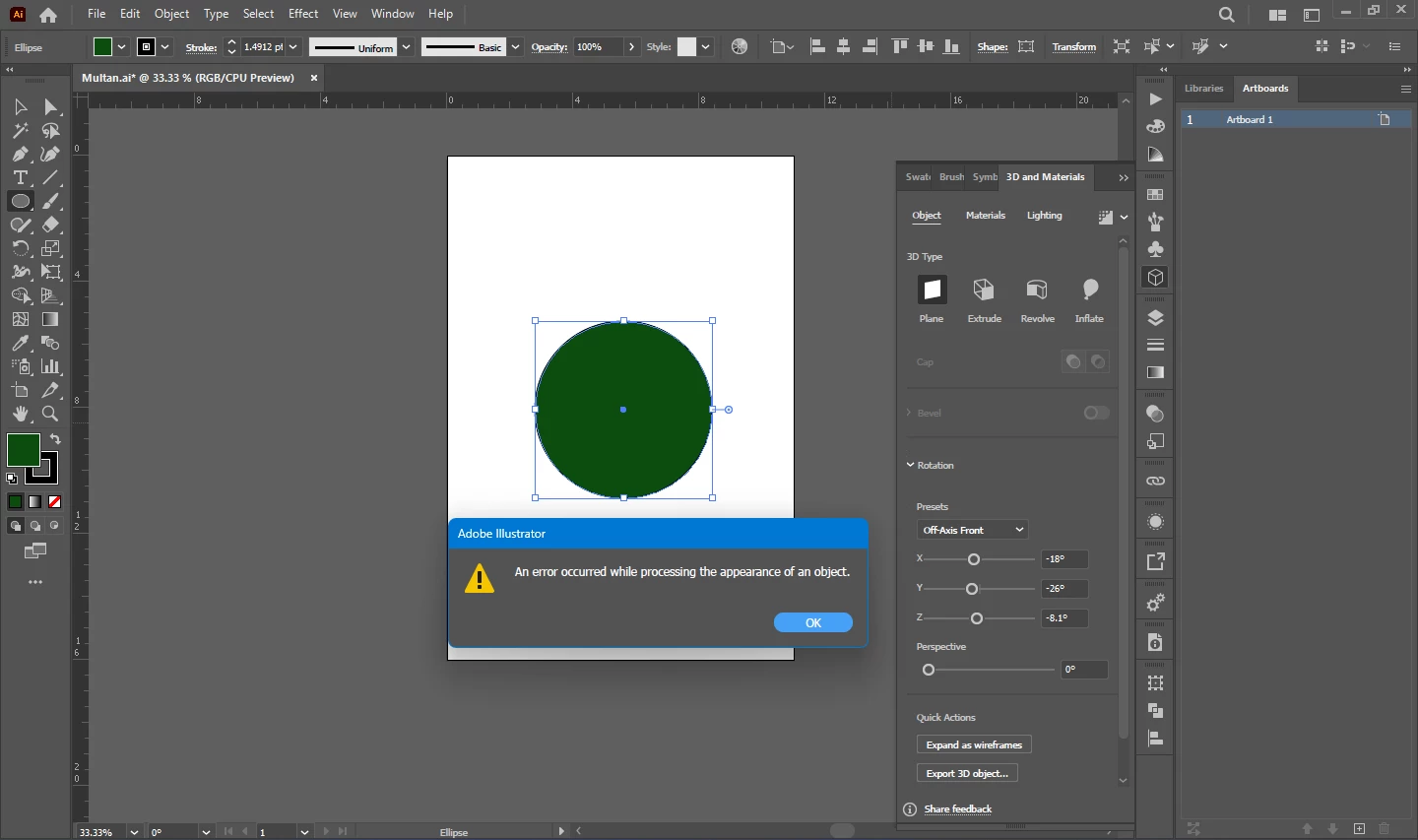
Adobe illustrator is showing an error about 3d and materials.

Whenever I open the 3d and materials tool and choose any option it shows an error that is:

"An error occurred while processing the appearance of the object"

You can look at the screenshot below.
This topic has been closed for replies.
Correct answer Monika Gause

8 GB is just enough for Illustrator to launch at all. Certainly not for 3D.


You could check your color management settings: they must not be set to "Emulate Illustrator 6" - instead you need to turn on color management. If that does not help, then (the lack of) RAM certainly is your issue.

1 reply

Monika Gause
Community Expert
Community Expert
January 16, 2023

When was the last time you rebooted the computer?

It looks like you're zoomed out quoite a bit. Does the object need to be that large? Does it also happen with smaller objects?

How much RAM is installed?

Participant
January 17, 2023

I reboot my computer daily.

My computer's RAM is 8GB.

The 3d feature is not correctly working with any object 

Monika Gause
Community Expert
Monika GauseCommunity ExpertCorrect answer
Community Expert
January 17, 2023

8 GB is just enough for Illustrator to launch at all. Certainly not for 3D.


You could check your color management settings: they must not be set to "Emulate Illustrator 6" - instead you need to turn on color management. If that does not help, then (the lack of) RAM certainly is your issue.