


Participant
Oct 18, 2024 7:35 PM UTC
Answered

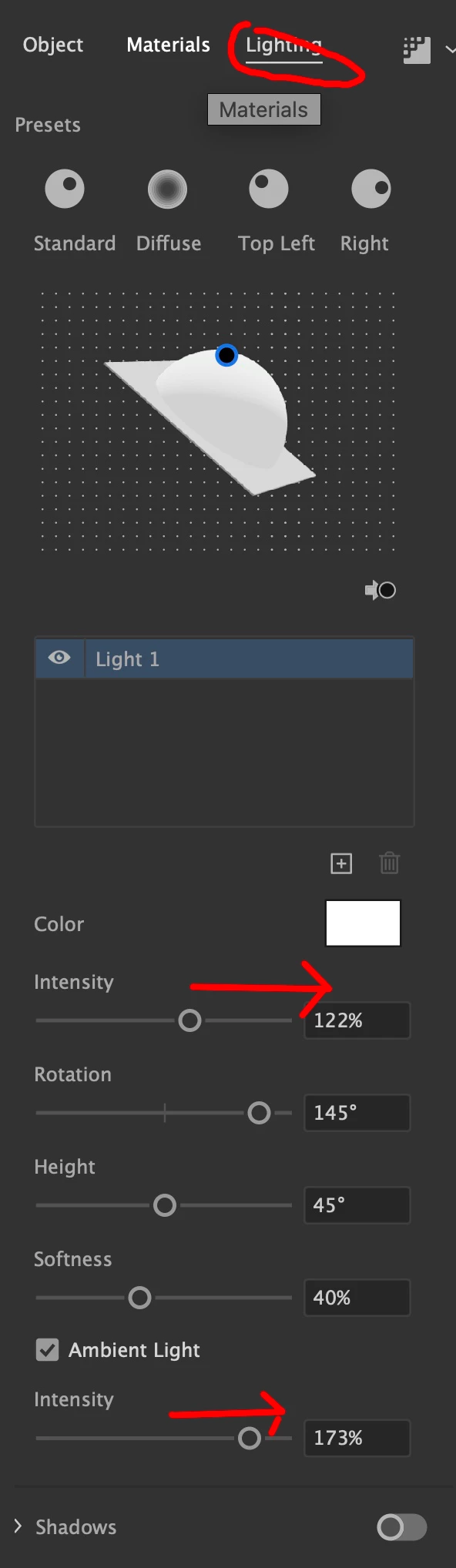
3D and materials - how to modify the shadow side of the light source?

Hi,

The new 3D tools works well, but there is no setting to modify the shadow side of your object. It renders very dark, and I'd like to alter that.

Any ideas?


P.S. after I render w/ Ray Tracing (keeping the defaults) but choosing vector... why are my basic geometric shapes that had inflate applied no longer as geometric? I see odd flaws in the output.

This topic is closed to new replies. Start a new post to keep the conversation going.
Mike_Gondek10189183
Mike_Gondek10189183Correct answer
Community Expert
Oct 19, 2024 4:30 AM UTC


2 replies

Mike_Gondek10189183
Community Expert
Mike_Gondek10189183Community ExpertCorrect answer
Community Expert
Oct 19, 2024 4:30 AM UTC


Translate
Monika Gause
Community Expert
Community Expert
Oct 18, 2024 8:57 PM UTC

You have to change the shadow from floor to wall.

Translate