
Participant
October 26, 2023
Answered

3D areas not colored

  • October 26, 2023
  • 2 replies
  • 393 views

Hello!

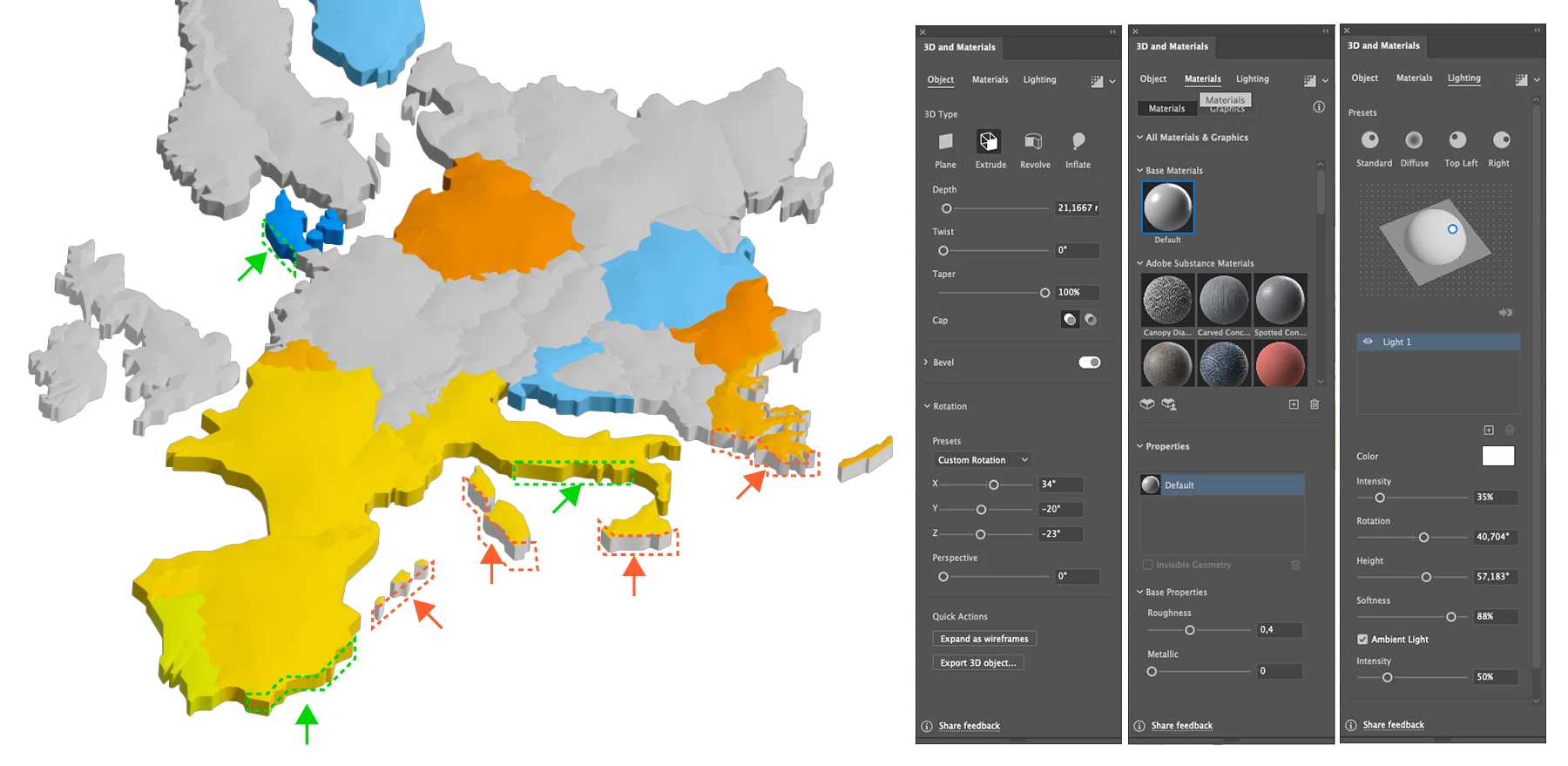
I'm creating a 3D map and it appears a mistake I'm not able to solve... I don't understand why some extruded areas are not colored (red arrows/red dashed areas) when others are (green arrows/green dashed areas).

Find below an image of the map and the features of the 3D extrusion I set up.

Thanks in advance!
This topic has been closed for replies.
Correct answer Monika Gause

You have a white stroke applied. If you turn that off and set it to None, then your issue should be solved.

2 replies

Ares Hovhannesyan
Community Expert
Community Expert
October 26, 2023

Not sure, but may be you have strokes for areas that are not colored. You need to add materials to stroke also. If it so, therefore colored object havent stroke color.  Anyway we need file for testing. You can share it via any cloud drive. Thanks

Participant
October 26, 2023

Thanks for your comment, Ares. I'll have a look at adding materials to strokes also.

Monika Gause
Community Expert
Community Expert
October 26, 2023

Can you select one of these objects and show the Appearance panel? Window > Appearance.

Participant
October 26, 2023

Of course!


Many thanks Monika!

Monika Gause
Community Expert
Monika GauseCommunity ExpertCorrect answer
Community Expert
October 26, 2023

You have a white stroke applied. If you turn that off and set it to None, then your issue should be solved.