ericc22756092
Participating Frequently
October 7, 2017
Answered

3D distorted image

  • October 7, 2017
  • 2 replies
  • 1619 views

When I Finished making my 3D blocks some of them became distorted or some of the image is missing.
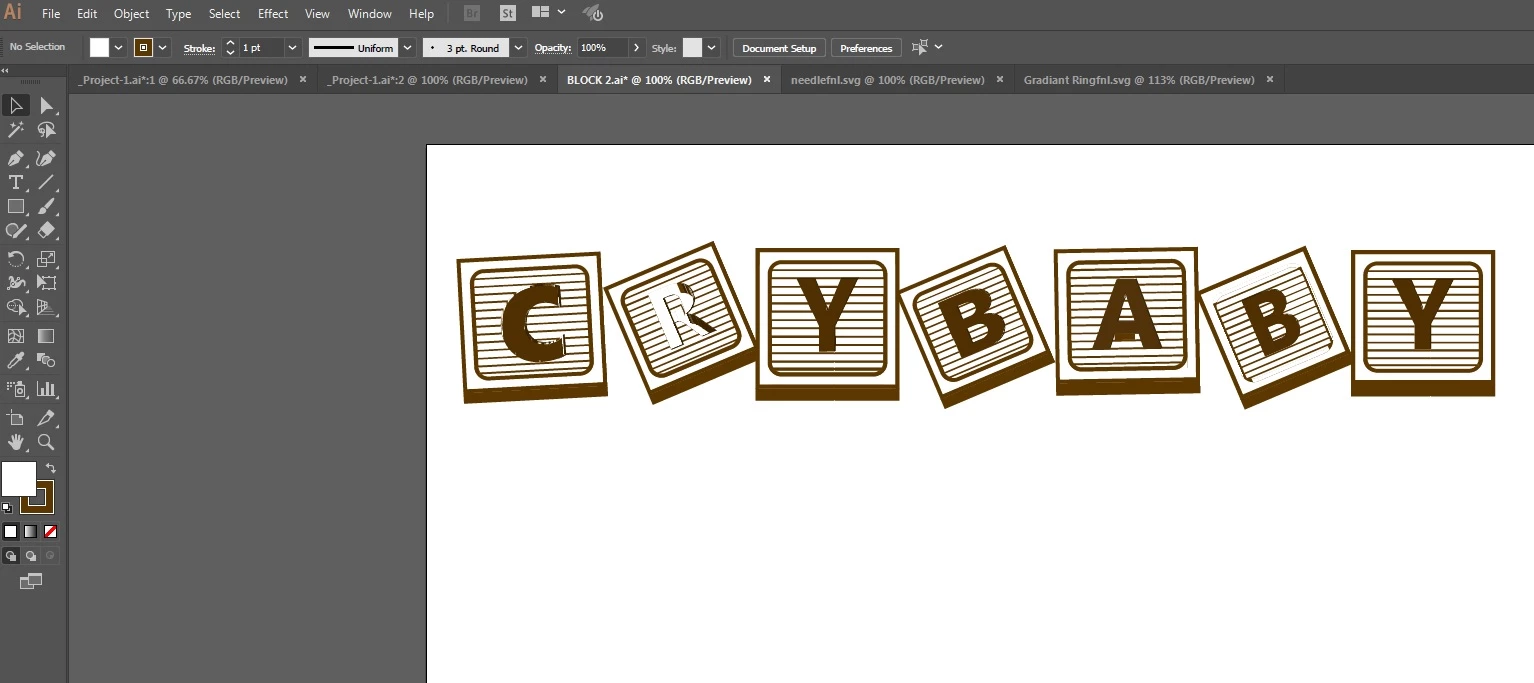
This topic has been closed for replies.
Correct answer Monika Gause

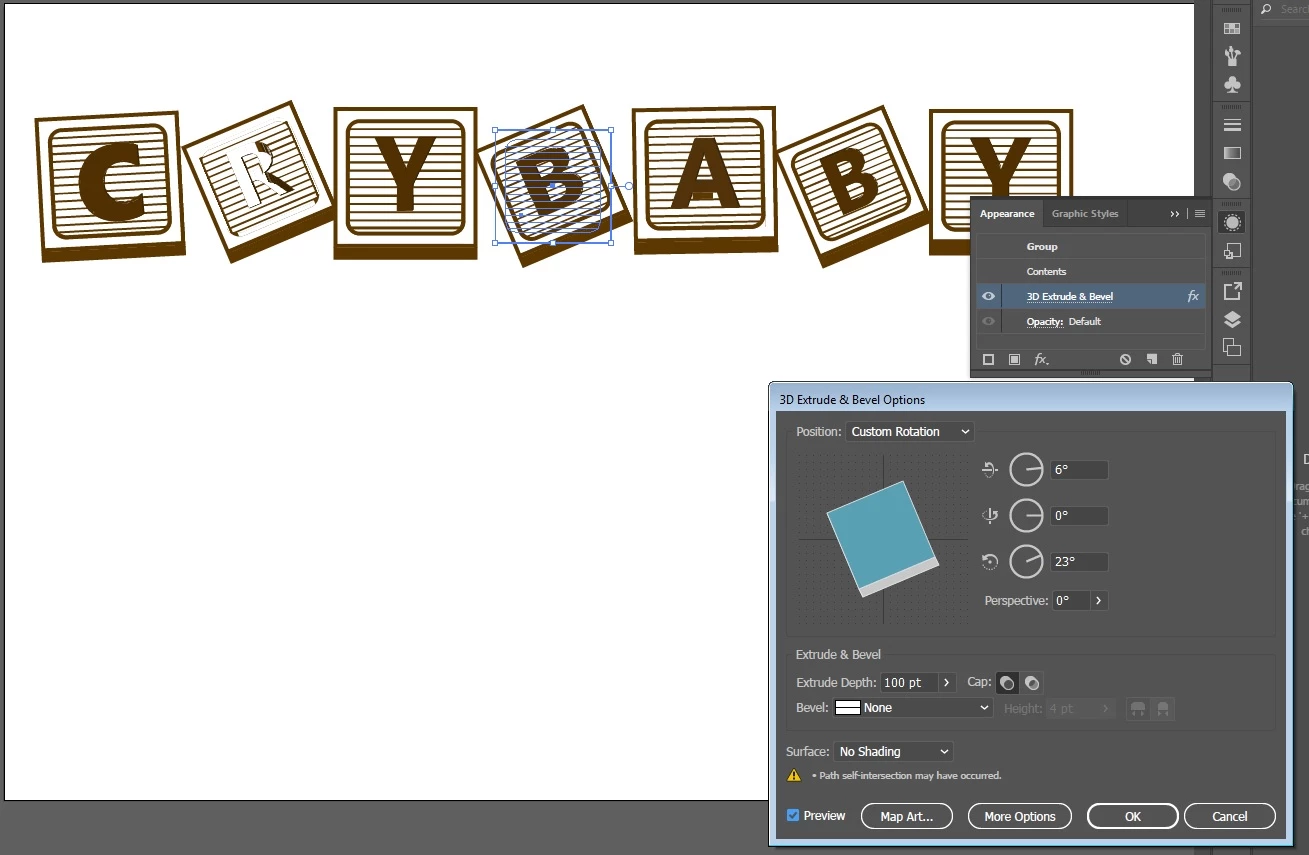
Forgot to add this pic


By grouping them you overcomplicated the result. This most probably led to the issues you see.

In order to get a surface pattern onto the cube, make symbols and use the dialog box "Map Art"

Please read about the 3D effects here: How to create 3D objects in Illustrator

2 replies

Monika Gause
Community Expert
Community Expert
October 7, 2017

What are these?

3D effects applied to something?

ericc22756092
Participating Frequently
October 7, 2017

3D effects applied to blocks.

Monika Gause
Community Expert
Community Expert
October 7, 2017

ericc22756092  schrieb

3D effects applied to blocks.

Is there artwork mapped to it?

Anything else with the blocks? Can you please be more specific?

Show the base artwork and the appearance panel?

The 3D effects dialogbox?

There are often rendering issues with 3D effects.

Try and move the perspective slider by 2 or 3 degrees.

Bill Silbert
Community Expert
Community Expert
October 7, 2017

Try turning off GPU Performance. Click on the rocketship in Illustrator's top menu bar to access it.

ericc22756092
Participating Frequently
October 7, 2017

I think I need to update my windows

Bill Silbert
Community Expert
Community Expert
October 7, 2017

What OS and what version of Illustrator are you using? The message at the bottom of your screen shot seems to indicate a newer version of Illustrator on an older OS. This could be associated with your problem. If it's possible I would suggest looking at this file on a computer that has a recent version of Illustrator with a newer OS to see if the problem persists.