Participant
March 21, 2018
Answered

3D Effect Not Working Properly

  • March 21, 2018
  • 3 replies
  • 4257 views

Hey everyone,

So I've been working on some pixel art text and have been running into an insanely infuriating issue that I can't for the life of me figure out.

I'm trying to add the 3D effect to the text in the following picture:

But whenever I try to apply the effect, the hole in the "P" is incorrect.
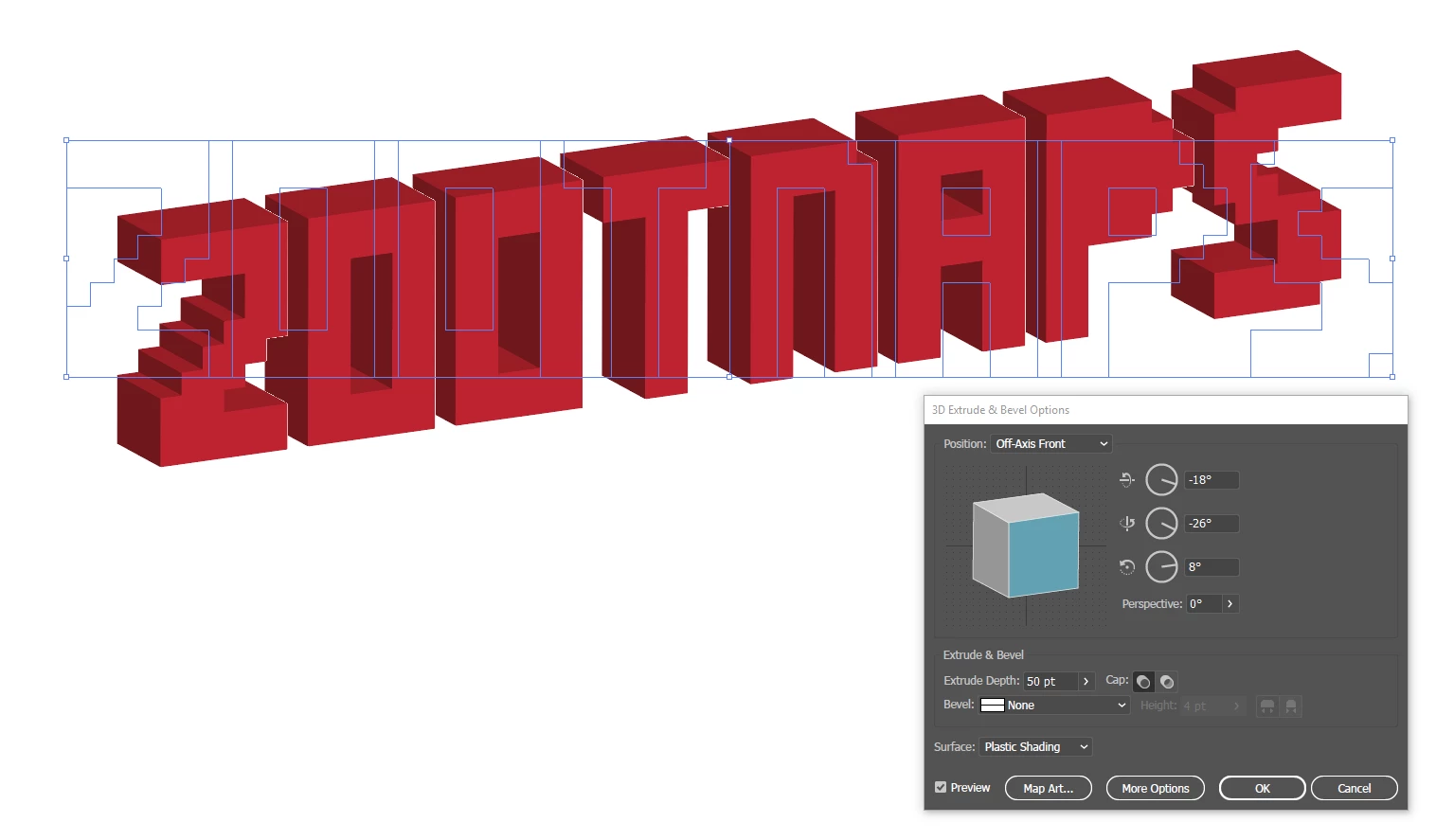
As you can see, all the other letters worked as expected, and I've made certain there are no other shapes or anything that would affect the "P" shape in particular, yet no matter what I try I can't get the hole in the "P" to display correctly. Also, notice what happens when I apply a stroke to the letters before applying the 3D effect:
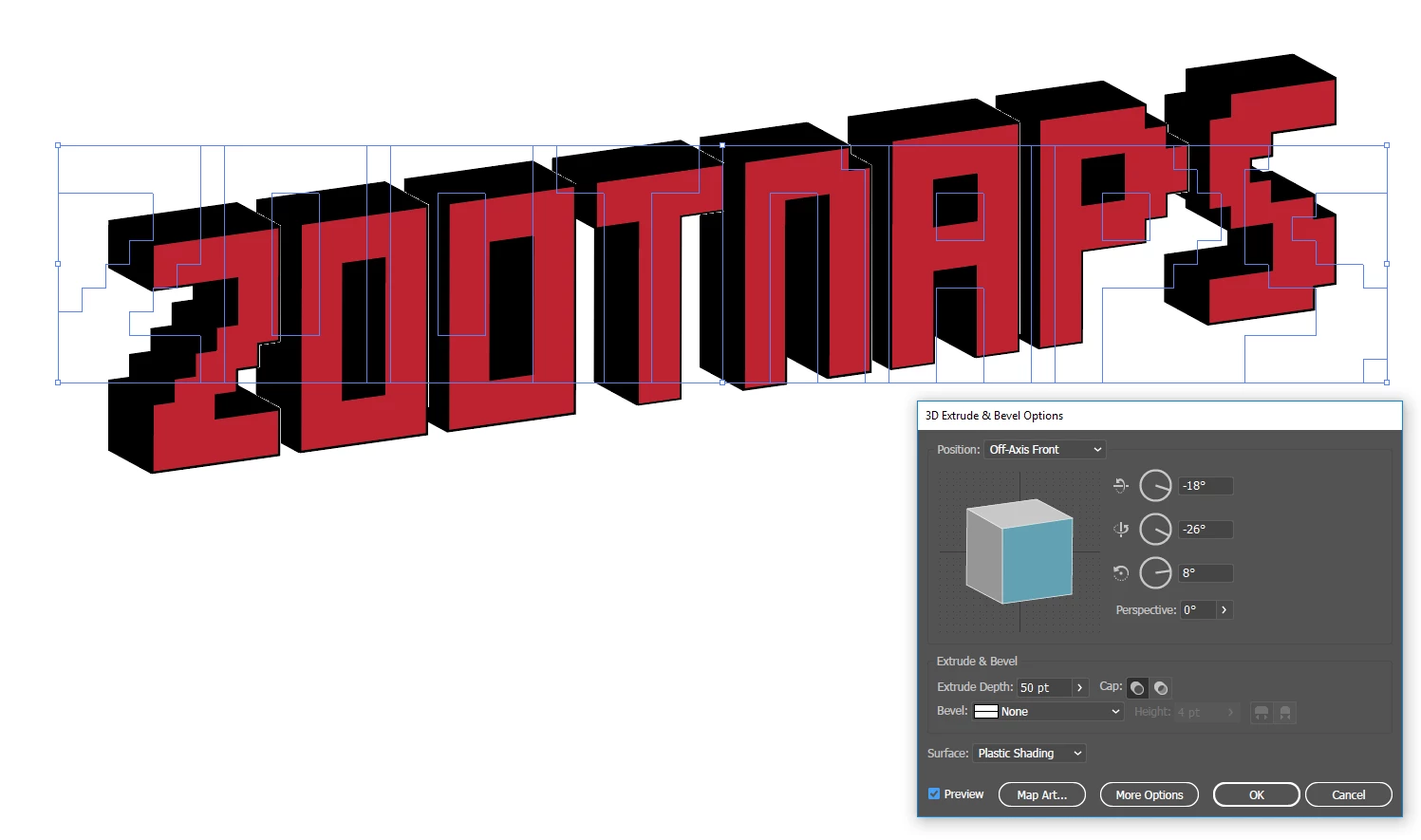
The P shows correctly! I'm not sure if this is a bug or what, but I'm completely stumped as to what to do next. Any help would be hugely appreciated.

Thanks

This topic has been closed for replies.
Correct answer Ton Frederiks

It looks like a bug.

I could replicate your problem.

As a workaround, select only the problem hole with the Direct Selection tool.

Move it up one point/pixel with the Up Arrow key and the hole appears.

Edit:moving with a very small amount like 0,01 seems to work too.

3 replies

Ton Frederiks
Community Expert
Ton FrederiksCommunity ExpertCorrect answer
Community Expert
March 21, 2018

It looks like a bug.

I could replicate your problem.

As a workaround, select only the problem hole with the Direct Selection tool.

Move it up one point/pixel with the Up Arrow key and the hole appears.

Edit:moving with a very small amount like 0,01 seems to work too.

Participating Frequently
March 21, 2018

Do not worry about the Non-Zero-Winding rule. The hole in the P would not show if it was wrong.

However, you should ungroup your objects to see if there are extra object (no stroke/fill, clipping mask objects, etc..)

This can happen if you live-trace/image-trace the artwork from a raster file or if you forgot to cleanup your artwork.

It happens when I screenshot your artwork.

After I cleaned up , it worked well.

Monika Gause
Community Expert
Community Expert
March 21, 2018

Is the fill rule set to Non-Zero-Winding? If not, can you try that? Fix any errors with holes by setting the winding direction of the sub-path.