
Participant
November 9, 2021
Answered

3D Effect Shadow Transparency

  • November 9, 2021
  • 5 replies
  • 6856 views

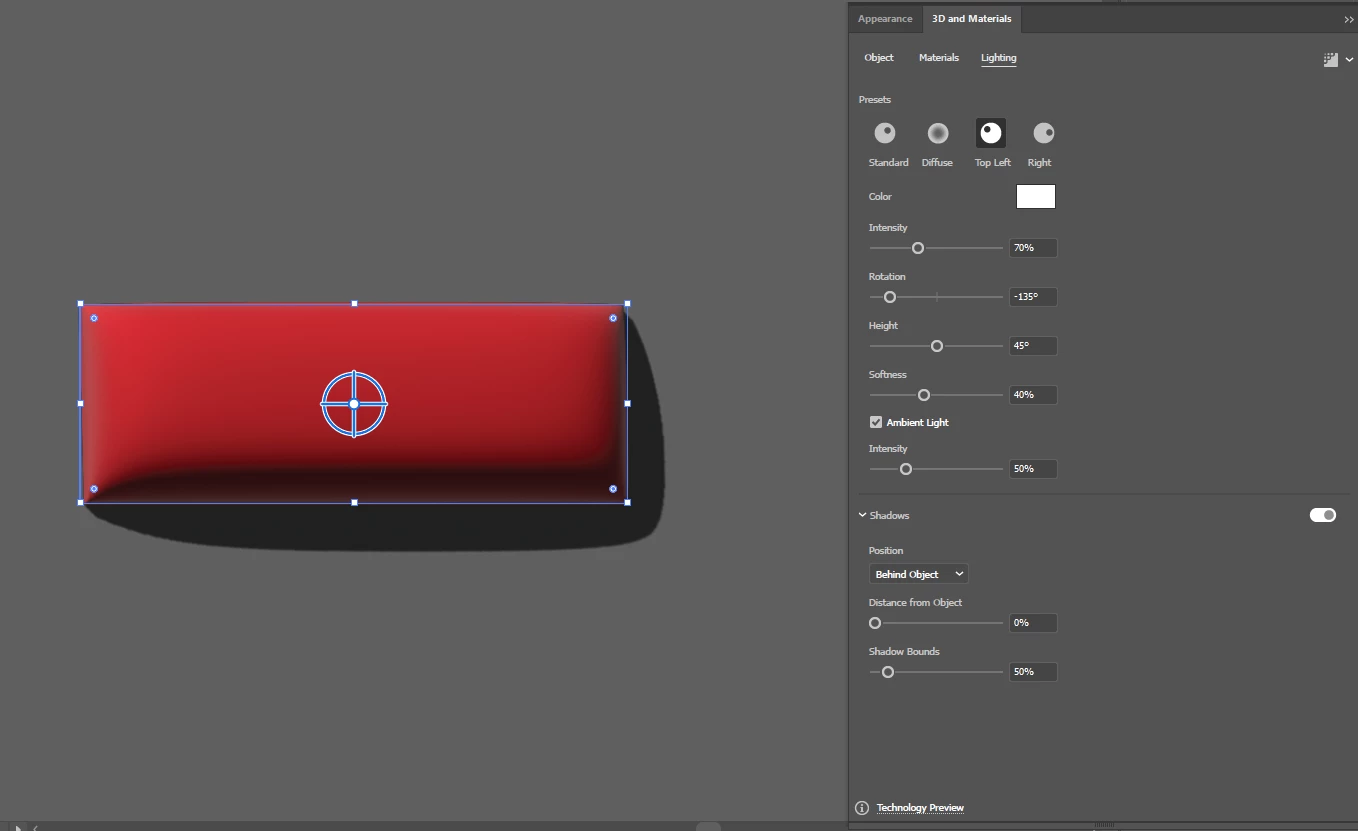
Been playing with the new 3D effects on the Illustrator 2022. Is there a way to adjust the shadow transparency of the object? As it is now, it's way too dark, which works sometimes. But would it be possible to make it a little subtle?
 

Correct answer Monika Gause

This looks like you need to turn on raytracing in the 3D effect panel.

5 replies

Monika Gause
Community Expert
Community Expert
October 3, 2022

What you need to do is turn on Raytracing, so shadows are calculated according to the lighting settings.

Then adjust the lighting.

Less light "Intensity" will also make a lighter shadow.

A higher "Softness" value will give you softer edges to your shadow and therefore make the shadow lighter.

More "Ambient Light" will make the shadow lighter as well.

Darker objects will also have a darker shadow (because less light reflections between ground and object)


Shadow and light cannot be separated from each other in this. And if you have an object with a high contrast, then it will look unrealistic when it throws just a slight shadow.

Vectorgeek@work
Inspiring
October 3, 2022

I just wish there were separate controls for the shadow opacity. If you increase the intensity it also affects the colors of the object.

Monika Gause
Community Expert
Community Expert
October 3, 2022

That's just not how shadow works in real life.

Vectorgeek@work
Inspiring
October 3, 2022

FYI: The apperance panel trick won't work if you have a grouped object with multiple colors.

Participant
January 3, 2022

That's a real cool trick! Thanks!

Participating Frequently
January 3, 2022

The double fill?

You are welcome

E

Monika Gause
Community Expert
Monika GauseCommunity ExpertCorrect answer
Community Expert
January 1, 2022

This looks like you need to turn on raytracing in the 3D effect panel.

runninghead_design
Inspiring
March 20, 2022

I don't understand why this is the correct answer.
Turning on Ray Tracing does NOT allow you to control the transparency of the shadow.
There is no setting in the ray tracing dialogue that allows you to do that and, for me, ray tracing simply burs the shadow but does not fade it at all.

Vectorgeek@work
Inspiring
October 3, 2022

I was wondering the same thing. You can turn on the shadow but it's set to almost 100 percent opacity by default. Seems like there should be a slider for that. For now your appearance panel method does the trick but it's a little clunky.

Eugenio.NYC
Participating Frequently
December 31, 2021

Hi, maybe there is a way, but what I do, I use the appearance panel with two 3D effects applied 

for the top fill I don't use shadow and for the other fill I use shadow and I reduce the opacity 


bv32400499
Participant
October 24, 2022

Thank you. It's always a workaround and not an actual solution with Adobe lately. (Almost 2023 and this is still an issue)