
Answered
3D extrude and bevel issue
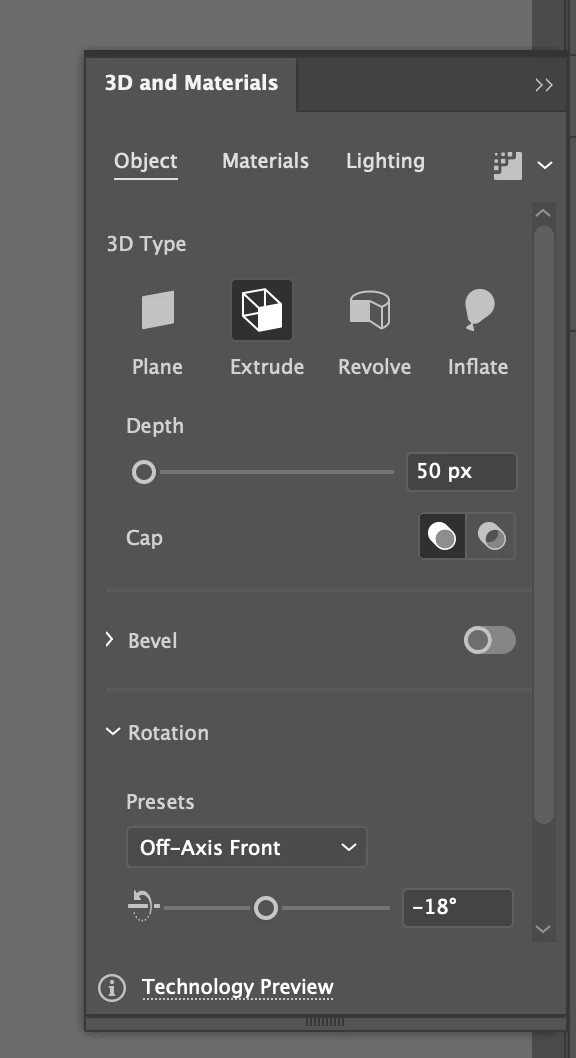
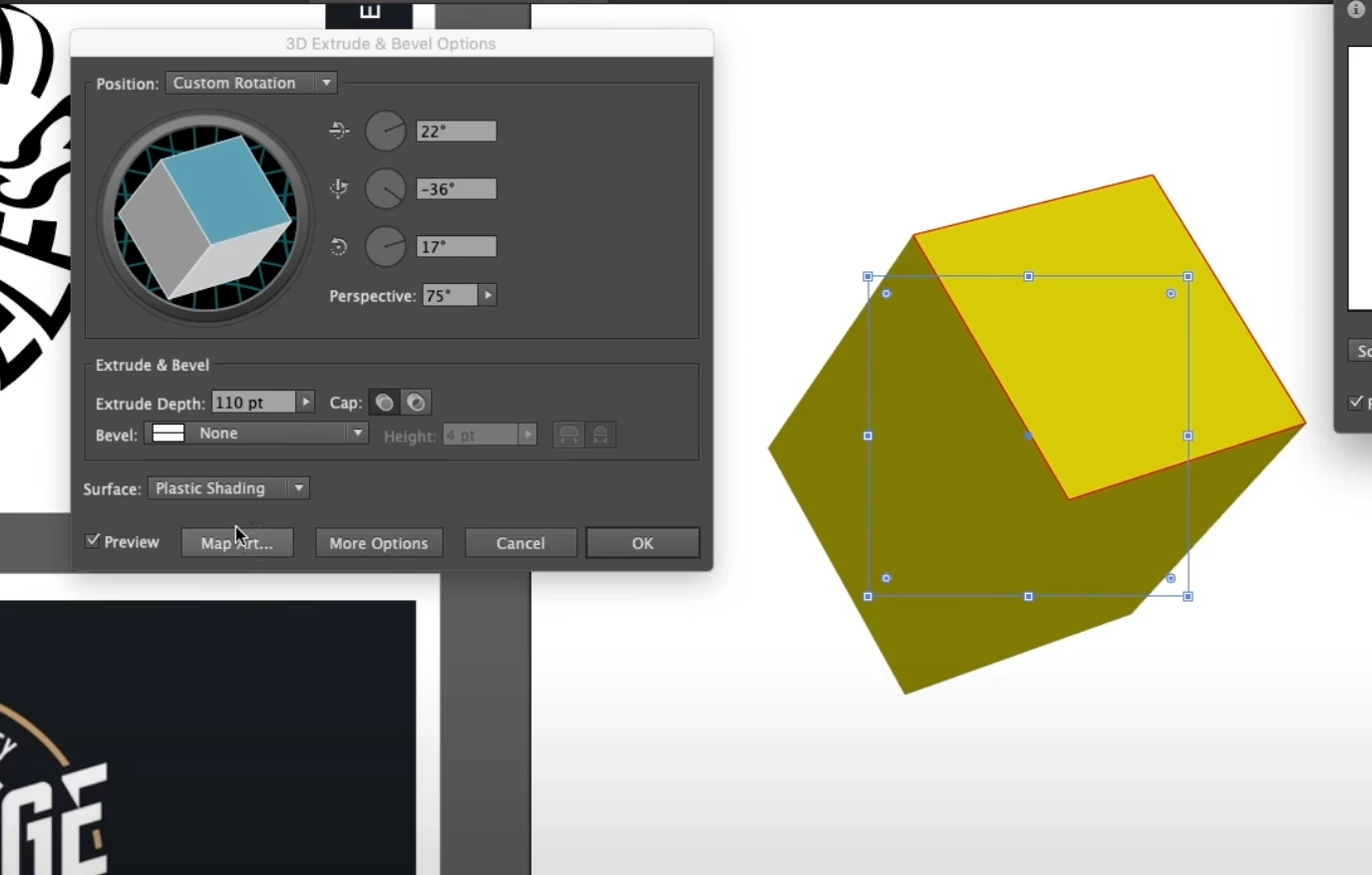 See the screenshot above with the box which usually appears when 'extrude and bevel' are clicked on a shape, however it isnt appearing since updaing and instead the below box appears?
I need to do 'map art' option which I can't find anywhere on this new box. please help? is this a normal box which has appeared or am I missing something glaringly obvious
working on the new update 26.0.1
 AdChoices