
Question
3D Extrude & Bevel not working properly
Trying to make some vintage Extrude & Bevel shapes. Simple square. 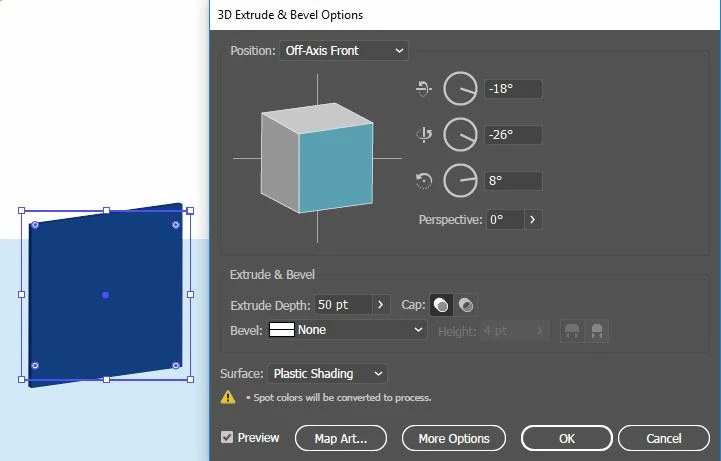 My settings are working properly. Anyone have any ideas? I've been working with some tutorials and none of my shapes look like what the tutorials show they should look like, even newer version tutorials.
Working on a work computer, so IT is pretty on top of the updates or has it all set to auto update.
The attached photo is the very first movement my shape makes the second I click to Extrude & Bevel. This isn't looking right.
Anyone have ideas on how to fix this or what's going on?
 AdChoices