Participating Frequently
June 3, 2022
Answered

3D font error?

  • June 3, 2022
  • 1 reply
  • 1446 views

After applying 3D to this font, I increased the scale, and the letters were reproduced and separated from place to place. I shouldn't break the font(Create an outline), what should I do?

This topic has been closed for replies.
Correct answer Monika Gause

This is the picture before the error. (800x800) I want to do this


OK, thank you. This might get difficult with the perspective grid.

At the moment you are using the 3D and material, right?


You could try the classic 3D effects, they are in the submenu (sorry for the Polish interface, that's a coincidence).
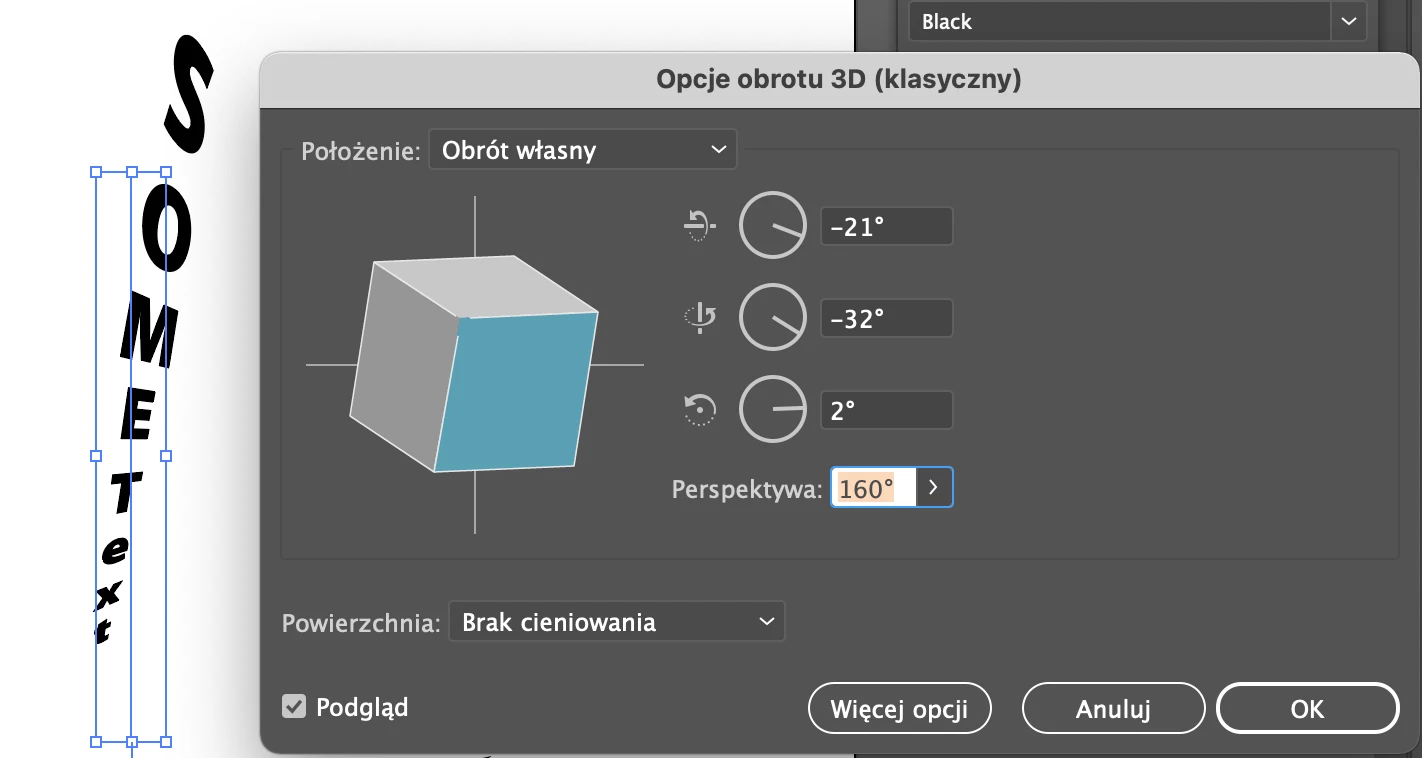


Another option would be an envelope.

The Free distort tool unfortunate will outline the text.

1 reply

Monika Gause
Community Expert
Community Expert
June 3, 2022

Please remove the background.

Please tell us exactly what you applied. Show the settings.

UNMAIDAuthor
Participating Frequently
June 3, 2022

This is picture you asked for.
If apply 3D like in the picture, font arrangement becomes weird

Monika Gause
Community Expert
Community Expert
June 3, 2022

Which 3D did you apply? the Classic one or 3D and Materials?

Which settings did you use?
