Participating Frequently
May 3, 2018
Answered

3D Object w/n shadow

  • May 3, 2018
  • 2 replies
  • 1507 views

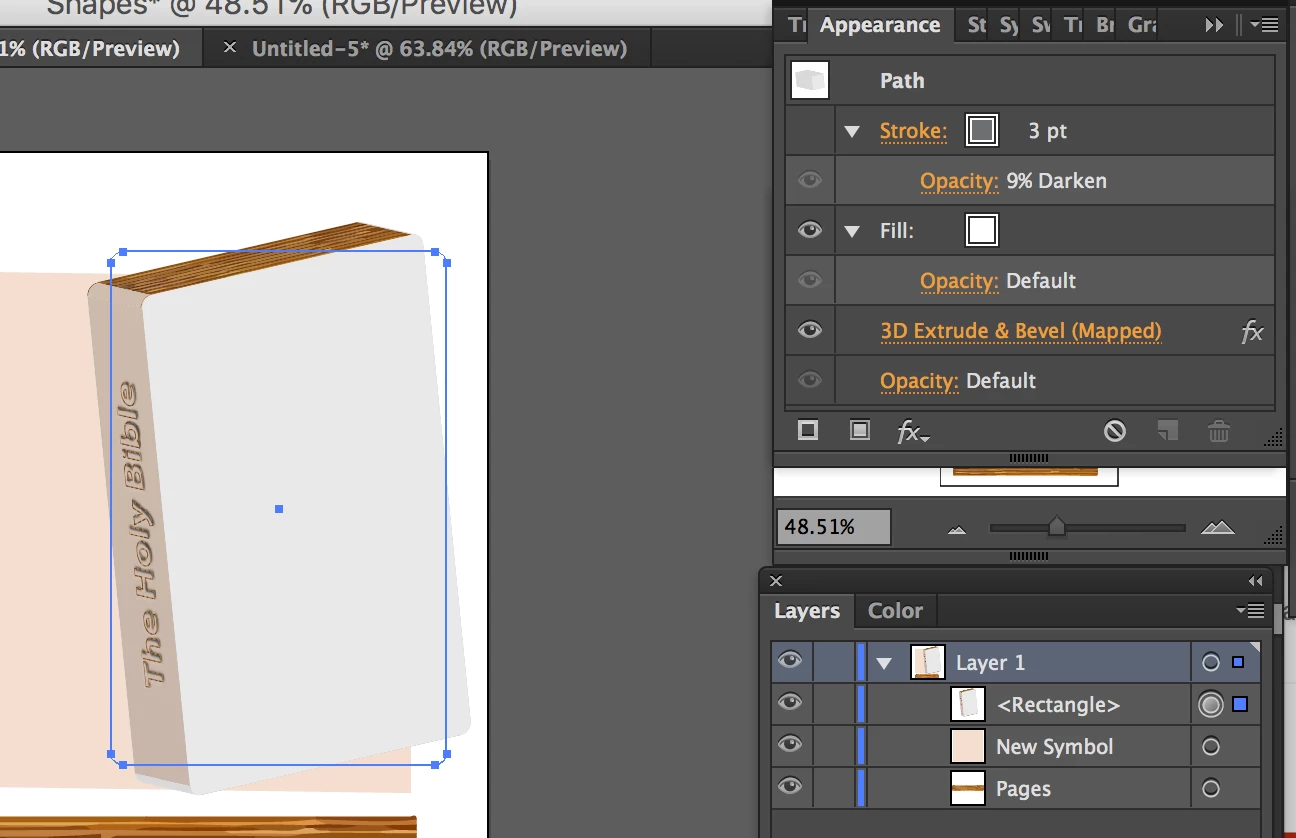
I created this 3D object

and I'm putting the "faces" together but I can't figure out how to give the object a realistic shadow. I thought that by changing the location of the light source and/or the "ambient light" it would create a shadow but it didn't. What am I doing wrong?

This topic has been closed for replies.
Correct answer Omar.Fathy

In general you need to make it manually after making the 3D effect or like Michel said.

You can make a shape with radial gradient and overlay it above the 3D object after making the 3D effect.

2 replies

Omar.Fathy
Community Expert
Omar.FathyCommunity ExpertCorrect answer
Community Expert
May 5, 2018

In general you need to make it manually after making the 3D effect or like Michel said.

You can make a shape with radial gradient and overlay it above the 3D object after making the 3D effect.

Participating Frequently
May 17, 2018

Ok thank you!

Monika Gause
Community Expert
Community Expert
May 3, 2018

You want it to cast a shadow on other objects?

Participating Frequently
May 4, 2018

No sorry I just want the shadow (or gradient) on each face of the object it's self like:

Also, the "viewer" of the Bevel and Extrude is a great example: )

Instead of a gradated faces, I get faces of one single color.

Mylenium
Legend
May 5, 2018

That won't happen. Your colors are too light and the objects barely have any curvature. Due to how the 3D effects work and use blends to create the illusion, there is simply nothing to interpolate that would mimic the shading. You will have to draw the gradients manually, which would be easy enough. In your example I would never bother with the 3D effects to begin with.

Mylenium