
Participant
November 2, 2022
Question

3D Rendering issues with extra lines

  • November 2, 2022
  • 3 replies
  • 1585 views

I'm having some issues with this particular shape rendering in 3D. The original shape has very few points, but when I render it (as vector, high quality) it creates all of these extra lines, particularly on the corners, that aren't part of the original shape. I have other shapes that outline just fine in the 3D tool, but this one for some reason is wonky. Any help for fixing would be appreciated, thank you!
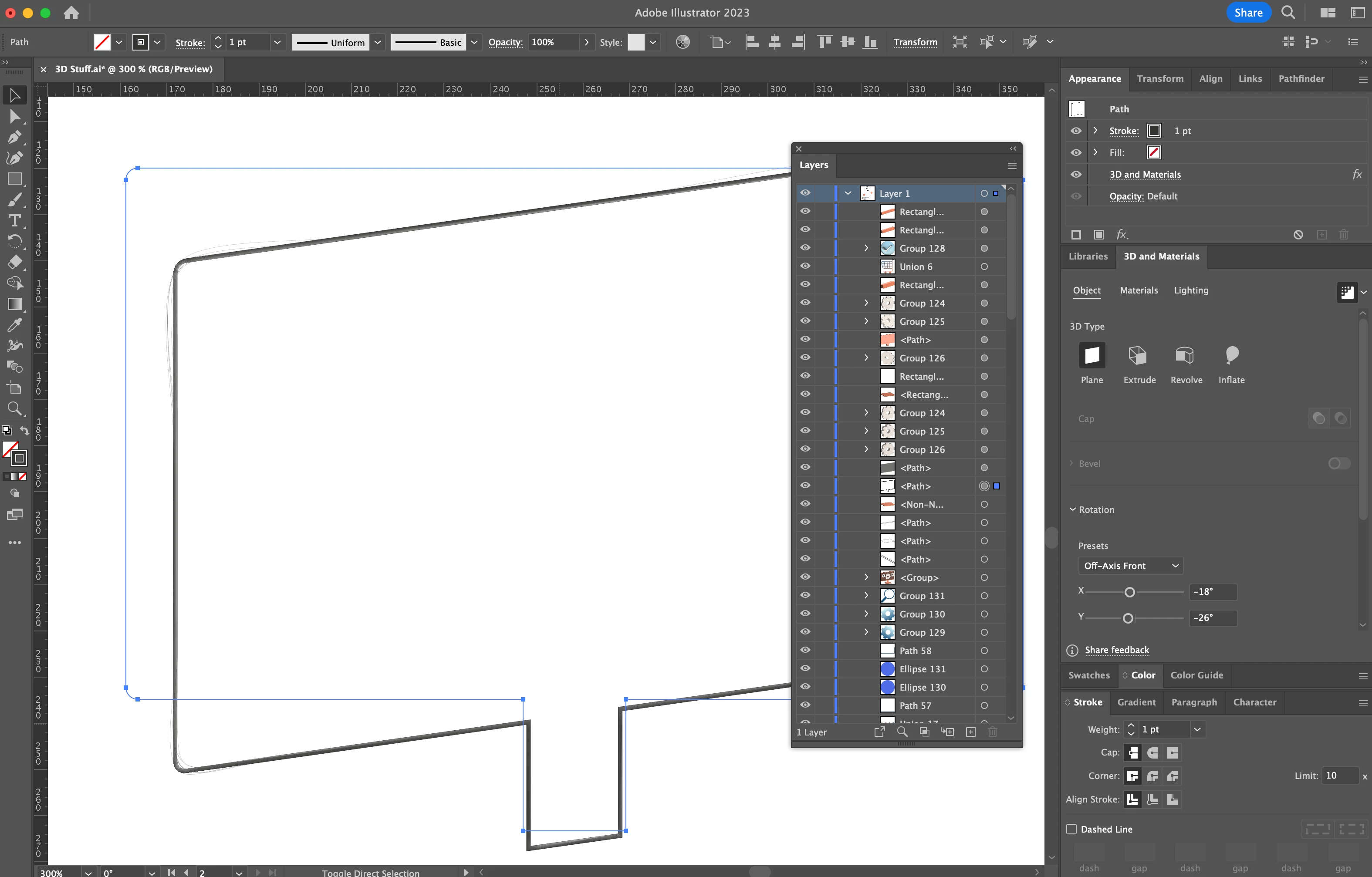


Illlustrator is up to date (27.0) 


Macbook Pro 16" M1 Max, 32GB Memory

3 replies

raulg33668490
Inspiring
November 4, 2022

After rendering as a vector expand appearance and in layers a group appears that contains all those lines and that you can delete. I hope I've helped 

Participant
November 4, 2022

I tried this and unfortunately it does not render a single line correctly when expanding appearance. So even if I delete all of the "extra" lines, the shape that's left is still wonky and not correct.

Monika Gause
Community Expert
Community Expert
November 2, 2022

Does that happen in CPU preview as well?

Participant
November 2, 2022

Yes this screenshot is actually viewing in GPU. 

Participant
November 2, 2022

Additional close-up photo, sorry I realized the first one was hard to see the lines. 

Participant
November 4, 2022


Here's another rendering of an "S" that does something similar. There's extra lines and the shadowing is jagged as well.