Participant
February 1, 2021
Answered

3D revole map art stroke issue

  • February 1, 2021
  • 2 replies
  • 592 views

Dear Illustrator Community,

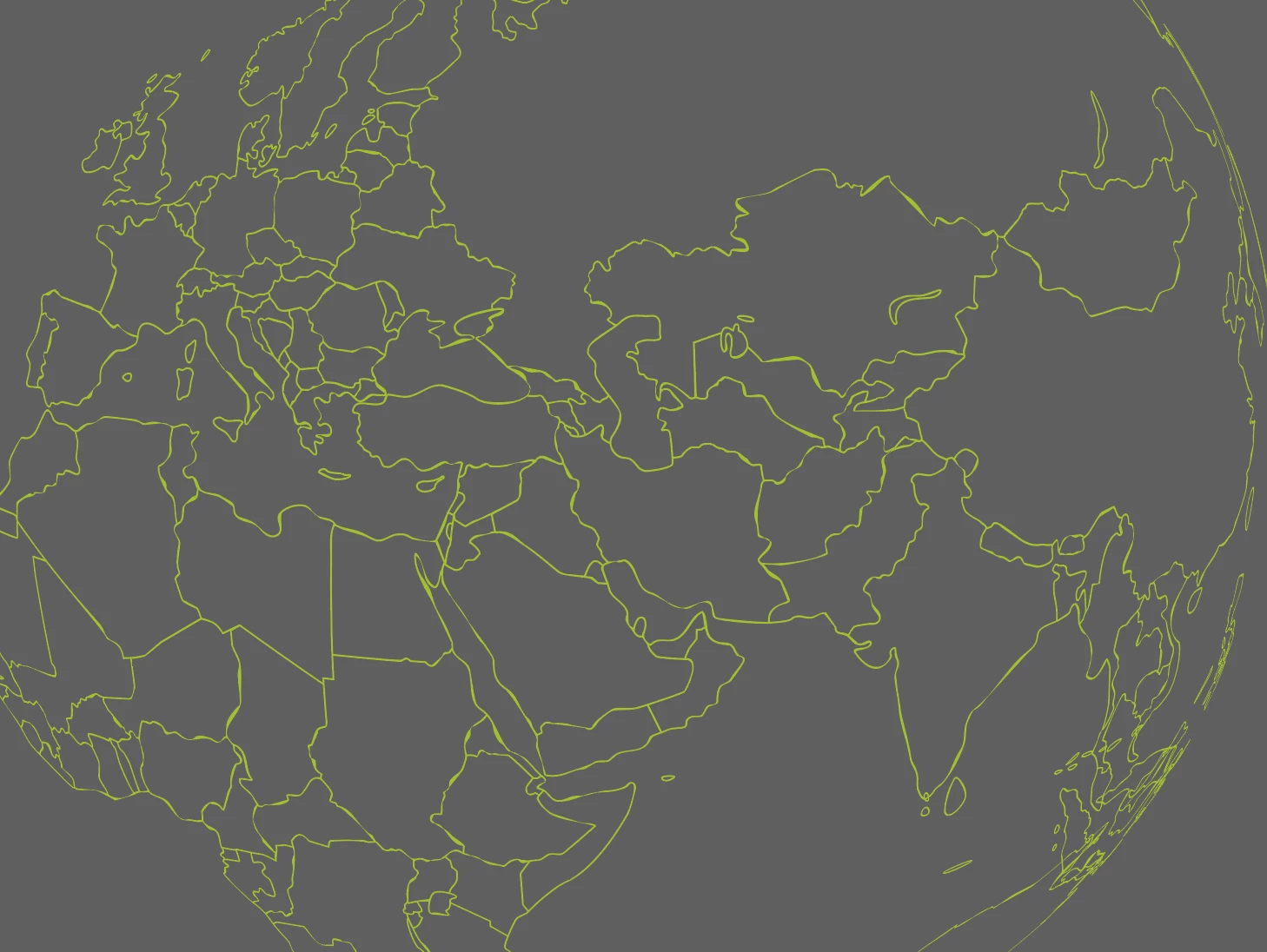
I am struggling with a world map that I try to apply to a globe 3D revolve effect. 
This issue is that the strokes are nor parallel anymore when applied as a "map art".

I have Expand the original map which was strokes and then merge everything.

Any idea?
This topic has been closed for replies.
Correct answer Monika Gause

Strokes are internally outlined when used inside the 3D effects.

2 replies

Ares Hovhannesyan
Community Expert
Community Expert
February 1, 2021

You can do it in Photoshop if raster image is ok for you. 

Monika Gause
Community Expert
Monika GauseCommunity ExpertCorrect answer
Community Expert
February 1, 2021

Strokes are internally outlined when used inside the 3D effects.

Participant
February 1, 2021

Hi Monika,, thanks for your help. I had the same issue wether it's stroke or expanded stokes.

Monika Gause
Community Expert
Community Expert
February 1, 2021

Yes, because Illustrator will expand them anyway internally.