
Participant
August 29, 2020
Répondu

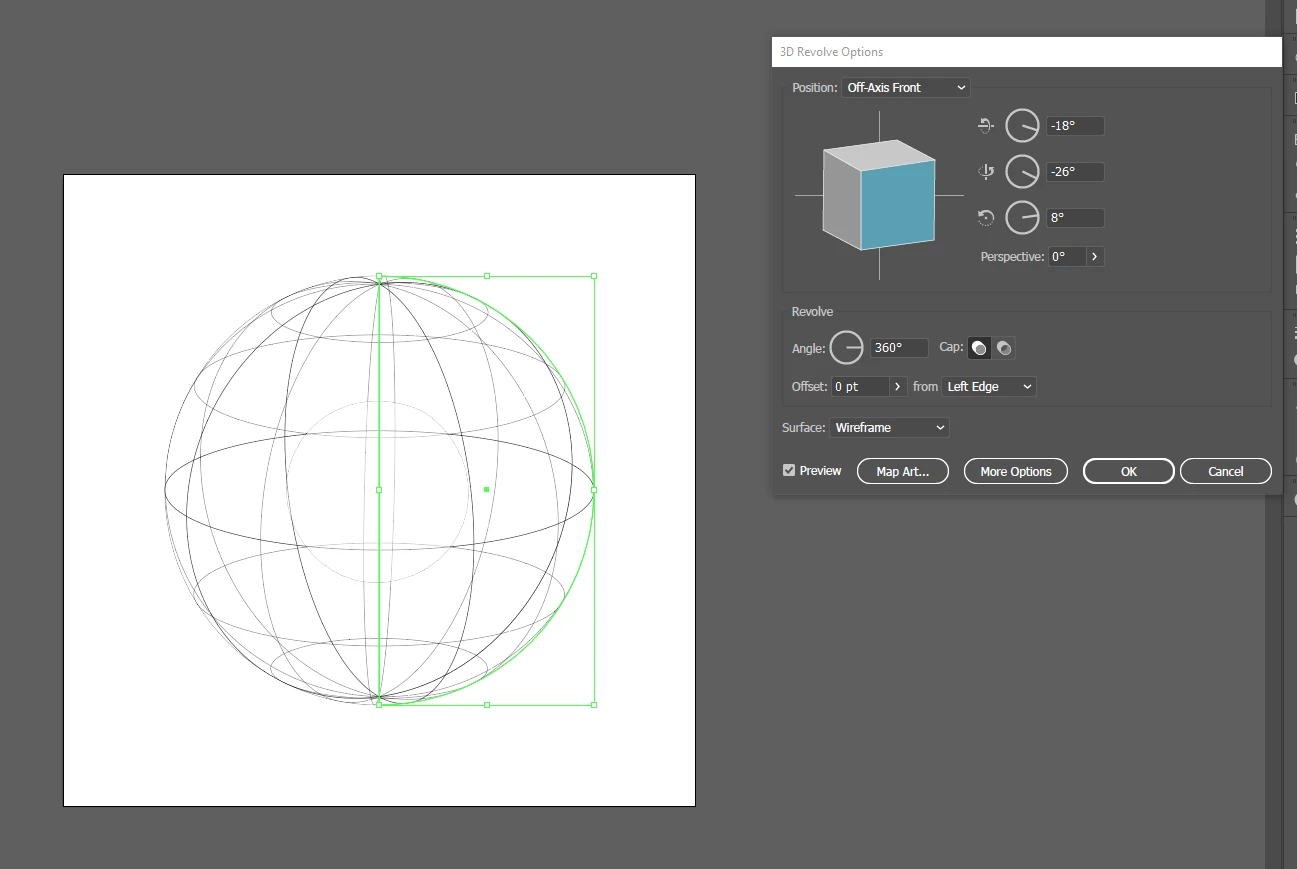
3D Sphere effect has hole I can't remove

I'm trying to wrap text around this globe shape. I'n the example you can see a smaller circle inside the globe, any symbol I apply as map art gets hidden by this. I've no idea how to remove it, can anyone help?
Ce sujet a été fermé aux réponses.
Meilleure réponse par Monika Gause

Try and adjust the perspective slider by 1 or 2 degrees. Does it get better?

3 commentaires

rcraighead
Legend
August 29, 2020

Can you share an screen image of the profile used to create the sphere? This might help understand what's happening.

David5C32Auteur
Participant
August 29, 2020


Monika Gause
Community Expert
Monika GauseCommunity ExpertRéponse
Community Expert
August 29, 2020

Try and adjust the perspective slider by 1 or 2 degrees. Does it get better?

Michael Bullo
Community Expert
Community Expert
August 29, 2020

Is the smaller circle a shape deliberately included in your design? If so, is it sitting in front of your globe and obscuring it.


Is the smaller circle an artefact that just shouldn't be there? If so, have you tried resetting the Illustrator Preferences? This is a great general purpose fix when Adobe programs start acting oddly.


The 3D tools within Illustrator often display in odd ways. Although it's only a work around, adjusting the angle of rotation about just one of the axis by a value as small as 1 degree can often fix the display issue.

David5C32Auteur
Participant
August 29, 2020

It is an artefact that only appears when using revolve in 3D Tools.