

Participant
January 13, 2020
Question

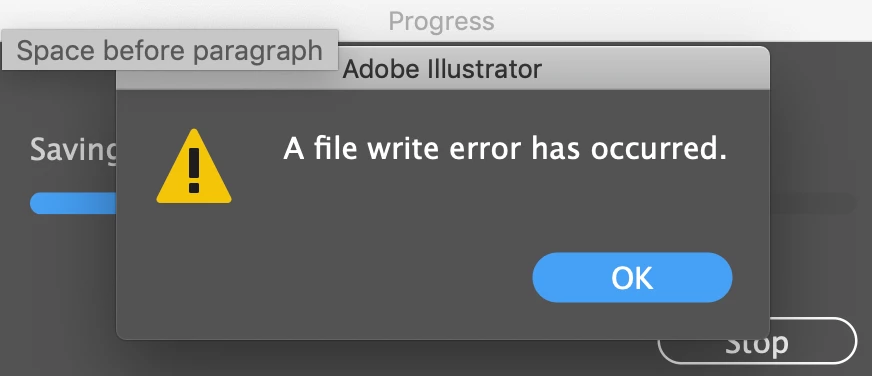
A file write error has occurred
  • January 13, 2020
  • 3 replies
  • 4583 views


Hi, I have a problem that I cannot save my work in illustrator. Once I saved, It pop up this window and it tells that there is errors. May anyone can help? I need this file very soon! Thanks!

3 replies

Participant
September 19, 2025

Did anybody actually found the solution to this??? I've tried everything and nothing is working. I don't want to quit illustrator becuase I have significant amount of work that hasn't been saved and I don't wanna risk it. I've never had an issue like this and it's completely ridiculous that there isn't any solution to this yet.

Monika Gause
Community Expert
Community Expert
September 19, 2025
quote

Did anybody actually found the solution to this??? I've tried everything and nothing is working. I don't want to quit illustrator becuase I have significant amount of work that hasn't been saved and I don't wanna risk it. I've never had an issue like this and it's completely ridiculous that there isn't any solution to this yet.


By @Ihdaa37445190jayf


If you aren't already saving to your local hard disk: do that.

Also: turn off "Save in background" in the preferences.

Participant
March 6, 2023

Does anyone have an update on this.   I have a user with the same error but they are using onedrive to store the files which is set to local.

Anubhav M
Community Manager
Community Manager
March 6, 2023

Hello @bryanlue,


We understand that encountering technical issues can be frustrating. Illustrator supports working across networks and from removable media or cloud-synced folders and is vigorously tested across multiple network configurations. However, not all existing network configurations, which include different software, hardware, settings, and access rights, have been tested. Therefore, your network or network configuration can cause errors, crashes, or unexpected behavior. You may learn more about this here: (https://helpx.adobe.com/in/illustrator/kb/illustrator-support-networks-removable-media.html).


In such cases, we recommend working from a local folder on the computer and then manually copying the files over to the network/removable drive or cloud-synced folder.


Feel free to reach out if you have more questions or need assistance. We'd be happy to help.


Thanks,

Anubhav

Participant
April 30, 2025

Is this the best help/reply a Adobe employee can give a customer/user? Smh this does not help at all

Participant
January 13, 2020

Speicherst du auf Server / Netzwerk oder auf die lokale Festplatte? Illustrator macht leider noch immer oft Probleme beim Arbeiten im Netzwerk. Schon getest, ob es beim Speichern auf Festplatte besser geht?


Gruß
Bernhard

(CS 6 / Windows 7)