Participant
December 2, 2024
Answered

A Pantone color object becomes faded when exported

  • December 2, 2024
  • 3 replies
  • 527 views

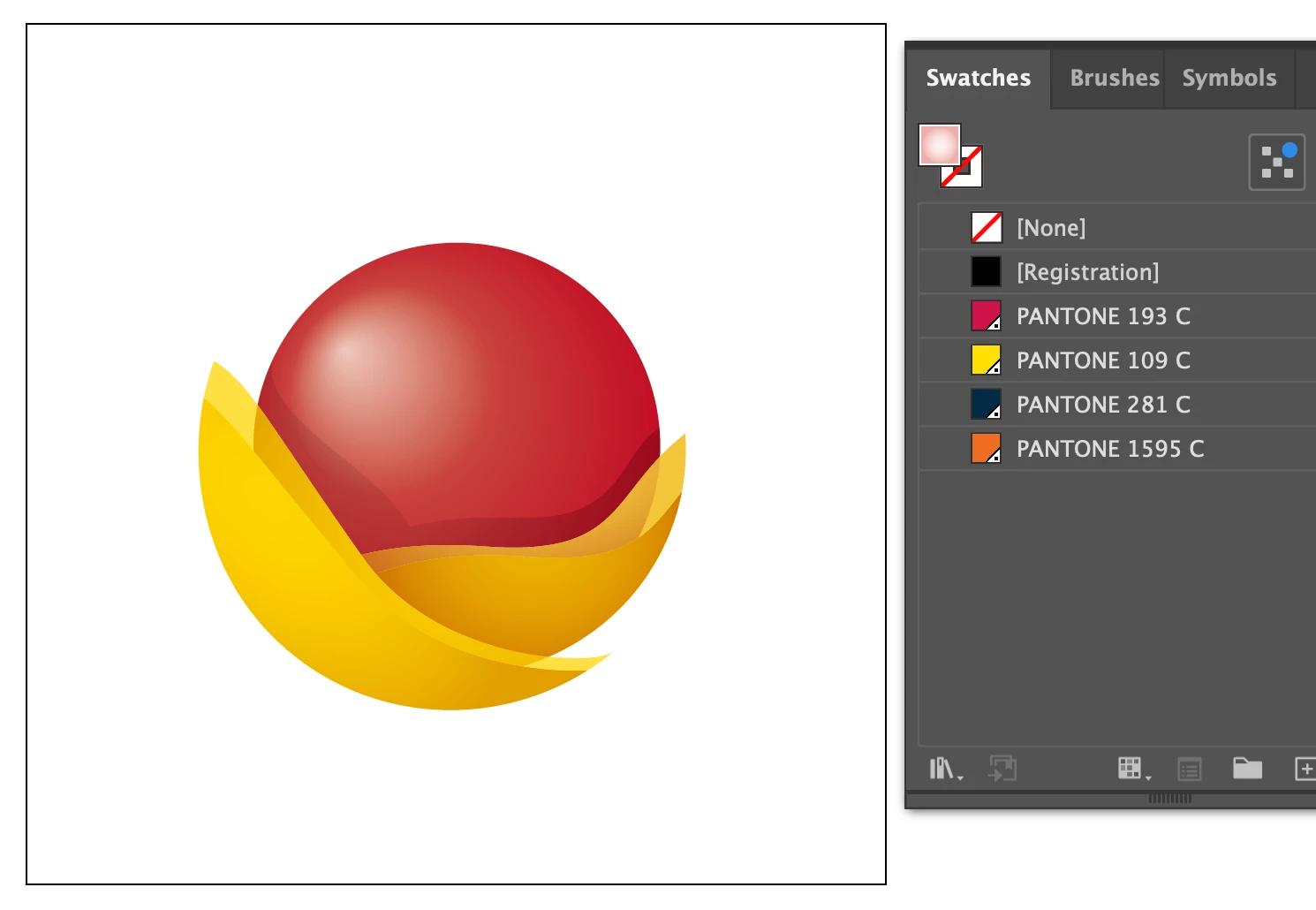
Hi, I have a Pantone color object in Illustrator. I didn't create it myself, I received it for a graphic work use.

When I export it to different formats (PDF, JPG, PNG, etc.) it becomes faded - see pictures below. It also happens when I copy and paste into InDesign. 

What can be the reason and what can I do? Thanks

This topic has been closed for replies.
Correct answer Ton Frederiks

Lots of objects have the Overprint option checked in the Attributes panel.

If you change your Preview from Overprint to a normal preview, you will see what you get on export, these image formats don't support Overprint and there is no way to simulate it.

You can do 2 things, change all the objects to use the Darken transparency blend mode and turn Overprint off for these objects.

Or select All and use Object > Flatten Transparency and deselect the "Preserve Overprints and Spot Colors" option.

But you will lose the spot colors (which does not matter unless you want to print with 4 spot inks).

3 replies

Ton Frederiks
Community Expert
Ton FrederiksCommunity ExpertCorrect answer
Community Expert
December 2, 2024

Lots of objects have the Overprint option checked in the Attributes panel.

If you change your Preview from Overprint to a normal preview, you will see what you get on export, these image formats don't support Overprint and there is no way to simulate it.

You can do 2 things, change all the objects to use the Darken transparency blend mode and turn Overprint off for these objects.

Or select All and use Object > Flatten Transparency and deselect the "Preserve Overprints and Spot Colors" option.

But you will lose the spot colors (which does not matter unless you want to print with 4 spot inks).

Participant
December 4, 2024

Thank you!

Ton Frederiks
Community Expert
Community Expert
December 4, 2024

Good to hear that helped.

Monika Gause
Community Expert
Community Expert
December 2, 2024

Are the colors still applied when you paste into InDesign?

Any error messages from color management when you copy and paste?

Participant
December 2, 2024

No, just the warning message about the Embedded EPS

Ton Frederiks
Community Expert
Community Expert
December 2, 2024

That is not faded, looks like totally different colors.

Can you share an example Illustrator file? Save or rename with the .pdf extension to attach it here to a post.

Participant
December 2, 2024

Hi, I cannot upload a PDF or any vector file

Participant
December 2, 2024

I put the AI file in my One Drive: AI file