Inspiring
February 21, 2017
Answered

A path hides another path

  • February 21, 2017
  • 1 reply
  • 387 views

Hello.
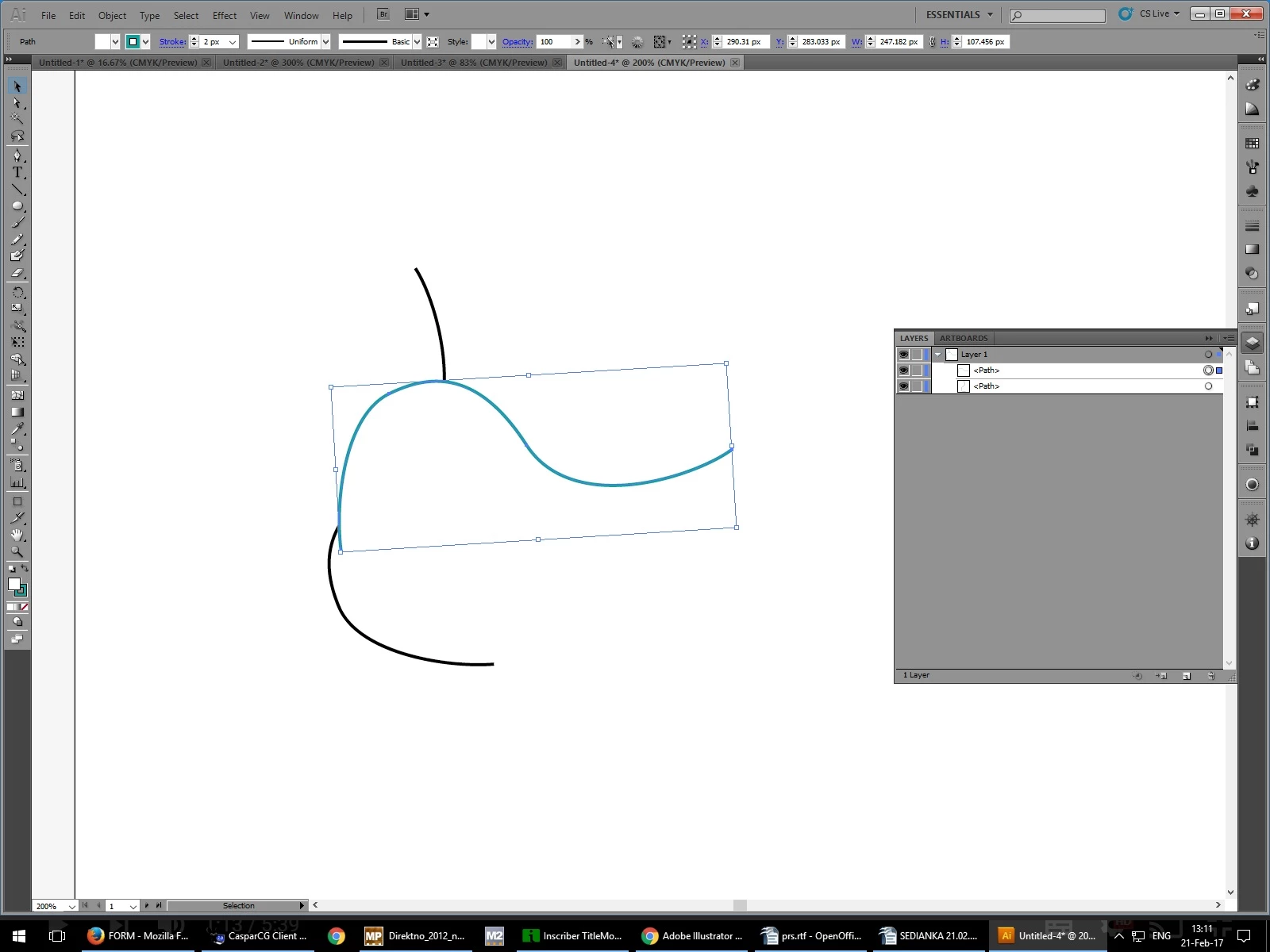
I am watching a tutorial about the "Blend tool" Adobe Illustrator Blend Tool - YouTube . At 1:15 he rotates one of the paths so they cross each other. When i rotate my path to cross the other one the top one hides the one underneath. Why does it happen?
    This topic has been closed for replies.
    Correct answer Ton Frederiks

    Because the path has also a fill.

    Fill with none and you will see the stroked line below.

    1 reply

    Ton Frederiks
    Community Expert
    Ton FrederiksCommunity ExpertCorrect answer
    Community Expert
    February 21, 2017

    Because the path has also a fill.

    Fill with none and you will see the stroked line below.

    GZEDITSAuthor
    Inspiring
    February 21, 2017

    thank you