Participating Frequently
March 16, 2019
Answered

A picture font to letters editor

  • March 16, 2019
  • 9 replies
  • 1232 views

Hello guys

I really need this help about this...

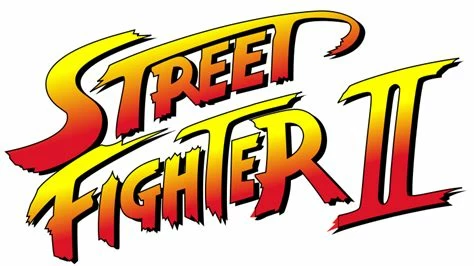
how to make from this image a font and edit/convert it into Japanese letters ???

I was always   and    but i don't know why???

So all style and apperance of word letters want it to stay same as original and just change to japanese script!!!

Thanks

This topic has been closed for replies.
Correct answer meganchi

Dropbox - StreetFighter.ai

Try retrieving this file I made for you.

9 replies

meganchi
meganchiCorrect answer
Legend
March 19, 2019

Dropbox - StreetFighter.ai

Try retrieving this file I made for you.

Participating Frequently
March 17, 2019

Actually this is i'm doing in mean time....

Monika Gause
Community Expert
Community Expert
March 17, 2019

This just takes time to learn.

But you might want to post this as a job offer on some freelancer website. I'm sure you will find someone who will gladly do this job for a few bucks.

Participating Frequently
March 19, 2019

freelancer was good buy but i live in Bosnia a country that will never join the EU, so free prices i only accept...

Other website suggestions ????

thanks 

Participating Frequently
March 17, 2019

Please you do this guys for me since i've tryed all nothing 100% happening to the program window

it is difficult to make all alone so my hand are sweating like a water....

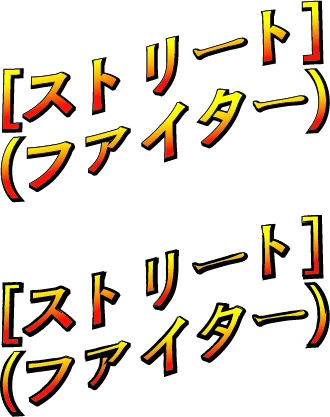
Here is the japanese words: [ストリート] (ファイター)

so actually goes from top does [ ], to the bottom does ( ) ...

thanks

jane-e
Community Expert
Community Expert
March 17, 2019

alems49758874  wrote

Please you do this guys for me since i've tryed all

That’s great that you have tried all — please post a screenshot so we can see how you are doing.

Participating Frequently
March 17, 2019

Great now i'm all looking confused somehow...

Monika Gause
Community Expert
Community Expert
March 17, 2019

Then can you please show how far you got in your efforts?

Monika Gause
Community Expert
Community Expert
March 17, 2019

Simply level 0 the 15% (i can do straight lines and curves only but not the rest) !!!


So basically you don't know how to create text?

Participating Frequently
March 17, 2019

i have opened image in illustrator 2014 release ver. 18.1.1....

So what are steps grabbed the pen tool in details needed ???!!!

Anna Lander
Inspiring
March 17, 2019

look here, there are the detailed instructions

How to draw with the Pen, Curvature, or Pencil tool in Illustrator

lambiloon
Community Expert
Community Expert
March 17, 2019

Hi if you want to convert a picture into vector then you need to trace it using pen tool or image trace otherwise you japanese fonts and apply gradient on it.

Thank you

Ali Sajjad / Graphic Design Trainer / Freelancer / Adobe Certified Professional
Michael Bullo
Community Expert
Community Expert
March 17, 2019

There are many ways you could achieve this look. After typing some text I applied a black stroke, gradient fill and a hard drop shadow.

If you want to slant the text make a shape like I did in the example below (colour and stroke not important). Select the text and the newly created shape and from the menu choose…

Object > Envelope Distort > Make with Top Object

Michael Bullo
Community Expert
Community Expert
March 17, 2019

If you are looking for cool Japanese fonts and you are an Adobe CC member, there is a great range of both English and Japanese fonts at fonts.adobe.com. I've synced some of these Japanese fonts to my English based system and used them without a problem. Look for the Japanese button in the upper right corner.

Monika Gause
Community Expert
Community Expert
March 16, 2019

Just set the Japanese type.

Then apply a gradient to the text object

And apply a shadow.