
Participating Frequently
March 4, 2021
Answered

A white box shows the artboard when exporting a png

  • March 4, 2021
  • 2 replies
  • 3137 views

Hello,

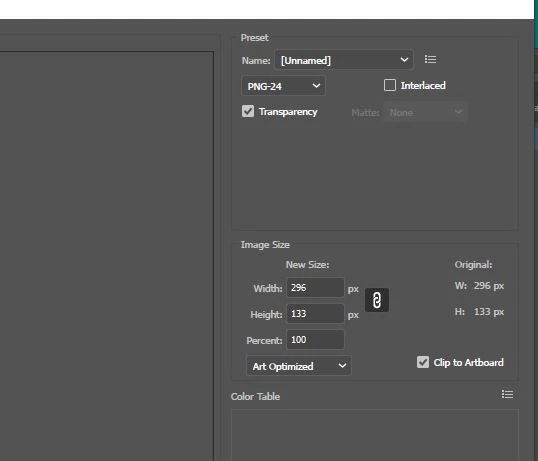
Even when the transparent option was checked, a white box actually appeared in the browser showing the artboard after exporting the logo to png.
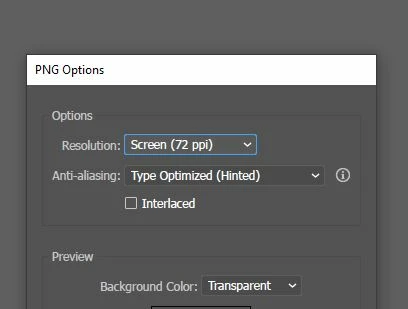
. I have tried other ways to export with the same result. It looks transparent before it is exported. Please offer suggestions? Perhaps there is a simple solution. Also, I have noticed I may need to update drivers with Illustrator. Could this affect exporting pngs?

 

This topic has been closed for replies.
Correct answer Monika Gause

Please see attached.


Shows as transparent in my browser. The issue seems to be with your browser.

2 replies

Participant
September 1, 2022

Hi, did you solve this? I have the same issue, viewing images on my documents and putting them into indesign they are white squares.

Ton Frederiks
Community Expert
Community Expert
September 1, 2022

That may be caused by an InDesign option when Placing the file.

Make sure Options are turned on and check Show Import Options.

Monika Gause
Community Expert
Community Expert
March 4, 2021

Impossible without seeing your file.

Are you sure it's not a browser setting that put white behind everything?

And this browser is also up to date?

jb0915Author
Participating Frequently
March 5, 2021

Here is a png transparent graphic shown in the browser exported from Illustrator that is using the settings to be transparent. It is exported without a background, yet the artboard is showing when placed in the browser. The browser is up to date.  Would there be a browser setting that would insert or delete white behind everything?  Or is there an extra step to check in Illustrator 2021 for transparency?

Monika Gause
Community Expert
Community Expert
March 6, 2021

And you are sure there is no object in the file?

Can you upload both the PNG and the AI file to Dropbox or the like?