
nothingisnothing
Participant
October 7, 2019
Answered

About "select all unused colour"

  • October 7, 2019
  • 2 replies
  • 1543 views

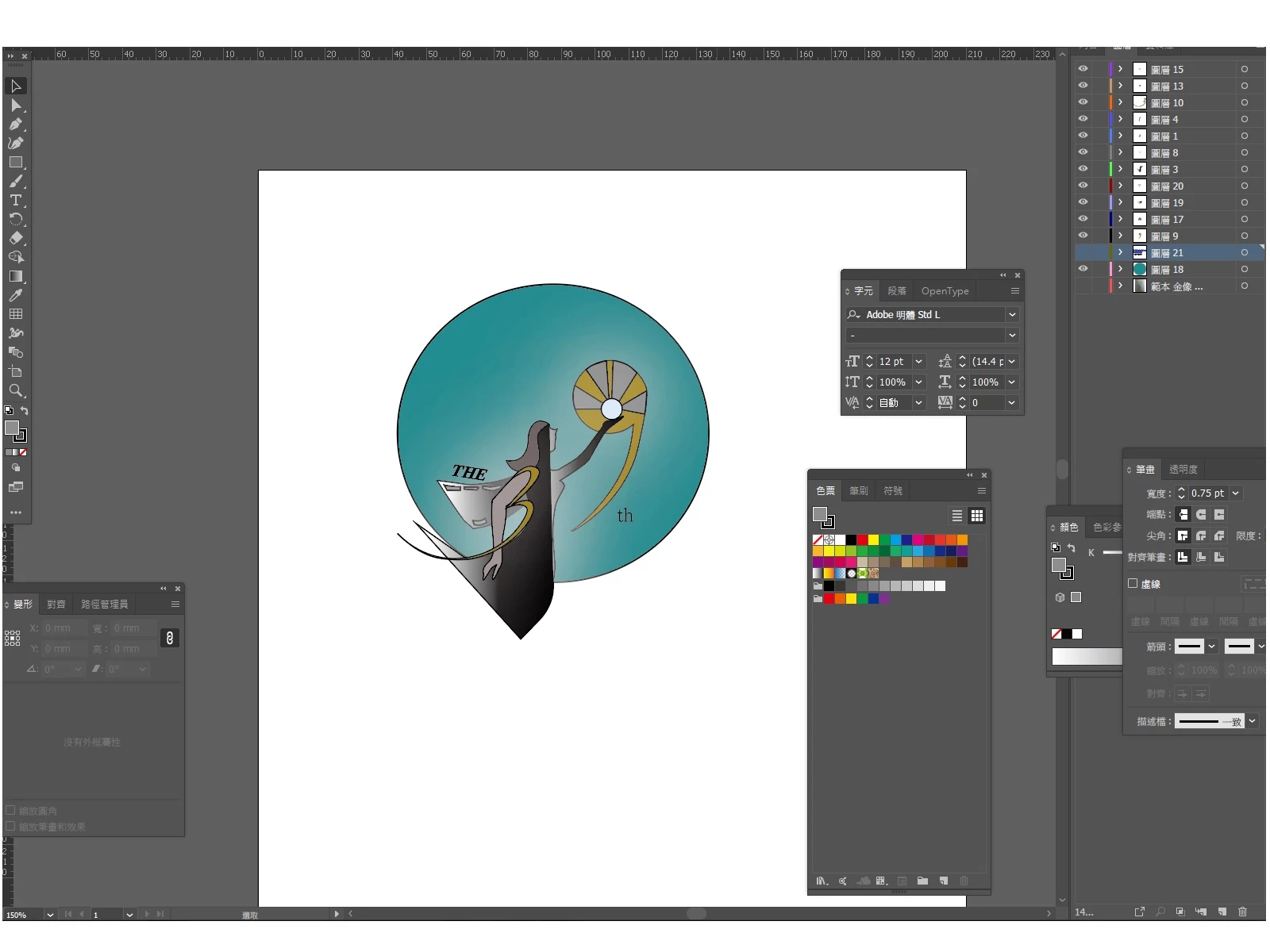
This is a screen cap before click "select all unused colour"


I try to click "select all unused colour" and drag the color to trash, it shows white, blue and black colour to me, but not gold/yellow/orange these kind of  colours

Ps:I used black and blue for type/fonts, just I don't have show in this picture


Besides, Is someone knows how to state colour specification for CMYK, PMS, Black & White or Grayscale versions? 
This topic has been closed for replies.
Correct answer Ton Frederiks

Some colours may be used in patterns or other graphic styles so are considered "in use"


That could be a the case.

I thought that if you delete the unused Panel Items (using the action), it would clean up colors used in unused  symbols.

But if the color is used in a pattern brush, it will stay, even after clean up.

2 replies

Ton Frederiks
Community Expert
Community Expert
October 7, 2019

I am not sure what your problem is. Select unused will do that, select all swatches that are not used.

Your secon question: For a CMYK version choose File > Document Color Mode > CMYK

For Pantone use Edit > Edit Colors > Recolor Artwork

Greyscale:  Edit > Edit Colors > Convert to Grayscale.

Ton Frederiks
Community Expert
Community Expert
October 7, 2019

"Select all unused" is about the swatches in the swatches panel. Not about the colors used in your document.

nothingisnothing
Participant
October 7, 2019
Yep, I mean swatches...