Answered
Accessing stylistic alternates by scripting?
is it possible at all?
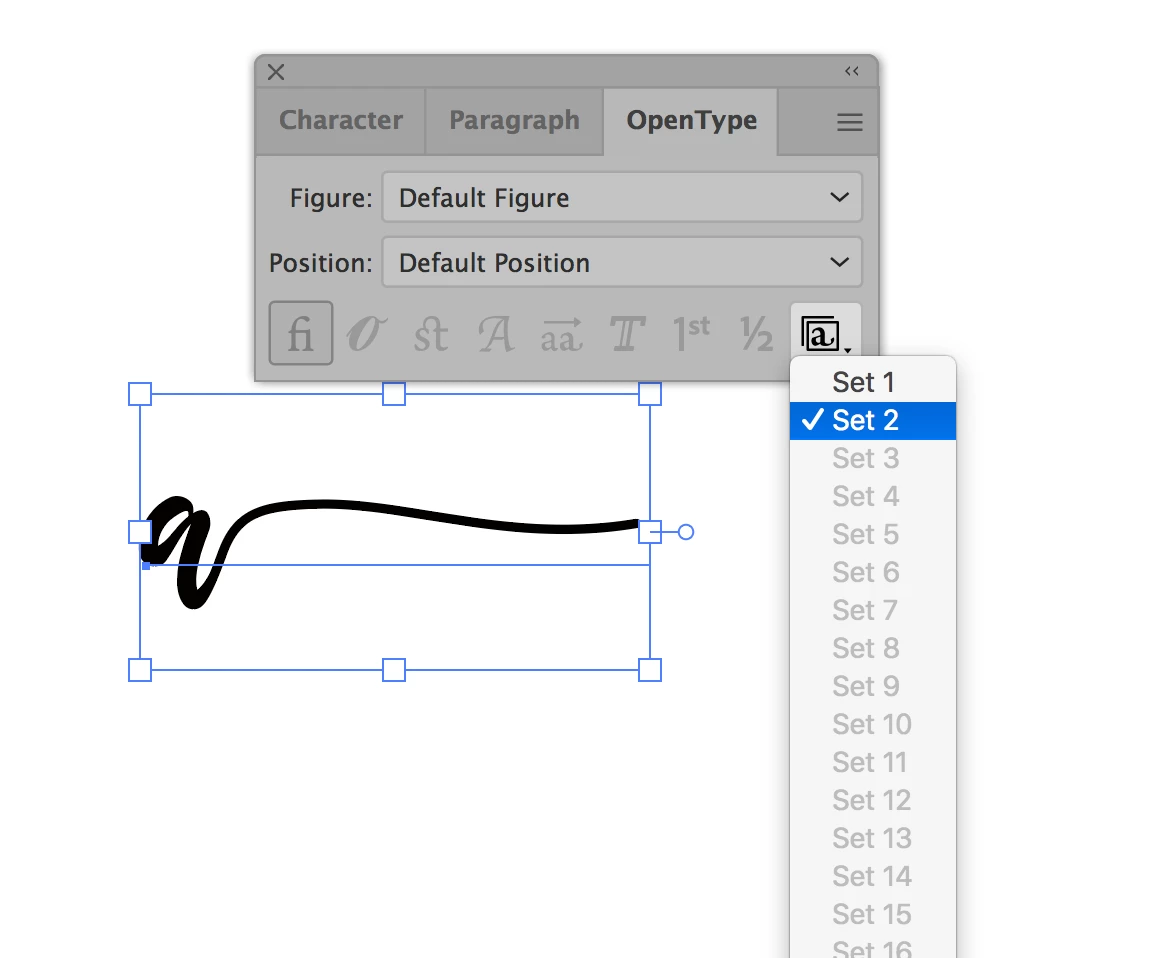

is it possible at all?
Hi @dolce5EC2, if you mean you want to set particular set(s) via a script, here is something I wrote to do that:
/**
 * Shows how to set the OpenType Stylistic Sets.
 * Notes: pass zero to set no stylistic sets.
 * @discussion https://community.adobe.com/t5/illustrator-discussions/accessing-stylistic-alternates-by-scripting/m-p/13927994
 */
(function () {

    var doc = app.activeDocument,
        item = doc.selection[0];

    if (
        item == undefined
        || !item.hasOwnProperty('textRange')
    ) {
        alert('Please select a text frame and try again.');
        return;
    }

    // example: activate stylistic sets 1 and 3
    item.textRange.characterAttributes.stylisticSets = getStylisticSetNumberForSets(1, 3);

})();

/**
 * Returns a number suitable for setting
 * the stylisticSets property of characterAttributes.
 * @author m1b
 * @version 2023-07-11
 * @param {Number} s1 ... sN - stylistic set numbers to activate.
 * @returns {Number}
*/
function getStylisticSetNumberForSets(/* pass set numbers as arguments */) {

    var n = 0;

    for (var i = 0; i < arguments.length; i++)
        if (arguments[i] > 0)
            n += 1 << (arguments[i] - 1);

    return n;

};
See if this works for you. It's a quick script, so might need some testing!
- Mark
Already have an account? Login
No account yet? Create an account
Enter your E-mail address. We'll send you an e-mail with instructions to reset your password.


 AdChoices