


landscape_snarkitect
Known Participant
Dec 18, 2024 5:27 PM UTC
Answered

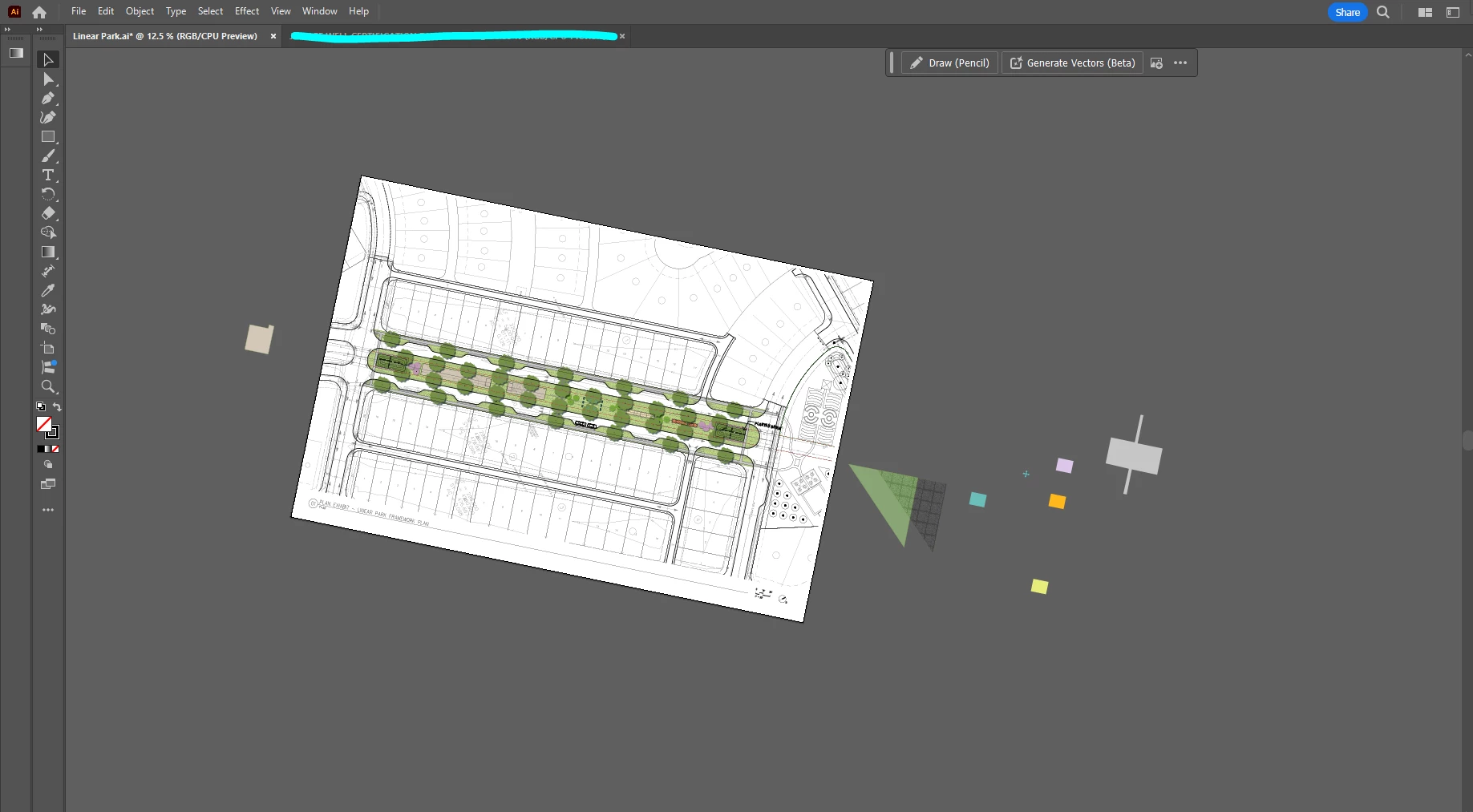
Accidentally rotated artboard and drawing space in illustrator

Hi,


I accidentally hit a short key combo I didn't mean to, and shifted the rotation of everything on the artboard as well as the pasteboard.  I'm not sure what I hit instead. 

How do I rotate it back to its normal position without messing up my drawing? It seems that the entire workspace rotated rather than just the artboard.


Thank you!
This topic is closed to new replies. Start a new post to keep the conversation going.
IZM72Correct answer
Participant
Dec 18, 2024 5:33 PM UTC

Shift + H. 

4 replies

Monika Gause
Community Expert
Community Expert
Dec 18, 2024 6:16 PM UTC

Look in the View menu. There is a shortcut to set it back.

Are you using a trackpad? In the Preferences > General you can turn off the trackpad gesture for rotating.

Translate
IZM72Correct answer
Participant
Dec 18, 2024 5:33 PM UTC

Shift + H. 

Translate
landscape_snarkitect
Known Participant
Dec 18, 2024 5:35 PM UTC

Thank you!! I didn't even know you can do that. 

Translate
Participant
Dec 18, 2024 5:40 PM UTC

Had this happen to me last week. 🙂


Just figured out that if you hit shift+ H then hold shift, it'll snap to 15° intervals.

Translate