

Participant
February 2, 2022
Question

Achse ersetzen nicht aktiv auswählbar

  • February 2, 2022
  • 5 replies
  • 1462 views

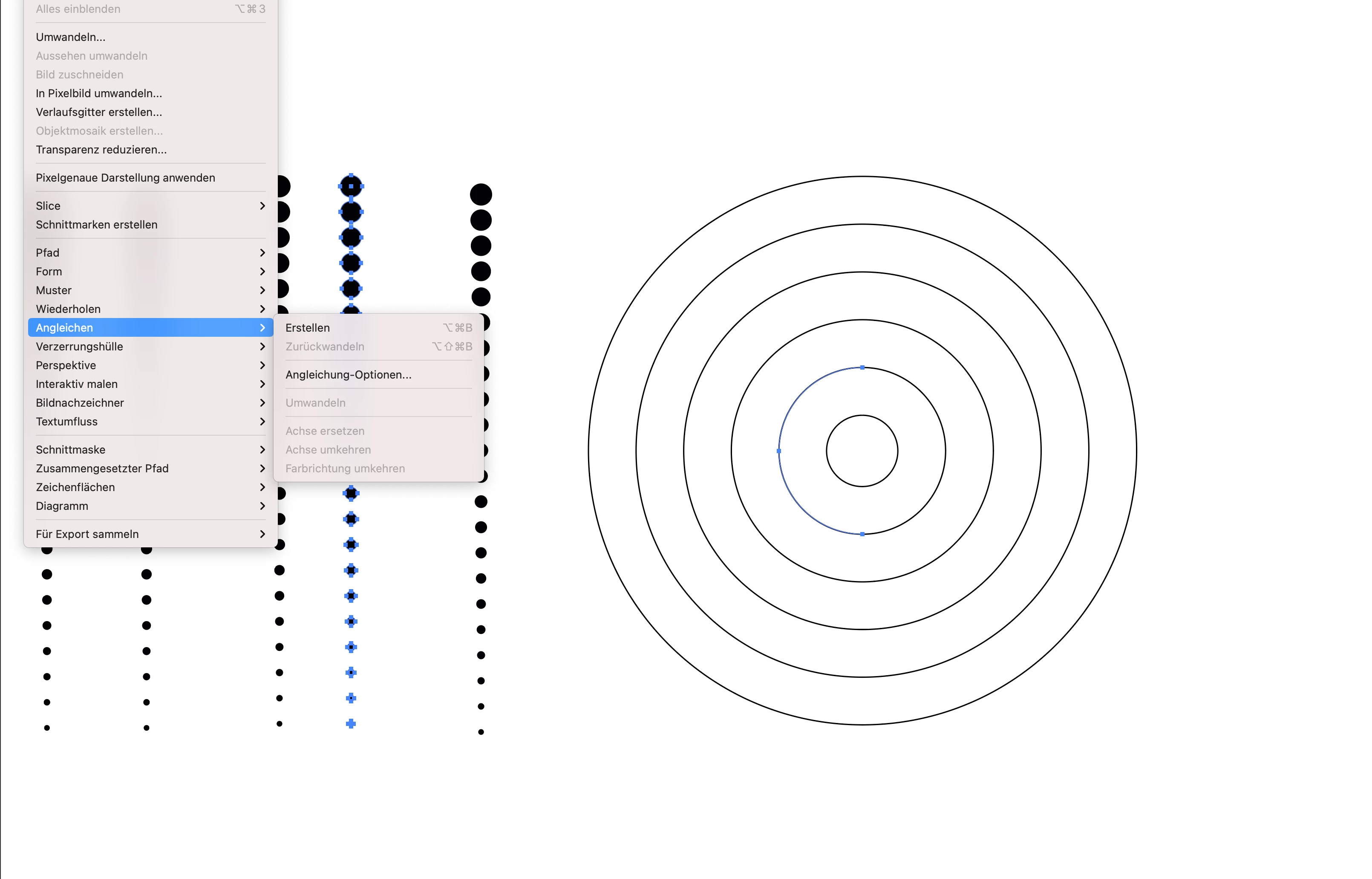
Hallo, ich möchte die kleine Punkte links in die kreisförmigen Linien rechts einfügen. Die Funktion "Achser ersetzen" ist aber leider nicht auswählbar. Woran liegt das? Danke

 

This topic has been closed for replies.

5 replies

pixxxelschubser
Community Expert
Community Expert
February 2, 2022

Hi Jacob,

of course, you are right.

On the other hand, the circle seems to be already cut in half. And in any case I prefer the additionally displayed Layers Panel. There you can always see which objects are in which hierarchy and how they are structured.

Jacob Bugge
Community Expert
Community Expert
February 3, 2022

Hans-Jürgen,


As mentioned, unlike you and Kurt I overlooked the expansion of the Blend.


I may also have misinterpreted what I did see, namely the selection of the half circle, which I guessed was caused by clicking the leftmost Anchor Point with the Direct Selection Tool and only selecting the two leftmost segments (hence my suggestion of using the normal Selection Tool).


Obviously, there would be no doubt about the latter if the expanded Layer had been shown, so I agree with you about its importance.


Jacob Bugge
Community Expert
Community Expert
February 2, 2022

Kurt, Hans-Jürgen,


It is always better to see what a screenshot actually shows.


pixxxelschubser
Community Expert
Community Expert
February 2, 2022

Hallo,

wie Kurt bereits gesagt hat, scheinen deine „Punkte-Linien“ keine Angleichungen zu sein. Deshalb ist auch kein Ersetzen der Achse möglich.


Allerdings kann man das so nicht zu 100% sagen, da zum Einen die Ebenenpalette (aufgeklappt) im Screenshot auch sichtbar sein sollte. Und zum Anderen hast du eine merkwürdige Art der Auswahl im Screenshot angewendet. Hast du eventuell die Begrenzungsrahmen und/oder andere Menüpunkte zusätzlich noch ausgeblendet?

Kurt Gold
Community Expert
Community Expert
February 2, 2022

It doesn't work because your black dots are not part of a Live Blend Group.


They are already expanded.


Participant
October 18, 2022

ich habe genau das gleiche problem. bei mir ist das feld "Achse erstezen" auch nicht auswählbar. Ich bin hier raus aber leider auch nicht schlauer geworden. könnt ihr mir nochmal genau erklären woran es liegen könnte ? was ist denn eine live blend group? wie kriege ich meine Kreise als live blend group?


Monika Gause
Community Expert
Community Expert
October 18, 2022

Das "Angleichen"-Objekt muss noch "Live" sein, d.h. es darf noch nicht umgewandelt worden sein. Ist das der Fall?


Es wäre hilfreich, wenn wir einen Screenshot sehen können von dem Angleichen-Objekt, der neuen Achse und wie das alles im Ebenen-Bedienfeld aussieht.

Jacob Bugge
Community Expert
Community Expert
February 2, 2022

21/noname,


What happens if you select the circle with the normal (black arrow) Select Tool?


And you may wish to cut the circle where you wish the Blend to start/end.