
Astonishing_Captain5DD6
Known Participant
March 2, 2023
Answered

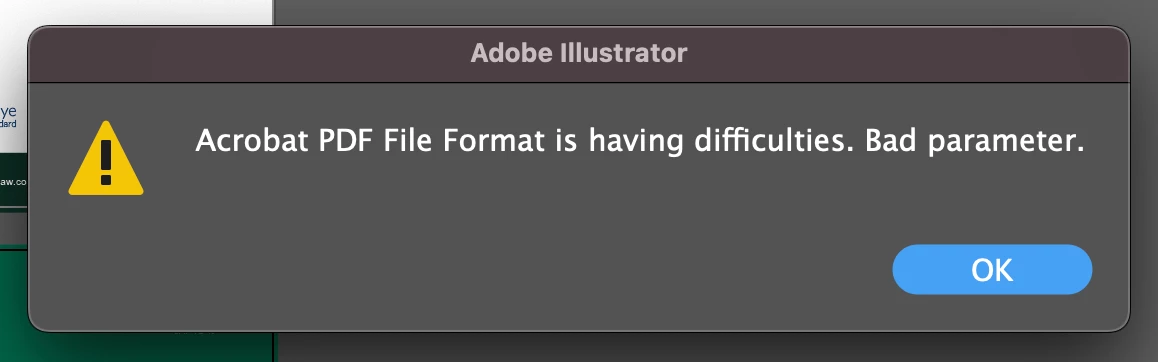
Acrobat PDF File Format is having difficulties. Bad parameter.

  • March 2, 2023
  • 20 replies
  • 46332 views

Does anyone know why Adobe illustrator is suddenly giving me this message on files... preventing my saving them...? ANyone else had this recently? It has only happend since yesaterday....

 

Correct answer Srishti Bali

Hi all,


Thank you for your patience! We have tried to fix this issue in our Pre-release build 27.4. Please go to the Pre-release section of Creative Cloud, install the 27.4 version, and share your observations with us.


If you haven't subscribed to the Pre-release program yet, click here to subscribe. 


Regards,

Srishti

20 replies

Participant
March 27, 2023

Mi solucion fue bajar auna version anterior estable, (27.0), ya que incluso la version Beta me continuaba el error. con la version 27.0 ya no aparece este error. Esperemos hasta que lo corrigan en proximas versiones, mientras NO voy a actualizar hasta que halla una version mas nueva que la 27.3.1, a ver si cirrigen este error.

Srishti Bali
Community Manager
Srishti BaliCommunity ManagerCorrect answer
Community Manager
March 23, 2023

Hi all,


Thank you for your patience! We have tried to fix this issue in our Pre-release build 27.4. Please go to the Pre-release section of Creative Cloud, install the 27.4 version, and share your observations with us.


If you haven't subscribed to the Pre-release program yet, click here to subscribe. 


Regards,

Srishti

Known Participant
March 23, 2023

It's amusing that the correct answer is an alleged bug fix with no acceptance that the bug has been fixed in the latest version. its another 'have a go and beta test the live version for us'.

Illsutrator 27.4 is now live so the prelrelease version should not be required.


I am sure you will get feedback if Adobe have failed again.

Anshul_Saini
Community Manager
Community Manager
March 23, 2023

Hi @Bombcrater,


Thank you for sharing your feedback and concerns regarding the latest version of Illustrator. We understand how frustrating it can be when a bug persists even after updating the software. We apologize for any inconvenience this may have caused.


Regarding the pre-release version, it is available for all users. However, the latest version, v27.4, is currently being rolled out in phases and is only available to users in certain countries. We apologize for any confusion caused by our communication on this matter.

We will ensure that this information is clarified on our HelpX documentation soon.


In addition, I appreciate all the users sharing the scenarios and files in which they have encountered the error.
Special thanks to @Kevin Stohlmeyer & @Ton Frederiks for reporting this and routing users to UserVoice.

I can confirm that I have reviewed the scenarios & files and could not replicate the issue on v27.4. If anyone continues to experience any issues, please do not hesitate to reach out to @Srishti Bali or me for further assistance.


Thank you for your patience and understanding.


Best,

Anshul Saini

Participant
March 23, 2023

I am experiencing the same problem. I am unable to save an Adobe Illustrator file in the .ai format. This file was sent to me by a client and needs to be adjusted for printing, so I cannot remove layers. I also need to save it in both .ai and .pdf formats.

 
Participating Frequently
March 22, 2023

Ran into this issue today as well. Downgraded one version and everything works again.

Participant
March 22, 2023

I was having the same problem this morning. I like to work with several layers separating text, images, dielines, etc on my artwork and apparently AI 27.3.1 doesn't like that. If I flatten everything to a single layer (or make all my layers a sublayer of a single one) than it saves the files with no problems as it used to. 

Participant
March 22, 2023

Hello, I had the same message and I have identified what is the reason:

Since "illustrator 2023" there is somme problems / bugs with opacity filter (see the picture below) => Try this: Create a simple shape (ceircle fill with black) and creat an opacity shape in the center of the circle (I use adobe on a PC).

Then copy and past front (Ctrl + F) and try to save as a PDF =>  If you have illustrator 2023 , the message "Bad parameter" will appears. Then just slide the top shape to avoid the 2 shapes matching each over and try again to save as a PDF = IT will work. 

The message bad parameter will also appear if you save in illustrator .ai if you keep "save and keep the PDF compatibility" =  Undo the chek to save as illustrator.

So the solution is to re-insatall the 2022 illustrator version (Dixit Adobe assistance (!)) :(.

Note that this opacity compatibilty creat the same problem with indesign in the last update version (18.1): It is impossible to export as a PDF if your document include vectorial illustrations which containing a shape with "opacity filter"

Participant
March 22, 2023

Ok it's done.

Thanks

Zui.k
Participant
March 20, 2023

Finaly!!!! My vector can't work at Illustrator (version 27.3.1)
pls. checking your vector and Rasterize it.

Participating Frequently
March 16, 2023

Same issue here for around 3 files so far over the last few weeks. 

Participating Frequently
March 16, 2023

POSSIBLE SOLUTION:

I managed to export the PDF finally after opening the mask and moving it around a bit and then exiting the mask. Then I saved it and it worked.


Known Participant
March 16, 2023

Noticed the same. See my comment and shared file on page 2 of this thread.

Kevin Stohlmeyer
Community Expert
Community Expert
March 15, 2023

Hi everyone - see this post on Illustrator User Voice (Bugs). Add your comments and upvote the issue:

https://illustrator.uservoice.com/forums/601447-illustrator-desktop-bugs/suggestions/46382371-acrobat-pdf-file-format-is-having-difficulties-ba

Participant
March 15, 2023

Is there a solution for this yet? Seems to be a global bug that alot of people are getting. Mine started today. Saving as a standard PDFX/4 is impossible on most files - using 1,2 works at the moment. Illustrator files wihtout unchecking the compliant PDf box will not save either.


Participating Frequently
March 16, 2023

Hi, see my comment below - it may help!

Participant
March 15, 2023

I had the same problem today, and what solved it for me was to convert all types to paths (Type > Create Outlines). No more "bad parameter" after this.

Participant
March 15, 2023

All of my text is outlines and I am still gettign this error. 😞

Kevin Stohlmeyer
Community Expert
Community Expert
March 15, 2023

@default3yuanbog7w9w see above it can also be caused by masks.