Known Participant
November 5, 2020
Answered

add a stroke around text or shapes not working

  • November 5, 2020
  • 3 replies
  • 609 views

I'm following a tutorial and the result shows that you should be able to add a stroke to the outline of a grouped image: https://www.youtube.com/watch?v=9H_aNw5mSjk


My result is the stroke is added to all of the image instead of just the outline. Before:
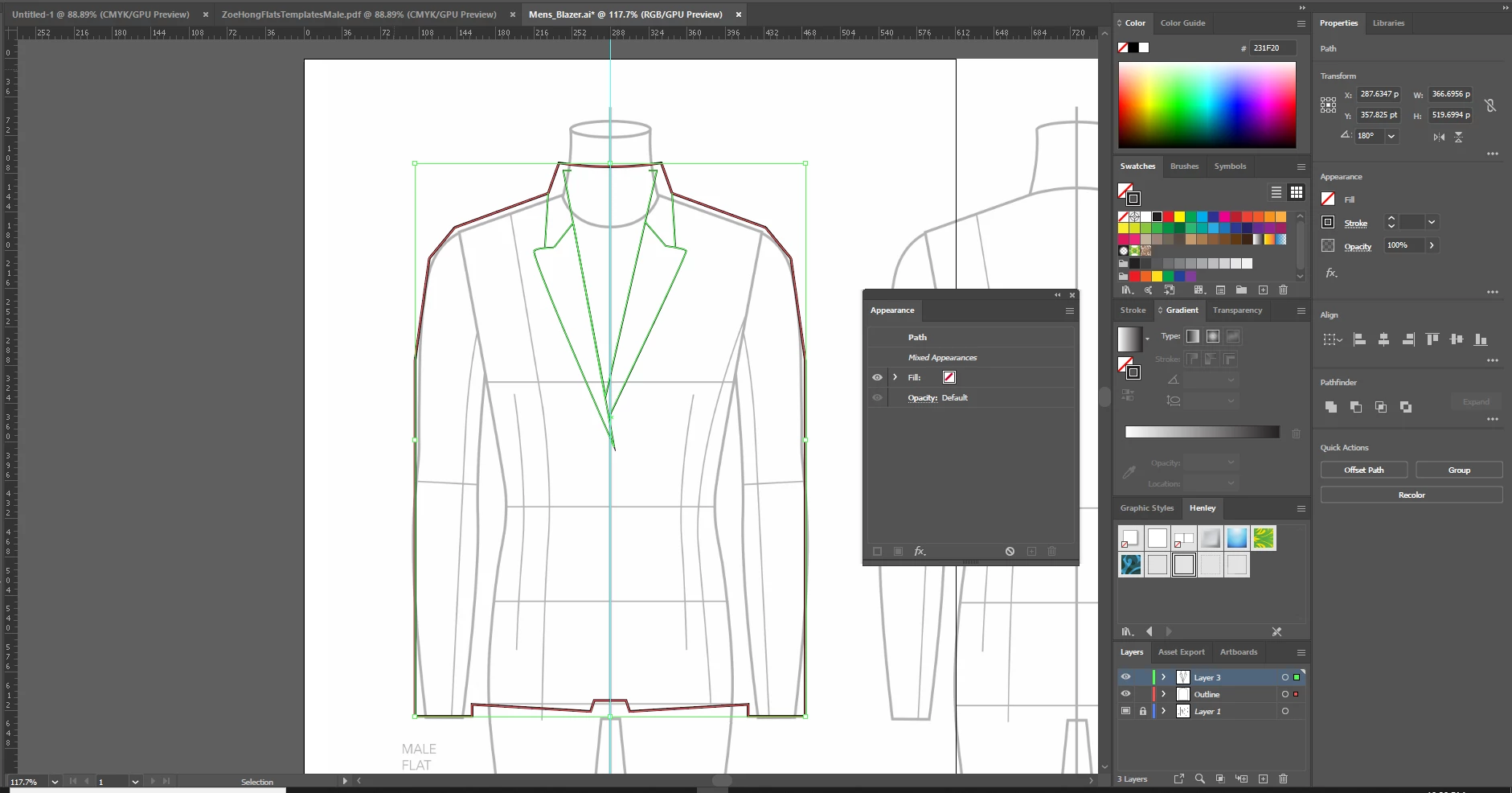
After:
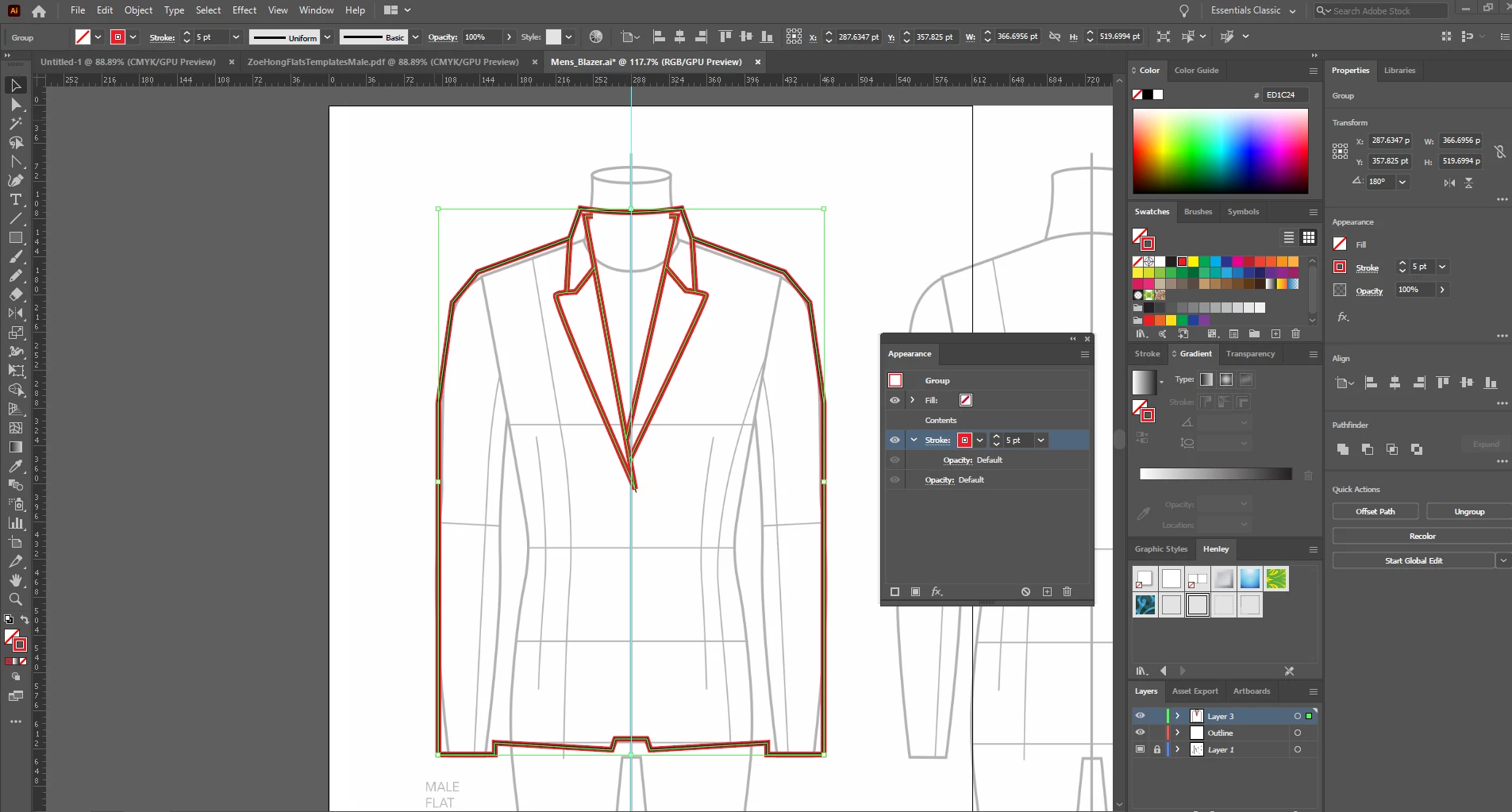
This topic has been closed for replies.
Correct answer tromboniator

You need to have fills applied—that's what the strokes are dragged behind (under) in the Appearance panel. The behavior you get—what shows and what doesn't—depends on whether the fill is applied to the individual paths or to the group as a whole, the order of the paths, bottom to top, in the Layers panel, and the order of fills and strokes, bottom to top, in the Appearance panel.


Peter

3 replies

tromboniator
Community Expert
Community Expert
November 5, 2020

I'm glad you found it helpful. In general, those surrounding strokes need a place to hide on the inside. My further advice, whether or not you use her suggestions on this project, is to always listen to Monika!


Peter

Monika Gause
Community Expert
Community Expert
November 5, 2020

If there are no fills applied, you could perhaps (in some cases) add a pathfinder effect to make the stroke just on the outside of the group. Would depend on the exact nature of the drawing if this works.

CreepymanAuthor
Known Participant
November 5, 2020

Thanks for replying, Monika. I'll explore that option.

tromboniator
Community Expert
tromboniatorCommunity ExpertCorrect answer
Community Expert
November 5, 2020

You need to have fills applied—that's what the strokes are dragged behind (under) in the Appearance panel. The behavior you get—what shows and what doesn't—depends on whether the fill is applied to the individual paths or to the group as a whole, the order of the paths, bottom to top, in the Layers panel, and the order of fills and strokes, bottom to top, in the Appearance panel.


Peter

CreepymanAuthor
Known Participant
November 5, 2020

Peter, Thank you for replying. That totally helped. Didn't realize the layers had to be fill layers instead of just paths. 


Alan