Add Swatches of All Used TINTS
- April 16, 2022
- 2 replies
- 691 views
(If you have a better approach to solve the issue I'm working around, by all means, let me know.)
My project's limited to a 1-color print on kraft chipboard, and the printer suggests at least 20% difference in tints (printed on kraft paper) to be noticeable. I'm starting from RGB vector illustrations licensed from Adobe Stock and using Edit Colors > Recolor with Preset > Single Color based on the Document Palette swatch.
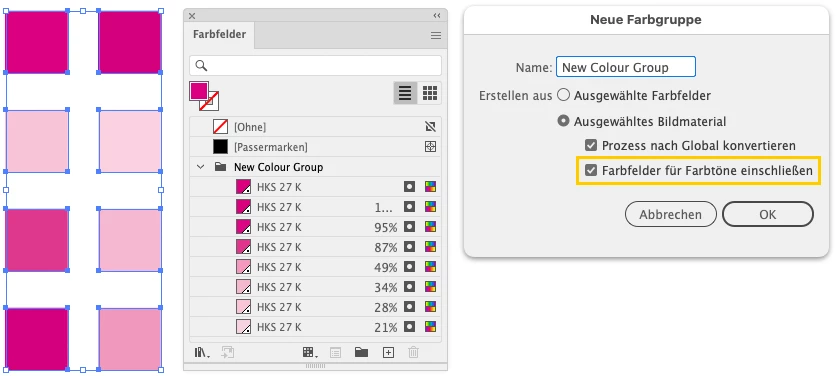
To stick to 20% differences between adjacent areas, I thought I'd need to have Illustrator create spot swatches of all the tints used, and then manually adjust them. But Add Used Colors doesn't produce tint swatches.
Any ideas?
[For some reason the forum won't let me upload the .AI file so I've attached as PDF and screenshot ("The attachment's contnet type (application/postscript) does not match its file extension and has been removed.")]
 AdChoices