Answered
Add swatches to main palette
How do I populate this tool in the upper left corner of the screen? It just has the no fill and registration icons. Thanks.
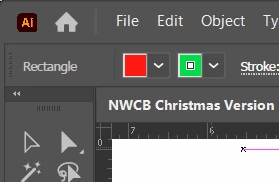

How do I populate this tool in the upper left corner of the screen? It just has the no fill and registration icons. Thanks.
You need to have a document open that contains swatches.
If you open an image, you will see none.
You can load swatches from the swatches panel.
https://helpx.adobe.com/illustrator/using/using-creating-swatches.html
Already have an account? Login
No account yet? Create an account
Enter your E-mail address. We'll send you an e-mail with instructions to reset your password.


 AdChoices