


Known Participant
March 12, 2026
Question

adding a stroke to shapes

  • March 12, 2026
  • 2 replies
  • 38 views

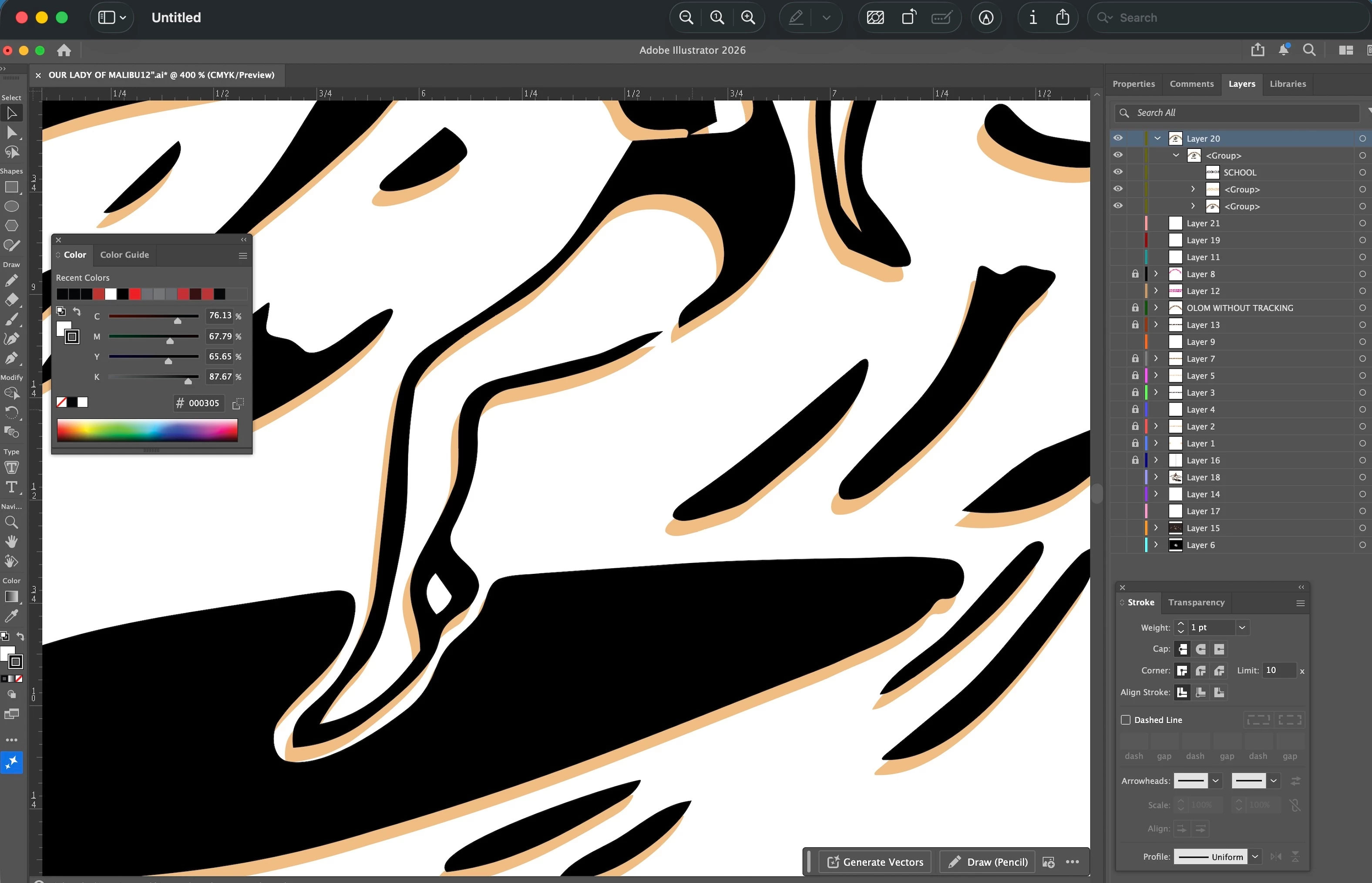
Hello, I have a design that is a combination of foreground/background paths.  They are all grouped.  I would like to stroke each positive shape made by the paths (one stroke that outlines the entire shape made by the overlapping forground/background paths.  I have tried to use pathfinder/unite or merge, but it changes the shape/fill of the paths.  If I just stroke everything, it creates overlapping strokes on both the forground and background paths.  Im attaching a screenshot of a close up of part of the design.  Help!
 

    2 replies

    Ton Frederiks
    Community Expert
    Community Expert
    March 12, 2026

    You may want to group them and in the Appearance panel add a new stroke. Then move the stroke below the contents.

    Community Expert
    March 12, 2026

    Do all the shapes have a basic appearance (flat color fills, no line strokes, no live effects like art brushes, etc.)? Usually if I want to create a single line-stroked object as a copy of a bunch of other objects I’ll select and copy everything I want to weld together onto a separate layer and then apply the Unite Pathfinder there. The scenario where I usually do this is creating a cut path to die cut printed vinyl graphics.