Perhaps I'm not explaining my issue clearly. The area in the source image that I'm attempting to isolate is not a perfect rectangle, after I select it through cropping or applying a clipping mask I'm hoping to straighten those new edges into a rectangle, manipulating the image itself (not the clipping mask). Using a rectangular clipping mask or a crop tool leaves me with parts of the image I do not want, or I'm removing parts that I do want. This functionality might not exist in illustrator, but I was hoping someone might know a trick to do this.
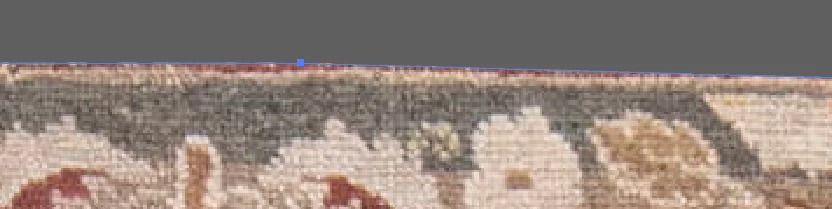
I do not want the red are near the edge of the clipping mask but I do want the olive area. Its a needle that cannot be threaded using a rectangular clipping mask or crop tool. I essentially need to manipulate the image behind the clipping mask to match a rectangular shape. I was hoping that there was a tool that would use a formula to manipulate the image automatically to fill a rectangular space. I'm hoping for a solution involving a formula (some command in illustrator) to decrease the overall warping of the image, if I do this by hand there are more likely to be many distortions. If this is not an obscure functionality within illustrator that is okay with me, I will move over to photoshop.
Thank you!
And there you see the issue with just showing this tiny portion of your image. Nobdy understand your question.
No, you can't edit it with a formula. Try Photoshop.
 AdChoices