
Participant
October 28, 2022
Question

Adobe Gurmukhi font displaying words incorrectly when i type or paste.

  • October 28, 2022
  • 2 replies
  • 419 views

Hi Community,

I 'm having issue with the Adobe Gurmukhi font. i have attached my problem here with this message. i've typed my actual writing and screenshot of problem that i have in illustration. Is there any solution to it?


ਵਿਦਿਆ
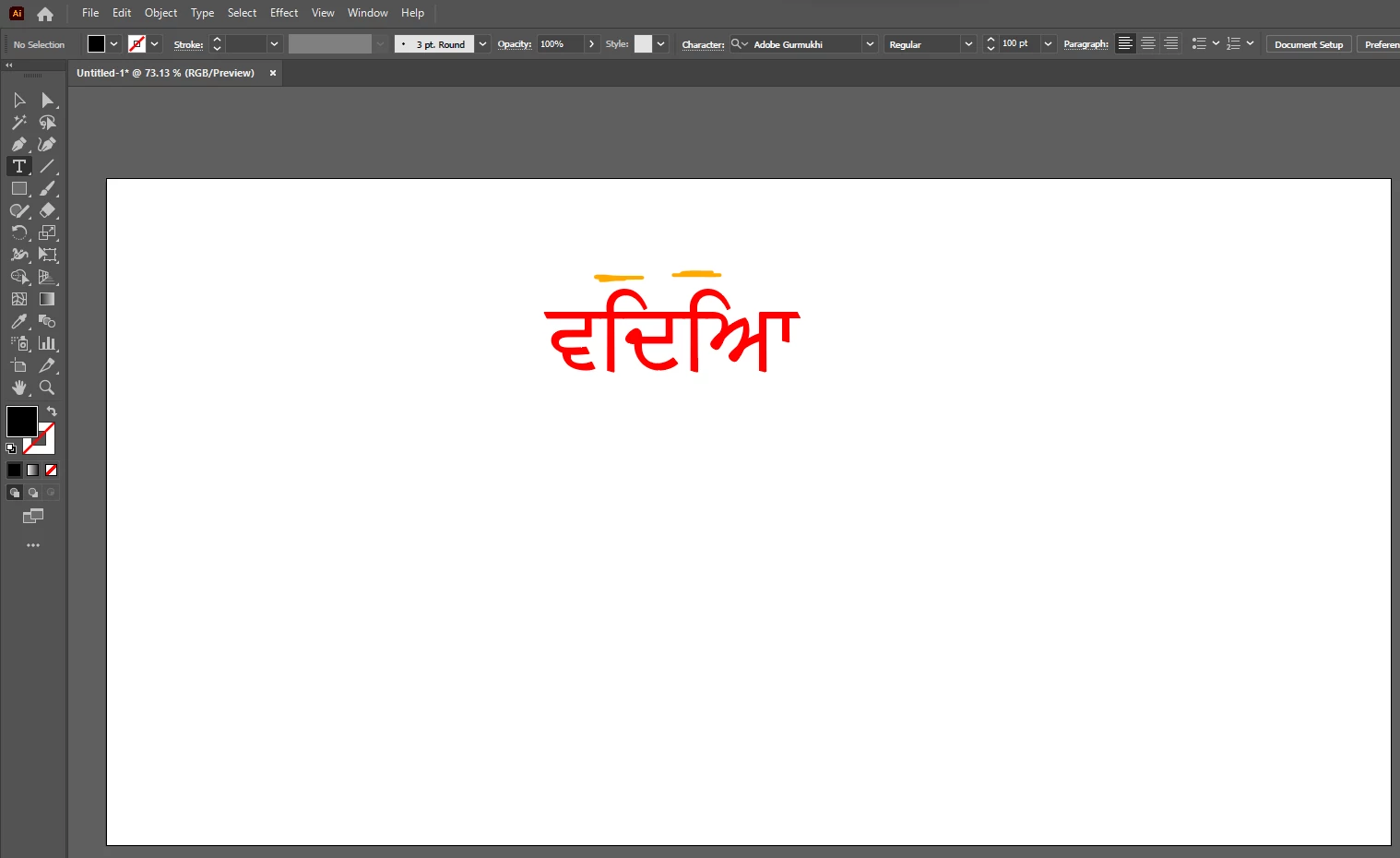
 

1. The version of illustration is 27.0 (Latest) and OS version is 22621 (Up to date), window 11

2. the font i used Adobe Gurmukhi

3. i tried same font on photoshop but working fine.

Regards

Dil


This topic has been closed for replies.

2 replies

Participant
May 26, 2024

I've figured it out after weeks of struggling.


I checked and unchecked so many different options in all my settings and finally came across this in the Paragraph tab.  Select "Middle Eastern and South Asian Every Line Composer" and it fixes all the wonky jumbled characters.

Eric Dumas
Community Expert
Community Expert
October 28, 2022

Hi,

this is an Adobe illustrator question saved in the InDesign forum.

This quewstion will be moved to the correct place.

ਵਿਦਿਆ seems the same as per the screenshot, execpt for the first character, maybe because it is a 'capital letter' equivalent like a C instead of a c.

Have you tried to use the Glyph panel to help you visualise the characters before you type/insert them in your design?

I recomend 

Dilawer1Author
Participant
October 28, 2022

Hi Eric,

Thanks for your reply. I wrote sentence with the help of Glyph panel and it's working fine but if i paste sentence from somewhere else then  same problem is occuring even though i'm turning  caps lock ON & OFF.